7 Reasons Crop Manager Software Isn't Enough in 2026
Discover why crop manager software alone may not suffice in 2026 and explore effective alternatives for comprehensive farm management solutions.
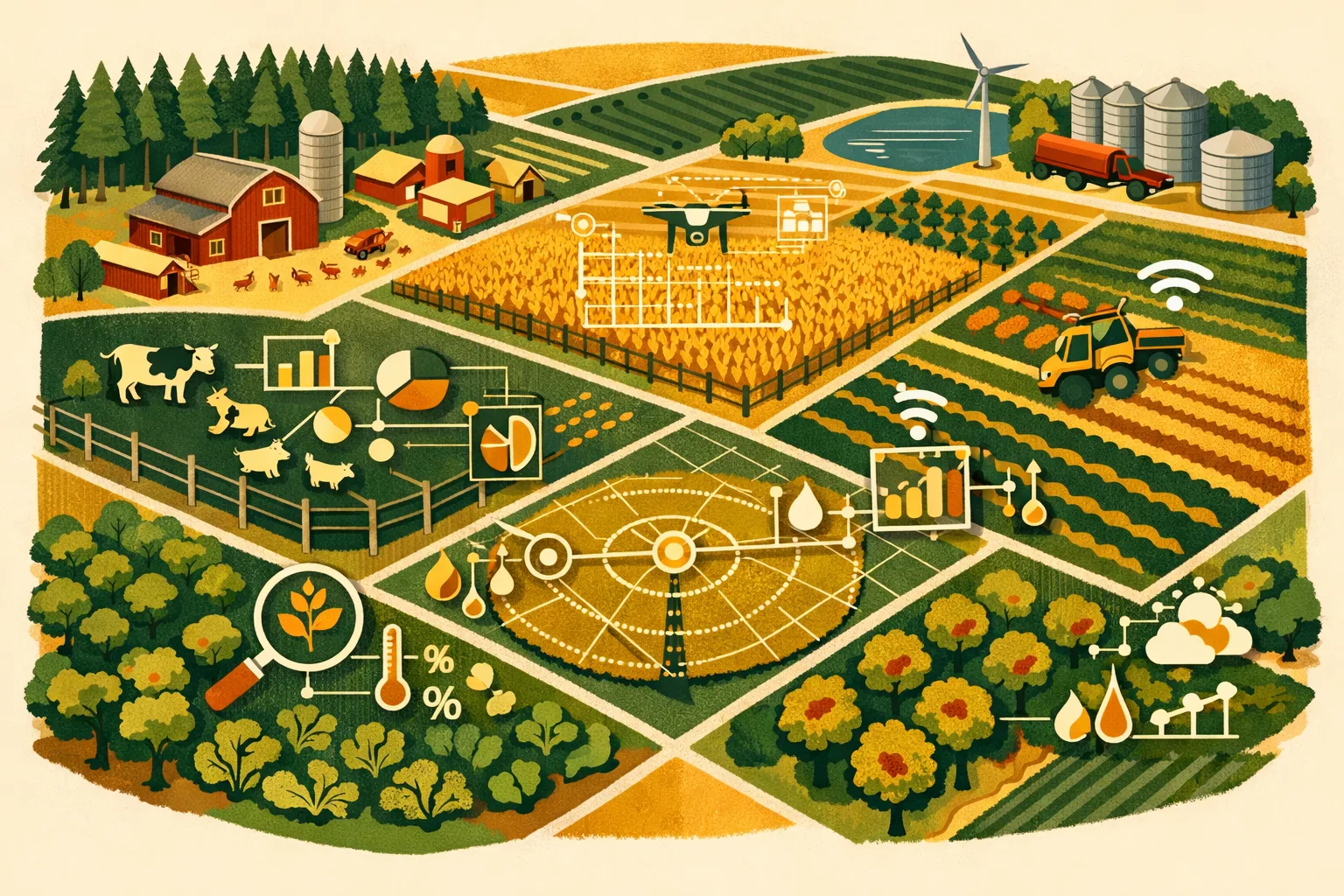
Margins are tighter, labor is harder to coordinate, inputs are more expensive to misapply, and buyers are asking for cleaner records. A tool that only helps you plan crops or track field activities can still leave your operation exposed if the rest of the farm is managed through spreadsheets, texts, paper notes, and memory. For commercial farms, the question is no longer “Do we need software?” It is “Does our software cover the actual way the farm runs?”
Crop manager software can be useful. It can help with planting plans, field records, spray logs, crop scouting, and yield tracking. But in 2026, many 50- to 5,000+ acre operations need more than crop records. They need connected workflows across labor, equipment, inventory, compliance, purchasing, maintenance, harvest, storage, and reporting.
This guide explains where crop manager software falls short, what to look for instead, and how to evaluate whether your current system is helping your operation scale—or quietly creating more administrative work.
What Crop Manager Software Usually Covers
Most crop manager software is built around field and crop activity. Depending on the platform, it may include:
- Field maps and boundaries
- Crop plans by field or block
- Planting records
- Spray and fertilizer applications
- Scouting notes
- Pest and disease observations
- Irrigation logs
- Yield records
- Basic compliance reports
- Input recommendations or integrations
- Seasonal crop history
For agronomic teams, this can be valuable. If your main goal is to record what happened in each field, a crop-focused system can reduce paper records and make seasonal planning easier.
The problem starts when the rest of the operation is outside the system.
A farm is not only a collection of fields. It is also people, machines, parts, fuel, repairs, deliveries, purchase orders, bins, harvest crews, compliance documents, food safety tasks, irrigation schedules, and customer commitments. When crop manager software does not connect those areas, managers still spend hours chasing information.
If you are comparing options, you may also want to read FarmsFlo’s related guides on farm management software, farm record keeping, and farm inventory management.
Reason 1: Crop Records Alone Do Not Manage the Whole Farm
A crop management tool may tell you what was planted, sprayed, scouted, or harvested. But it often does not tell you whether the work was completed efficiently, whether the right crew was available, whether the sprayer was serviced, whether inputs were in stock, or whether the job was profitable after labor and equipment costs.
That gap matters.
On commercial farms, crop decisions are closely tied to operational constraints. A planting plan is only useful if the equipment, seed, labor, fuel, and weather window line up. A spray recommendation is only actionable if the chemical is in inventory, the applicator is available, the machine is calibrated, and the job is logged correctly.
Common Gaps in Crop-Only Systems
Crop manager software often struggles to handle:
- Employee task assignments and time tracking
- Equipment repair history and maintenance schedules
- Parts and supply inventory
- Purchase approvals and vendor records
- Fuel usage tracking
- Harvest logistics
- Storage and lot traceability
- Safety inspections
- Compliance documentation outside spray records
- Farm-wide cost allocation
If your managers need three or four separate tools to answer basic questions, your software stack is not fully supporting the business.
Operational Example
A 1,200-acre vegetable operation may use crop manager software to track blocks, varieties, planting dates, spray intervals, and scouting observations. But if the harvest crew schedule lives in a spreadsheet, irrigation repairs are handled by text message, equipment maintenance is on a shop whiteboard, and food safety logs are in binders, the farm manager still has no single view of the operation.
That creates duplication. A field may be marked ready for harvest, but the crew may not be assigned. A sprayer may be scheduled, but the chemical may not be on hand. A compliance record may exist, but not where the auditor needs it.
Practical Cost and Time Impact
For commercial operations, administrative drag often shows up as:
- 30–90 minutes per manager per day searching for updates
- Re-entering the same job details into multiple systems
- Delayed purchase decisions due to poor inventory visibility
- Missed maintenance windows during peak season
- Extra office time before audits or buyer reviews
Even if the software subscription is affordable, the hidden cost is management time.
Reason 2: Labor Management Needs More Than Field Notes
Labor is one of the most difficult parts of running a commercial farm. Crop manager software may let you record that a job was done, but that is different from managing the people doing the work.
Farm labor management requires daily visibility into who is assigned, where they are working, what they completed, how long it took, and whether the job was done correctly. This is especially true for operations running multiple crews, multiple locations, seasonal employees, contractors, or piece-rate work.
What Crop Manager Software Often Misses
Many crop-focused platforms do not provide strong tools for:
- Crew scheduling
- Task assignment by employee or team
- Mobile checklists
- Time tracking
- Job completion verification
- Training records
- Safety acknowledgments
- Supervisor notes
- Labor cost allocation by field, crop, or activity
Without those tools, managers default to phone calls, group texts, paper timesheets, and end-of-day updates. That works on a small scale, but it becomes fragile as acreage, crop diversity, and labor complexity increase.
Why This Matters in 2026
Labor availability is not getting easier for most commercial farms. Managers need to reduce confusion, improve accountability, and make seasonal employees productive faster.
A software system should help answer questions like:
- Which crew is assigned to which field today?
- Has the crew lead confirmed the task is complete?
- How many labor hours went into this crop block?
- Which employees completed required training?
- Which jobs were delayed and why?
- What work is ready for tomorrow morning?
If your crop manager software cannot answer those questions, you still need another system for daily operations.
Time Estimate: Manual Labor Coordination
For a farm with 10–40 employees during peak season, manual crew coordination can easily consume:
- 20–45 minutes each morning assigning work
- 15–30 minutes midday clarifying changes
- 30–60 minutes at day end collecting updates
- Additional weekly time reconciling labor records
That can mean several hours per week of supervisor time spent managing information instead of managing work.
For more on structuring daily work, see FarmsFlo’s guide to farm task management.
Reason 3: Equipment and Maintenance Are Usually Disconnected
Crop manager software is typically built for agronomy, not asset management. That becomes a serious limitation when equipment downtime can delay planting, spraying, irrigation, harvest, hauling, or packing.
A field plan does not matter if the tractor will not start, the sprayer pump fails, the irrigation motor goes down, or the harvest equipment is waiting on parts.
What a Farm Needs from Equipment Management
Commercial farms need to track:
- Equipment lists by location
- Service intervals
- Repair history
- Preventive maintenance tasks
- Assigned operators
- Inspection logs
- Fuel records
- Parts used
- Downtime notes
- Maintenance costs by machine
- Warranty or dealer information
Many crop manager tools do not manage these workflows well. At best, they may allow notes. But notes are not the same as scheduled maintenance, accountability, and cost tracking.
The Real Cost of Disconnected Maintenance
Equipment problems are expensive because they usually happen when the machine is needed most. A planter breakdown during a short weather window can affect stand establishment. A sprayer issue can delay applications. A harvest machine failure can create quality losses, overtime, or missed delivery windows.
Even simple maintenance gaps add up:
- Missed oil or filter service
- No record of recurring repairs
- Parts ordered late
- Duplicate parts purchases
- Operators failing to report small issues
- Service records scattered across notebooks and invoices
A maintenance system does not prevent every breakdown, but it gives managers a better chance of catching repeat issues and scheduling service before peak demand.
Practical Maintenance Workflow
A farm-ready system should support a workflow like this:
- Operator completes pre-use inspection on mobile device.
- Issue is flagged with photo and notes.
- Shop manager receives task automatically.
- Repair is assigned and prioritized.
- Parts are checked against inventory.
- Service is completed and logged.
- Machine history updates for future reference.
If that workflow happens outside your crop manager software, then your farm still relies on informal communication for one of its most expensive asset categories.
For deeper maintenance planning, read FarmsFlo’s guide on farm equipment maintenance.
Reason 4: Inventory and Input Control Need Operational Visibility
Crop manager software may record that an input was applied. But it may not give you the purchasing, storage, usage, and reorder visibility needed to manage inventory well.
That is a problem when input costs are high and availability can change quickly. Seed, fertilizer, chemicals, packaging, fuel, irrigation supplies, repair parts, and food safety supplies all need to be tracked at a commercial scale.
Crop Application Records Are Not Inventory Management
Recording an application is not the same as managing stock.
A complete inventory workflow should help you know:
- What is currently on hand
- Where it is stored
- Who used it
- Which field or job consumed it
- What quantity remains
- When to reorder
- Which vendor supplied it
- What the cost was
- Whether product is expired, restricted, or lot-controlled
- Whether inventory matches purchase and usage records
Crop manager software may handle chemical use reasonably well, but many farms need broader inventory control across the operation.
Example: Chemical Use vs. Chemical Inventory
A crop system may log that 20 gallons of herbicide were applied to a field. But the farm also needs to know:
- Was that product deducted from inventory?
- Which container or lot was used?
- Did the remaining quantity match the physical count?
- Was the product stored correctly?
- Was the purchase tied to a vendor invoice?
- Is reorder needed before the next application window?
- Can the farm produce a clean usage report for compliance?
If the answer requires checking a spreadsheet, calling the spray operator, and searching invoices, the software is not fully supporting inventory control.
Practical Cost Estimate
Inventory gaps can create direct and indirect costs:
- Rush orders or emergency freight
- Duplicate purchases because stock is hard to verify
- Delayed fieldwork due to missing inputs
- Product expiration or poor rotation
- Inaccurate job costing
- Extra office time reconciling purchases and usage
For many farms, better inventory visibility does not need to be complicated. The key is connecting inventory to tasks, fields, vendors, and employees.
See FarmsFlo’s guide to farm inventory management for a practical setup approach.
Reason 5: Compliance Requirements Extend Beyond Crop Applications
Crop manager software can help with spray records, restricted-use product logs, and crop history. But compliance on modern commercial farms often extends far beyond crop activity.
Depending on your crops, buyers, location, labor structure, and certifications, you may need to manage records for:
- Food safety
- Worker training
- Equipment sanitation
- Water testing
- Chemical storage
- Safety meetings
- Incident reports
- Field inspections
- Harvest records
- Traceability
- Organic certification
- GlobalG.A.P. or buyer programs
- Pesticide use reporting
- Restricted-entry intervals
- Pre-harvest intervals
- Cleaning logs
- Visitor logs
- Corrective actions
A crop-focused tool may cover part of this, but rarely all of it.
Audit Readiness Requires Connected Records
Audits become harder when records are stored in different places:
- Spray logs in crop manager software
- Training records in a binder
- Water tests in email attachments
- Equipment cleaning logs on paper
- Corrective actions in spreadsheets
- Harvest records in a separate packing system
- Employee acknowledgments in HR files
When records are scattered, preparing for an audit becomes a manual project. Managers spend time collecting documents, verifying dates, filling gaps, and confirming signatures.
A better system keeps operational records tied to the actual work.
What Compliance-Ready Software Should Provide
Look for tools that help you:
- Standardize forms and checklists
- Assign recurring compliance tasks
- Capture mobile records in the field
- Store photos and documents
- Track corrective actions
- Maintain employee training logs
- Export reports quickly
- Search historical records by date, field, employee, crop, or task
- Maintain an audit trail
If your crop manager software only handles crop applications, it may reduce one compliance burden while leaving several others untouched.
Time Estimate: Audit Preparation
For farms using mixed paper and digital systems, audit preparation can take:
- Several hours for a small, single-location operation
- Multiple days for larger farms with multiple crops, crews, and buyers
- Additional time if records are incomplete or stored by different managers
A connected operational system can reduce the scramble because records are captured as work happens.
For more, review FarmsFlo’s guide on farm compliance software.
Reason 6: Reporting Is Limited When Data Lives in Separate Systems
Crop manager software may generate useful reports for agronomy. But farm owners and managers often need operational and financial reporting that crosses departments.
A crop report might show yield by field. That is useful. But leadership may also need to understand:
- Labor hours by crop
- Equipment cost by field
- Input cost by activity
- Downtime by machine
- Inventory usage by job
- Task completion rates
- Compliance status
- Harvest efficiency
- Purchase trends
- Cost per acre by production practice
- Profitability by block, variety, or customer program
Those answers are difficult when data is fragmented.
Why Disconnected Data Creates Bad Decisions
If crop activity is in one tool, labor is in another, inventory is in spreadsheets, and maintenance is on paper, reports become estimates. Managers may make decisions based on incomplete or delayed information.
Common issues include:
- Labor costs not tied to fields accurately
- Equipment costs treated as overhead instead of assigned to jobs
- Inventory usage entered after the fact
- Field histories missing operational context
- Delayed reporting until the season is already over
- Managers relying on memory to explain performance differences
For commercial farms, real reporting needs both crop and operational data.
What Better Reporting Looks Like
A more complete farm operations platform should let you track and compare:
- Planned vs. completed work
- Input usage by field and crop
- Labor time by task
- Equipment assigned to jobs
- Maintenance cost by asset
- Inventory on hand and consumed
- Compliance tasks completed or overdue
- Seasonal activity by location
- Notes, photos, and documents connected to jobs
The goal is not reporting for its own sake. The goal is better management decisions during the season, not only after harvest.
Example: Evaluating a Crop Block
A crop manager software report might show that Block A yielded less than Block B. But a farm operations system can help explain why:
- Block A had delayed planting due to equipment downtime.
- Irrigation repairs occurred during a critical period.
- Labor hours were higher due to extra hand weeding.
- Fertility application was completed later than planned.
- Scouting notes showed pest pressure two weeks earlier.
- Harvest crew notes documented quality issues.
That level of connected data helps managers decide whether the issue was agronomic, operational, weather-related, labor-related, or equipment-related.
Reason 7: Crop Manager Software May Not Fit How Your Team Actually Works
Software only works if the team uses it consistently. Many crop manager systems are designed for agronomists, consultants, or office-based planning. But farm operations happen in trucks, shops, fields, packing areas, chemical sheds, irrigation sites, and equipment yards.
If the software does not fit field workflows, adoption suffers.
Signs Your Team Is Working Around the System
Watch for these warning signs:
- Employees still send most updates by text
- Supervisors keep their own spreadsheets
- Field notes are entered days later
- Equipment issues are not logged
- Inventory is updated only by one office person
- Managers print work orders because mobile access is poor
- Compliance forms are completed on paper first
- Only one or two people know how to use the system
- Reports require manual cleanup before they are useful
When a system becomes an office-only recordkeeping tool, it may not improve day-to-day execution.
Field Usability Requirements
Commercial farm software should be practical for real farm conditions. Look for:
- Simple mobile access
- Clear task lists
- Role-based permissions
- Fast photo and note capture
- Offline or low-connectivity functionality where needed
- Easy assignment of work
- Repeatable checklists
- Multi-location support
- Employee-friendly interfaces
- Quick report exports
- Minimal duplicate entry
A complex crop platform may offer advanced agronomic features, but if supervisors do not use it during the workday, it will not deliver operational control.
Adoption Cost and Setup Time
Implementation is not only a subscription decision. It also requires time.
For a commercial farm, expect setup work such as:
- Uploading fields, blocks, equipment, and employees
- Creating task templates
- Adding inventory items
- Setting user roles
- Training managers and crew leads
- Testing mobile workflows
- Migrating key records
- Reviewing reports
A realistic rollout can take a few days to several weeks depending on farm size, crop complexity, and how much historical data you want to bring over.
The right system should reduce complexity after setup. If it requires constant office administration to stay current, it may not be the right fit.
Crop Manager Software vs. Farm Operations Software
The right choice depends on what you need to manage. Some farms benefit from specialized crop tools. Others need a broader farm operations platform that connects field activity with labor, equipment, inventory, and compliance.
| Capability | Crop Manager Software | Farm Operations Software |
|---|---|---|
| Field and crop planning | Usually strong | Strong when built for production workflows |
| Spray and fertilizer records | Usually strong | Strong, often connected to inventory and tasks |
| Scouting notes | Often included | Included or connected through task records |
| Labor scheduling | Often limited | Built for crew assignments and task tracking |
| Employee time/task accountability | Often limited | Stronger operational visibility |
| Equipment maintenance | Usually limited | Tracks service, repairs, inspections, downtime |
| Inventory management | Often focused on crop inputs only | Broader inventory across inputs, parts, fuel, supplies |
| Compliance records | Crop-related records only in many systems | Broader checklists, documents, corrective actions |
| Reporting | Agronomic reports | Operational reports across departments |
| Mobile field workflows | Varies | Designed around daily execution |
| Best fit | Agronomy-focused teams | Farms needing whole-operation control |
Many farms do not need to abandon crop manager software immediately. But they should understand whether it is the primary operating system for the farm or only one tool in a larger management stack.
When Crop Manager Software Is Still a Good Fit
Crop manager software can still make sense when your main pain point is agronomic recordkeeping.
It may be enough if:
- You have a simple labor structure
- Equipment maintenance is already well managed elsewhere
- Inventory is small or handled by a separate system
- Compliance requirements are limited
- The farm has one location and a small management team
- You primarily need field history, spray records, and crop plans
- Your agronomist or consultant is the main software user
For example, a grain operation with a lean team may get strong value from crop planning, spray records, and yield maps if other processes are already streamlined. A specialty crop farm with crews, audits, storage, and complex harvest logistics may need much more.
The risk is assuming that crop software solves farm management. It may solve only the crop-record portion.
When You Need a Broader System
You should consider a broader farm operations platform if you are experiencing any of the following:
- Managers rely on too many spreadsheets
- Work orders are communicated by text and memory
- Labor hours are hard to assign to fields or crops
- Equipment repairs are not tracked consistently
- Inventory counts are often wrong
- Compliance records are spread across binders and inboxes
- Audit preparation is stressful
- You cannot easily see what work is complete
- Crew leads need better mobile tools
- You are expanding acreage, crops, locations, or staff
- You want clearer cost tracking across the operation
The larger and more diversified the farm, the more expensive disconnected systems become.
A 100-acre high-value specialty crop operation may need stronger operational software than a 2,000-acre commodity crop operation if labor, compliance, and harvest complexity are higher. Acreage matters, but workflow complexity matters more.
Practical Checklist: Evaluate Your Current Crop Manager Software
Use this checklist before renewing, replacing, or adding software. Assign each item a status: Yes, Partial, or No.
Field and Crop Management
- Can you see all fields, blocks, crops, varieties, and rotations clearly?
- Can you track planting, spraying, fertilizing, irrigation, scouting, and harvest activity?
- Can records be updated from the field?
- Can you attach photos, documents, and notes?
- Can you search crop history quickly?
Labor and Task Management
- Can you assign tasks to employees or crews?
- Can supervisors see open, completed, and overdue work?
- Can crew leads update jobs from mobile devices?
- Can labor hours be tied to specific fields, crops, or tasks?
- Can recurring jobs be scheduled automatically?
Equipment and Maintenance
- Can you track equipment inspections?
- Can operators report issues with photos?
- Can maintenance tasks be scheduled?
- Can repairs, parts, and downtime be logged?
- Can you review service history by machine?
Inventory and Purchasing
- Can you see current inventory by location?
- Are inputs deducted when used?
- Can inventory be tied to tasks or fields?
- Can you track vendor, cost, lot, or expiration details?
- Are reorder needs visible before a shortage happens?
Compliance and Reporting
- Can you build checklists for food safety, safety, sanitation, or buyer requirements?
- Can you assign corrective actions?
- Can you store training records?
- Can reports be exported quickly?
- Can you find records by field, date, employee, crop, or activity?
Adoption and Usability
- Do managers use the system daily?
- Do crew leads use it without heavy office support?
- Is mobile access practical in field conditions?
- Is duplicate entry minimal?
- Are reports trusted by the management team?
If you answer Partial or No to several operational categories, your crop manager software may not be enough for 2026.
Action Plan: How to Move Beyond Crop-Only Management
Replacing or expanding software does not need to be disruptive. The key is to start with the workflows causing the most cost, confusion, or compliance risk.
Step 1: Map Your Current Systems
List where each type of information lives today:
- Crop plans
- Field records
- Spray logs
- Labor assignments
- Timesheets
- Equipment maintenance
- Parts inventory
- Chemical inventory
- Purchase records
- Compliance documents
- Harvest records
- Storage records
- Buyer or audit reports
Then mark which systems are paper, spreadsheet, text message, software, or memory-based.
Estimated time: 1–3 hours for a simple operation, half a day to two days for larger multi-location farms.
Step 2: Identify the Highest-Friction Workflows
Ask your managers:
- What information do you chase most often?
- Which records are hardest to produce?
- Where do mistakes happen repeatedly?
- What slows down morning planning?
- What causes the most end-of-day admin?
- Which tasks are completed but not documented?
- Which reports do you not trust?
Prioritize the top three workflows. Common starting points are task management, equipment maintenance, inventory, or compliance.
Step 3: Define Must-Have Features
Avoid buying software based only on feature lists. Define what your farm needs to do.
Examples:
- “Assign daily jobs to crews and confirm completion from mobile.”
- “Track chemical inventory from purchase to field application.”
- “Log equipment inspections and create repair tasks.”
- “Prepare audit reports without searching paper files.”
- “Tie labor and input costs to specific crops or fields.”
These statements are more useful than asking whether a platform has “farm management features.”
Step 4: Pilot With One Team or Location
Start with a manageable rollout:
- One crop group
- One farm location
- One crew
- One equipment category
- One compliance program
Run the pilot for two to four weeks during a period with real activity. Do not test only from the office. The system must work in field conditions.
Step 5: Standardize Templates and Checklists
Create repeatable templates for:
- Daily field tasks
- Spray preparation
- Irrigation checks
- Equipment inspections
- Harvest readiness
- Cleaning and sanitation
- Chemical storage checks
- Safety meetings
- Maintenance requests
Good templates reduce training time and improve consistency across managers.
Step 6: Train Managers First, Then Crew Leads
Start with the people who assign, verify, and report work. If managers do not trust the system, crew adoption will fail.
Training should include:
- How to assign work
- How to update task status
- How to add photos and notes
- How to handle exceptions
- How to review reports
- What must be entered daily
- What can be entered later
For crew leads, keep training practical and task-based. Show exactly what they need to do during the workday.
Step 7: Review After 30 Days
After the first month, evaluate:
- Are tasks being completed in the system?
- Are managers still using spreadsheets?
- Are records easier to find?
- Are reports accurate enough to guide decisions?
- Are employees comfortable with mobile workflows?
- Which templates need adjustment?
- Which manual process can be removed next?
The goal is not to digitize every old process. The goal is to simplify how the farm runs.
Budget Considerations for Commercial Farms
Software cost varies depending on acreage, users, features, support, and implementation needs. When comparing crop manager software with broader farm operations software, do not only compare subscription price.
Consider the total cost of operating the system:
- Subscription fees
- Setup and onboarding time
- Data migration
- Training
- Mobile devices if needed
- Office administration time
- Duplicate entry
- Reporting preparation
- Time saved by managers
- Reduced errors or missed work
- Better audit readiness
- Lower downtime from improved maintenance
- Better inventory control
A cheaper tool can be more expensive if it requires managers to maintain spreadsheets around it. A broader system may justify the cost if it removes duplicate workflows and gives managers better control.
Questions to Ask Vendors
Before committing, ask:
- Is the platform built for crop records only or full farm operations?
- Can labor, equipment, inventory, and compliance connect to field tasks?
- How does mobile task completion work?
- Can crew leads use it with limited training?
- Can we create custom checklists?
- Can records be exported for audits?
- How are user permissions handled?
- What support is included during setup?
- How long does implementation typically take for a farm like ours?
- Can we trial the system with real workflows before committing?
A vendor should be able to explain how the system fits your farm’s daily operations, not only show attractive dashboards.
What to Look for in a 2026 Farm Operations Platform
If your current crop manager software is not enough, look for a platform that supports the farm as an operating business.
Core Capabilities
A practical system should include:
- Field and crop activity tracking
- Daily task management
- Crew and employee assignments
- Equipment and maintenance tracking
- Inventory control
- Compliance forms and checklists
- Mobile updates
- Photos and documents
- Reporting and exports
- Multi-location visibility
- Role-based access
- Simple setup and support
Workflow Connections
The real value comes from connections:
- A spray task should connect to the field, applicator, product, inventory, weather notes, and compliance record.
- A maintenance issue should connect to the machine, operator, repair task, parts inventory, and service history.
- A harvest task should connect to the block, crew, date, yield, quality notes, and buyer or storage record.
- A compliance checklist should connect to the employee, location, date, corrective action, and supporting photo.
When workflows connect, managers spend less time piecing together what happened.
How FarmsFlo Helps
FarmsFlo is built for commercial farm operations that need more than crop manager software. It helps farm teams manage daily work across fields, people, equipment, inventory, and compliance from one practical platform.
With FarmsFlo, you can:
- Assign and track farm tasks from the field or office
- Standardize recurring checklists and work orders
- Capture photos, notes, and completion records
- Improve visibility across crews and locations
- Track equipment issues and maintenance workflows
- Manage operational records without relying on paper binders
- Keep key farm information organized for managers, owners, and audits
- Reduce spreadsheet dependency across the operation
Crop manager software can be useful for agronomy, but your farm needs operational control across the whole business. If your team is still managing labor, maintenance, inventory, and compliance through disconnected systems, FarmsFlo can help you bring those workflows together.
Start a FarmsFlo trial at farmsflo.com and see how a connected farm operations platform can support your 2026 season.