7 Farm Management Software Options That Will Actually Transform Your Agriculture Business by 2026
Discover seven agriculture management software solutions poised to transform your farm operations by 2026. Boost efficiency and productivity today.
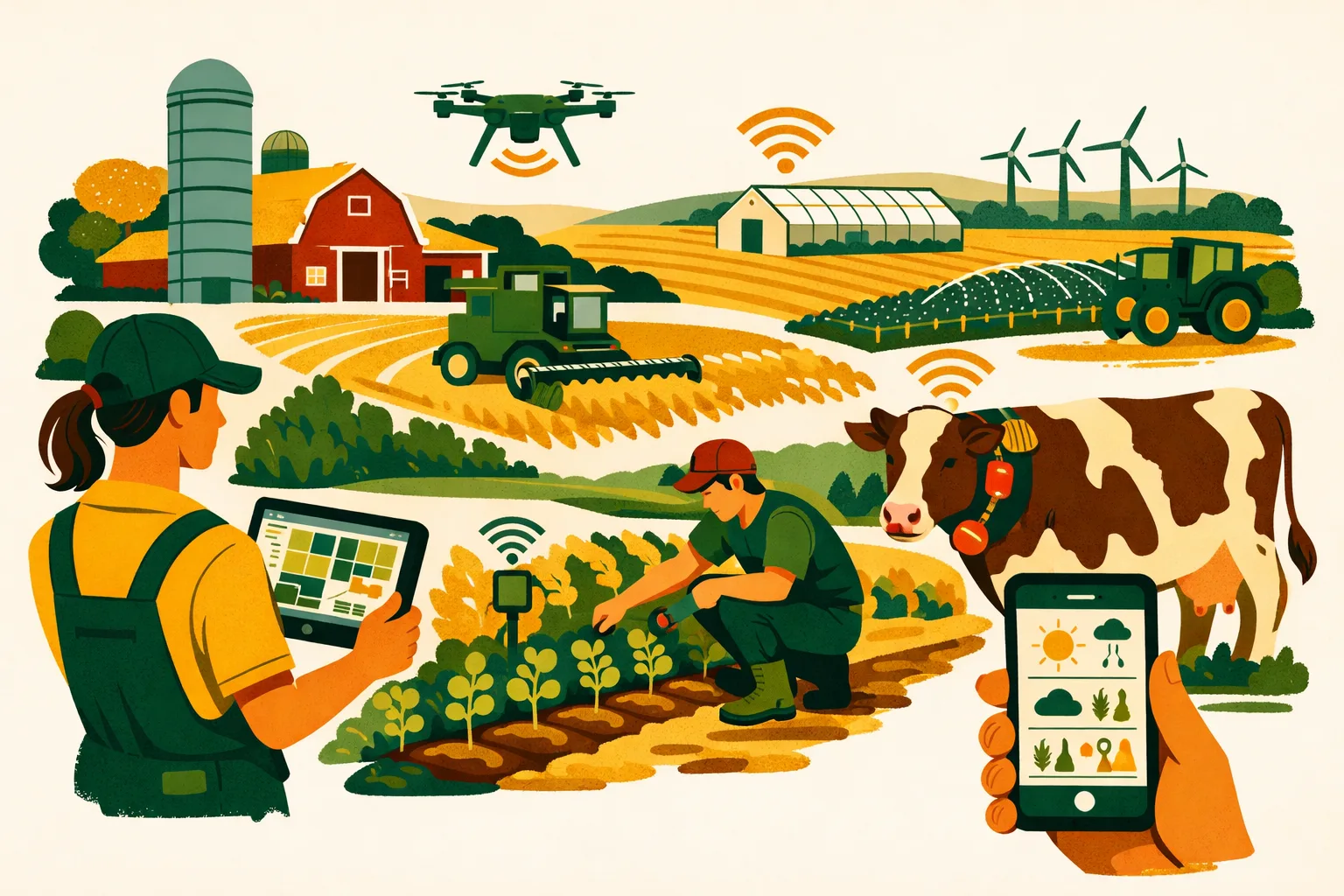
Disconnected spreadsheets, handwritten spray records, paper field maps, and text-message task lists can work for a while. Then acreage grows, labor gets tighter, compliance demands increase, input costs move faster, and the farm office becomes the bottleneck. The right agriculture management software gives commercial operators one operational system for planning, executing, recording, and improving farm work — without relying on memory or end-of-season data entry.
What Agriculture Management Software Should Do for a Commercial Farm
Agriculture management software is not just a digital notebook. For a 50- to 5,000+ acre operation, it should help manage the daily realities of production: field records, crop plans, input applications, labor, equipment, inventory, compliance, costs, and reporting.
The strongest platforms help farm managers answer practical questions:
- What was planted, sprayed, fertilized, irrigated, harvested, and by whom?
- Which fields are behind schedule?
- Are input inventories accurate before the next application window?
- Can we produce spray, fertilizer, organic, GlobalG.A.P., or buyer-required records quickly?
- Which crops, fields, or blocks are producing the best margin?
- Are field teams getting clear work instructions?
- Are office staff spending too much time chasing paperwork?
A good platform does not need every possible feature. It needs the right workflows for your operation, your crops, your labor structure, and your reporting requirements.
For more on tightening farm workflows before digitizing them, see the FarmsFlo guide on farm operations management and the guide to farm record keeping software.
How to Evaluate Agriculture Management Software Before You Buy
Before comparing vendors, define the job you need the software to perform. Many farms buy systems based on mapping, yield visuals, or accounting integrations, then discover the platform does not fit daily work execution.
Core Buying Criteria
Use these criteria when reviewing agriculture management software:
-
Crop and production fit
Row crops, specialty crops, orchards, vineyards, protected cropping, and mixed operations have different workflow needs. -
Field-level record keeping
The platform should capture planting, spraying, fertilizing, irrigation, scouting, harvest, labor, and equipment activities. -
Ease of use for field staff
If supervisors and operators will not use the system on mobile devices, office staff will still be cleaning up records later. -
Compliance reporting
Look for chemical application logs, restricted-use pesticide records, worker protection documentation, food safety records, and audit-ready exports where relevant. -
Task management
Clear work orders, assignments, due dates, completion status, and notes are essential for larger teams. -
Inventory and input tracking
Seed, fertilizer, chemicals, fuel, packaging, and harvest supplies all affect margins and execution. -
Equipment and machinery data
Some farms need telematics and machine integrations. Others mainly need scheduling, maintenance, and operator accountability. -
Cost tracking and profitability
Software should help connect activities and inputs to fields, crops, blocks, or enterprises. -
Integrations
Accounting, payroll, equipment platforms, GIS layers, weather tools, and agronomy systems may matter depending on your operation. -
Implementation support
The most powerful system will fail if setup, training, and data migration are ignored.
Typical Cost and Time Expectations
Pricing varies widely based on acreage, users, modules, crops, and implementation support. Commercial farms should plan for more than the subscription cost.
Common budget categories include:
- Software subscription
- Initial setup and configuration
- Field boundary import or mapping cleanup
- Historical data migration
- Staff training
- Mobile devices or tablets, if needed
- Ongoing support or consulting
- Integration work with accounting or equipment systems
Typical implementation timelines:
| Farm Situation | Realistic Setup Timeline | Notes |
|---|---|---|
| Single-location farm with clean field list | 1–3 weeks | Fastest when records are already organized |
| Multi-location farm with several managers | 3–8 weeks | Requires workflow alignment and role setup |
| Specialty crop operation with compliance needs | 4–12 weeks | More setup for blocks, sprays, harvest, audits |
| Large enterprise with integrations | 2–6 months | Accounting, machinery, and historical data add time |
Do not evaluate software only on the demo. Ask what it takes to get your own farm live with your fields, crops, users, forms, inventory, and reports.
Comparison Table: 7 Agriculture Management Software Options
The table below gives a practical buyer’s view of seven strong agriculture management software options for commercial farms.
| Software | Best Fit | Strengths | Watch For |
|---|---|---|---|
| FarmsFlo | Commercial farms needing operations, records, tasks, and compliance in one workflow | Practical farm execution, field records, team visibility, trial-friendly evaluation | Best evaluated with your actual workflows and team roles |
| John Deere Operations Center | Farms heavily invested in John Deere equipment | Machine data, field maps, equipment connectivity | Less complete as a full non-machine operations system |
| Climate FieldView | Row crop farms focused on field data and agronomic insights | Planting, application, harvest data visualization | May need other tools for labor, compliance, and operations management |
| Agworld | Agronomy-led farms and advisor-connected operations | Crop planning, recommendations, field records, advisor collaboration | Workflow fit depends on how your agronomist and farm team operate |
| Conservis | Larger crop operations needing financial and production tracking | Cost tracking, inventory, crop planning, enterprise management | Implementation effort can be higher for complex farms |
| Trimble Ag Software | Farms using precision ag and equipment guidance systems | GIS, field data, precision farming connections | Can require technical setup and clear data processes |
| Granular | Commercial row crop operations focused on planning and profitability | Crop plans, budgets, field profitability, operational tracking | Confirm current product fit, availability, and support for your region |
1. FarmsFlo: Practical Farm Operations Software for Commercial Teams
FarmsFlo is built for commercial farms that need day-to-day operational control, not just end-of-season analysis. It is a strong fit for farm managers who want field records, tasks, team coordination, inventory visibility, and compliance documentation in a system that supports real farm workflows.
For farms moving away from spreadsheets, WhatsApp messages, paper job sheets, and whiteboards, FarmsFlo gives managers a central place to organize work and capture what happened in the field.
Where FarmsFlo Fits Best
FarmsFlo is especially useful for:
- Farms managing multiple crops, fields, blocks, or locations
- Operations with crews, supervisors, applicators, mechanics, and office staff
- Farms that need accurate spray, fertilizer, irrigation, planting, harvest, and labor records
- Managers who want cleaner communication between the office and field
- Operations preparing for audits, buyer requirements, or internal performance reviews
- Farms that want to standardize recurring work instead of rebuilding plans every season
Key Features to Look At
When evaluating FarmsFlo, focus on how it supports the operating rhythm of your farm:
- Field and block records
- Task assignment and tracking
- Crop activity logs
- Spray and fertilizer records
- Team communication
- Mobile data capture
- Compliance and audit support
- Inventory and input tracking
- Operational dashboards
- Farm-level reporting
The value is strongest when the system becomes part of daily execution. A manager should be able to create tasks, assign work, see what is complete, identify delays, and access records without digging through paper folders.
Practical Use Case
A farm manager starts the week by creating field tasks for spraying, irrigation checks, fertilizer applications, and harvest preparation. Supervisors receive their assignments, complete work from mobile devices, and add notes, product usage, dates, and field conditions. Office staff can then review records without calling every crew leader at the end of the day.
That workflow reduces administrative drag and gives management faster visibility into what is happening across the farm.
Estimated Setup Effort
For a farm with organized field lists and a clear team structure, FarmsFlo can usually be evaluated quickly during a trial. Larger operations should plan time to configure locations, roles, crop plans, activity types, and reporting needs.
Recommended rollout:
- Week 1: Set up fields, users, crops, and core task categories
- Week 2: Run one or two workflows, such as spray records and field tasks
- Week 3: Add inventory, compliance reports, and broader team usage
- Week 4: Review adoption, clean up templates, and standardize procedures
For related planning, read how to choose farm management software.
2. John Deere Operations Center: Strong for Machine-Connected Farms
John Deere Operations Center is one of the most recognized platforms in commercial agriculture, especially for farms operating Deere equipment. It is designed around machine connectivity, field data, agronomic layers, and operational insights tied to equipment activity.
For row crop operations that depend heavily on planters, sprayers, combines, and precision ag systems, it can be a valuable hub for machinery-generated data.
Where It Fits Best
John Deere Operations Center is a strong match for:
- Corn, soybean, wheat, cotton, and other broadacre row crop farms
- Operations with Deere tractors, sprayers, planters, and combines
- Farms that want maps of planting, spraying, harvest, and machine work
- Managers tracking machine performance and field activity
- Farms already using John Deere displays and guidance systems
Strengths
The platform is useful when machine data is central to decision-making. It can help collect and organize:
- Field boundaries
- Planting maps
- Application maps
- Harvest data
- Machine location
- Equipment activity
- Work documentation
- Data sharing with advisors or partners
For equipment-heavy operations, this can reduce manual data transfer and improve visibility into field activity.
Limitations to Consider
John Deere Operations Center is not always a complete replacement for broader farm operations software. If your main challenge is labor coordination, compliance workflows, inventory control, specialty crop records, or task accountability across crews, you may still need a complementary system.
Questions to ask:
- Can it manage non-equipment tasks well enough for your farm?
- Does it support your compliance record requirements?
- Will non-Deere equipment data flow easily?
- Can office staff use it for operational planning, not just machine data review?
- Does it help manage people and inventory?
Estimated Setup Effort
If your machinery is already connected, setup can be relatively straightforward. The largest time investment is usually cleaning field boundaries, organizing client/farm/field structures, and training staff to correctly document operations from the cab.
Plan for:
- 1–2 weeks for basic setup
- 2–6 weeks for field boundary cleanup and team training
- Longer if integrating mixed equipment brands or historical data
3. Climate FieldView: Data Visualization for Row Crop Decisions
Climate FieldView is widely used in row crop agriculture for collecting, visualizing, and analyzing field data. It is most relevant for farms that want to compare hybrid performance, planting conditions, application data, and harvest results across fields.
It is less of a general farm office system and more of an agronomic data platform.
Where It Fits Best
Climate FieldView can be a good fit for:
- Row crop farms focused on corn, soybeans, cotton, and similar crops
- Producers wanting in-season and post-season field data insights
- Farms that value hybrid, variety, and yield comparison tools
- Operators using compatible monitors and data collection devices
- Teams working closely with seed or agronomy advisors
Strengths
The platform helps commercial farms turn field data into usable visuals. Common use cases include:
- Viewing planting maps
- Comparing seed varieties or hybrids
- Analyzing yield maps
- Reviewing application activity
- Evaluating field performance by zone
- Sharing agronomic data with advisors
For farms trying to improve seed selection, variable-rate decisions, and field-level agronomic planning, this type of tool can support more informed decisions.
Limitations to Consider
Climate FieldView is not designed to manage every operational workflow on the farm. You may need additional software if you require:
- Daily task assignment
- Crew management
- Compliance logs beyond agronomic activity
- Inventory management
- Labor tracking
- Equipment maintenance
- Buyer or audit documentation
- Multi-crop specialty workflows
Before buying, confirm the platform fits your equipment, crops, data sources, and decision process. If no one on the farm will review and act on the maps, the value drops quickly.
Estimated Setup Effort
FieldView setup depends on equipment compatibility and data collection methods. If your monitors and devices are already supported, you can begin collecting useful data quickly. Historical data cleanup and consistent naming are often the bigger challenge.
Plan for:
- 1–3 weeks for basic setup
- One full season to collect meaningful, comparable data
- Additional time after harvest for analysis and planning adjustments
4. Agworld: Agronomy Collaboration and Field Records
Agworld is a farm management platform with strong roots in agronomy collaboration. It is commonly used by farms, agronomists, and advisors who want shared crop plans, recommendations, field records, and activity tracking.
For farms where agronomists play a central role in planning and recommendations, Agworld can help keep everyone aligned.
Where It Fits Best
Agworld is often a strong fit for:
- Farms working closely with independent agronomists or crop advisors
- Operations needing crop plans and recommendations in one system
- Farms that want advisor-to-grower collaboration
- Producers managing field records across multiple crops
- Teams that need mobile access to recommendations and activity logs
Strengths
Agworld can support:
- Crop planning
- Recommendations
- Field activity records
- Scouting notes
- Product applications
- Advisor collaboration
- Farm maps
- Reporting
A key advantage is the ability to connect agronomic advice with farm execution. Instead of recommendations living in emails or PDFs, they can be tied to fields and activities.
Limitations to Consider
The right fit depends on who owns your decision process. If your agronomist is already using Agworld, adoption may be easier. If your farm team wants a broader operations control system, evaluate whether the platform covers labor, task management, inventory, compliance, and management reporting deeply enough.
Ask these questions:
- Will supervisors use it daily?
- Can recommendations convert into work orders cleanly?
- Are compliance reports complete for your buyers or regulators?
- Does it track inventory the way your office needs?
- Does it support your specialty crop or mixed-enterprise structure?
Estimated Setup Effort
If your agronomist helps configure the account, setup may be faster. Farms should still plan time to build accurate field lists, crop plans, users, and product libraries.
Plan for:
- 2–4 weeks for initial setup
- Additional time if migrating historical records
- One crop cycle to standardize advisor-to-farm workflows
5. Conservis: Enterprise Crop Management and Financial Visibility
Conservis is designed for larger commercial crop operations that want to connect production activities with financial and inventory data. It is often considered by farms looking for better cost tracking, crop planning, and enterprise-level visibility.
For operations where management wants to understand cost by field, crop, or enterprise, Conservis may be worth evaluating.
Where It Fits Best
Conservis can be a good fit for:
- Larger row crop operations
- Multi-entity or multi-location farms
- Farms with complex crop plans and budgets
- Operations needing inventory and cost tracking
- Managers who want production and financial data aligned
- Farms with office staff available to maintain the system
Strengths
The platform can help manage:
- Crop plans
- Field activities
- Inventory
- Input costing
- Work orders
- Harvest records
- Contracts or production tracking
- Profitability reporting
- Enterprise-level decision support
For farms that have outgrown spreadsheets and need stronger business visibility, this category of software can bring discipline to planning and reporting.
Limitations to Consider
Enterprise systems usually require more implementation discipline. If the farm team does not enter data consistently, cost and profitability reporting can become unreliable.
Before committing, clarify:
- Who will own data entry and review?
- How will inventory be reconciled?
- Will field teams enter records directly or will the office backfill?
- How does the system connect with accounting?
- What reports does management need every week, month, and season?
- How much support is included during implementation?
Estimated Setup Effort
Expect a more involved rollout than with lighter field-record systems. The payoff can be significant when cost tracking and operational data are maintained properly, but setup requires time.
Plan for:
- 4–12 weeks for a structured implementation
- Longer for historical data, accounting alignment, and inventory cleanup
- Ongoing monthly review to keep data accurate
For a related framework, see the FarmsFlo guide on farm cost tracking.
6. Trimble Ag Software: Precision Agriculture and GIS-Centered Management
Trimble Ag Software fits farms that rely heavily on precision agriculture, mapping, guidance, and geospatial field data. Trimble has a long presence in agricultural GPS, guidance, and data management, making it relevant for operations that want to connect field activity with spatial accuracy.
Where It Fits Best
Trimble Ag Software may suit:
- Farms using Trimble displays, guidance, or precision tools
- Operations with variable-rate application programs
- Farms that manage detailed field boundaries and zones
- Custom applicators or service providers needing accurate job records
- Producers who prioritize mapping, GIS, and equipment data
Strengths
Trimble’s ecosystem can support:
- Field mapping
- Guidance data
- Variable-rate prescriptions
- Application records
- Fleet and equipment workflows
- Data transfer from field devices
- Precision ag planning
For farms with advanced precision programs, the value comes from keeping spatial data organized and usable.
Limitations to Consider
Precision ag software can become technical. It works best when someone on the farm or in the advisory network understands data layers, equipment files, prescriptions, boundaries, and monitor setup.
Evaluate carefully if your biggest pain points are labor management, compliance checklists, harvest crew coordination, or broad farm-office workflows. A precision platform may need to be paired with a practical operations system.
Questions to ask:
- Who will manage maps, prescriptions, and data imports?
- Are your displays and equipment compatible?
- Does the software support office workflows beyond GIS?
- Can supervisors use it easily in the field?
- Does it produce the records your auditors or buyers require?
Estimated Setup Effort
Setup can be fast for farms already using Trimble hardware and clean field data. It can take longer when equipment data, prescriptions, and boundaries need cleanup.
Plan for:
- 2–4 weeks for basic configuration
- 1–2 seasons to refine variable-rate and precision workflows
- Ongoing data maintenance after planting, spraying, and harvest
7. Granular: Crop Planning, Budgets, and Profitability Management
Granular has been known for helping row crop farms plan, budget, track operations, and analyze profitability. It is most relevant for commercial producers who want to connect agronomic plans with business outcomes.
Because software products and availability can change, buyers should verify current product details, regional availability, and support directly before making a decision.
Where It Fits Best
Granular may fit:
- Commercial row crop farms
- Farms focused on crop budgets and profitability
- Operations managing multiple fields and enterprises
- Managers who want better planning discipline
- Farms comparing cost and return by crop or field
- Teams that need structured operational records
Strengths
Granular-type workflows can support:
- Crop planning
- Field-level budgets
- Operational activity records
- Input planning
- Cost allocation
- Profitability analysis
- Management reporting
For farms trying to move from “we know roughly how we did” to more disciplined cost and return analysis, this style of platform can be useful.
Limitations to Consider
Profitability tools require clean data. If planting, application, harvest, inventory, and cost records are incomplete, the reports will not reflect reality.
Before choosing this type of platform, ask:
- How much detail do we want by field?
- Can we keep input prices and usage updated?
- Who will reconcile planned versus actual costs?
- Does the system fit our crop mix?
- Can the field team enter activity data easily?
- Are reports simple enough for management meetings?
Estimated Setup Effort
A meaningful rollout usually requires planning data, field structures, input lists, crop budgets, and user roles.
Plan for:
- 3–8 weeks for setup
- One crop season to compare plans against actuals
- Regular review meetings to keep budgets and activities current
Choosing the Right Platform by Farm Type
The best agriculture management software depends on what type of operation you run and where the pain is greatest.
Row Crop Farms
Row crop farms often prioritize field data, machine connectivity, crop planning, input cost tracking, and yield analysis.
Strong options to evaluate:
- John Deere Operations Center
- Climate FieldView
- Conservis
- Granular
- FarmsFlo for operations, task management, records, and team workflows
If your farm is machinery-driven, equipment platforms may be essential. If your farm struggles with daily communication, record keeping, or office workload, operations-focused software may deliver faster practical value.
Specialty Crop Farms
Specialty crop operations usually need more detailed labor, harvest, block, spray, food safety, and compliance records. Orchards, vineyards, berry farms, vegetable farms, and intensive mixed-crop operations often require more structured operational workflows than row crop-only platforms provide.
Priorities include:
- Block-level activity records
- Spray compliance
- Harvest tracking
- Crew tasks
- Irrigation logs
- Buyer documentation
- Food safety records
- Labor visibility
- Input inventory
FarmsFlo is often a strong fit for these needs because it focuses on operational execution and record flow, not only equipment or yield maps.
For more detail, read farm compliance record keeping.
Mixed Farms
Mixed farms need flexible software. A farm may have row crops, livestock feed production, orchards, custom work, storage, and multiple crews. In these cases, avoid platforms that only work well for one crop type or one data source.
Look for:
- Flexible field and enterprise setup
- Custom task types
- Mobile records
- Inventory control
- Team permissions
- Reporting by crop, location, or enterprise
- Support for both recurring and seasonal work
Large Multi-Location Farms
Larger farms need role-based access, consistent standards, and reporting across locations. The software must support management structure.
Priorities include:
- Multiple locations
- Supervisors and crews
- Standard operating procedures
- Task templates
- Central reporting
- Compliance consistency
- Inventory visibility
- Permission controls
- Implementation support
The bigger the farm, the more important adoption becomes. Software should simplify the operating model, not create another administrative layer.
Practical Checklist: How to Select and Roll Out Agriculture Management Software
Use this action list before committing to any platform.
Step 1: Identify the Main Business Problem
Choose your top three problems:
- Poor field records
- Too much paper
- Missed tasks
- Weak communication
- Spray compliance risk
- Inventory mistakes
- No cost visibility
- Inconsistent crop planning
- Equipment data trapped in monitors
- Audit preparation taking too long
- Labor tracking gaps
- No real-time view of field progress
Do not buy software for every possible future use. Buy for the problems costing time, money, or management attention now.
Step 2: Map Your Current Workflow
Document how work currently moves:
- Who plans the work?
- Who approves it?
- Who assigns it?
- Who performs it?
- Who records it?
- Who checks it?
- Who reports it?
This exposes whether you need task management, compliance records, cost tracking, machine data, or all of the above.
Step 3: Build a Software Scorecard
Score each vendor from 1 to 5 on:
- Ease of use
- Mobile performance
- Field records
- Task management
- Compliance reporting
- Inventory
- Cost tracking
- Equipment integration
- Advisor collaboration
- Setup support
- Reporting
- Price fit
A simple scorecard prevents the loudest demo feature from driving the decision.
Step 4: Test With Real Farm Data
Do not evaluate software with sample data only. Test with:
- Your field names
- Your crop list
- Your chemical products
- Your fertilizer programs
- Your actual user roles
- Your reporting needs
- A real weekly workflow
A useful test might include creating a spray task, assigning it to a supervisor, recording completion, checking inventory, and exporting the application record.
Step 5: Start With One High-Value Workflow
Avoid rolling out every module on day one. Start with one workflow that matters.
Good first workflows include:
- Spray records
- Field task assignment
- Irrigation checks
- Fertilizer applications
- Harvest activity logs
- Input inventory tracking
- Equipment inspection records
Once staff trust the system, expand gradually.
Step 6: Assign Ownership
Every successful software rollout has a clear owner.
Assign responsibility for:
- Field setup
- User setup
- Product lists
- Task templates
- Training
- Record review
- Reporting
- Support requests
- Monthly cleanup
If nobody owns data quality, the system will degrade.
Step 7: Review After 30 Days
After 30 days, review:
- Are supervisors using it?
- Are records complete?
- Are tasks clearer?
- Is office follow-up reduced?
- Are reports usable?
- Which fields, crops, or teams need setup changes?
- What should be added next?
This review is where software becomes part of management, not just another app.
Common Mistakes When Buying Agriculture Management Software
Buying for Features Instead of Workflows
A long feature list does not guarantee better farm management. The real question is whether the software supports how work gets planned, assigned, completed, recorded, and reviewed.
Ignoring Field Staff Adoption
If the platform is too complicated for supervisors, applicators, irrigators, or operators, records will move back to paper. Mobile usability matters.
Underestimating Setup Time
Field lists, product libraries, user roles, crop plans, and inventory records all take time. Budget for implementation so the system starts clean.
Keeping Old Paper Processes Too Long
Many farms run digital and paper systems side by side for months. A short transition is fine, but duplicate systems create confusion. Once a workflow is tested, make the software the source of truth.
Failing to Standardize Names
Inconsistent field names, product names, operator names, and crop names create reporting problems. Standard naming is a simple but critical setup task.
Not Reviewing Data Weekly
Software does not manage the farm by itself. Managers should review tasks, records, exceptions, and reports on a regular schedule.
What Agriculture Management Software Should Deliver by 2026
By 2026, commercial farms should expect software to do more than store records. The baseline is moving toward connected, real-time operational management.
Look for systems that help deliver:
- Faster task assignment
- Cleaner field records
- Better compliance readiness
- Less office re-entry
- Clearer crew accountability
- More accurate input usage
- Better visibility across locations
- Easier reporting for managers, owners, buyers, and auditors
- A practical bridge between planning and field execution
Artificial intelligence, machine data, and automation will keep expanding, but the foundation is still accurate daily records. A farm that cannot reliably capture what happened in the field will struggle to benefit from advanced analytics.
The right software should make everyday management easier first. Advanced insights come after the basics are consistent.
Recommended Buying Path
If you are actively comparing agriculture management software, use this practical path:
- Define your top three problems.
- List must-have reports.
- Select three vendors to evaluate.
- Run the same workflow test in each system.
- Include field supervisors in the trial.
- Estimate setup time and internal labor.
- Confirm support and onboarding.
- Start with one workflow.
- Review adoption after 30 days.
- Expand only after the first workflow is reliable.
This approach prevents overbuying and keeps the focus on operational improvement.
How FarmsFlo Helps
FarmsFlo helps commercial farms turn daily work into clean, usable records without forcing managers to chase paper, texts, and spreadsheets. It is built for practical farm execution: assigning tasks, capturing field activity, organizing records, improving team visibility, and supporting compliance workflows.
For farm managers comparing agriculture management software, FarmsFlo is a strong option if you want:
- Field and crop records in one place
- Clear task assignment for farm teams
- Mobile-friendly activity capture
- Better visibility across fields, blocks, and locations
- Cleaner spray, fertilizer, irrigation, planting, harvest, and labor records
- Less administrative follow-up
- A practical rollout path for commercial operations
The best way to evaluate fit is to test it with your own fields, crops, users, and workflows. Start a FarmsFlo trial at farmsflo.com and see how it can simplify operations across your farm.