7 Cattle Management Programs You'll Actually Use in 2026
Compare cattle management software for 2026 to choose tools that track herd records, tasks, inventory, and farm finances across your operation.
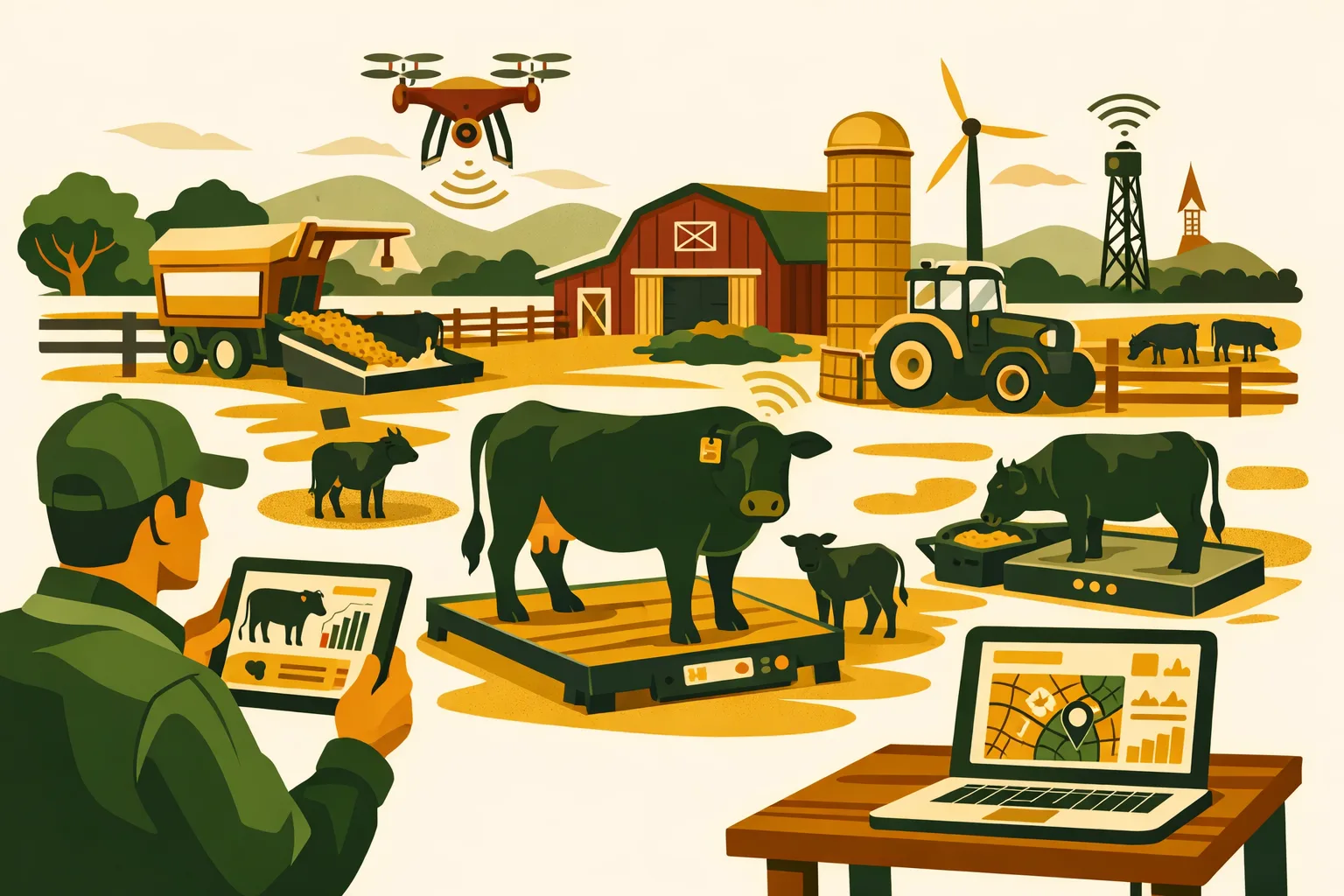
7 Cattle Management Programs You’ll Actually Use in 2026
A cattle management program only pays for itself when the crew enters data consistently, the office can trust the records, and the manager can make faster decisions from what is happening in the yard, pasture, barn, or feedlot. If the software adds steps, hides information, or only works when one person is at a desktop, it becomes another abandoned subscription.
For commercial cattle operations, the right system should do more than store animal IDs. It should help manage health events, breeding, movements, feed, grazing, inventory, tasks, treatments, compliance records, and team communication. The best fit depends on whether you run a cow-calf herd, stocker operation, backgrounding yard, feedlot, mixed farm, seedstock business, or multi-site livestock enterprise.
Below is a practical buyer’s guide to cattle management software worth evaluating in 2026, with strengths, limitations, cost considerations, and rollout advice for farms and ranches managing serious livestock numbers.
What to Look for in a Cattle Management Program
Before comparing software, define what “usable” means for your operation. A cattle management program should fit your working day, not force your crew into office-style recordkeeping.
1. Mobile Entry From the Field
If health treatments, births, deaths, pasture moves, or pen changes are recorded later from memory, records will degrade quickly. Look for software that supports mobile entry, offline functionality where needed, and simple workflows for busy crew members.
For large or remote operations, offline access can be a deciding factor. If cell coverage is weak at handling facilities or pasture blocks, confirm how the system behaves without service.
2. Fast Animal Lookup
A usable program should let you find an animal by visual tag, EID, management group, pasture, pen, sire, dam, or status. Search must be fast enough during processing, breeding checks, shipping, and treatment work.
If lookup takes too long, staff will revert to notebooks or spreadsheets.
3. Health and Treatment Records
Commercial cattle operations need accurate treatment records for animal welfare, residue avoidance, withdrawal compliance, and financial tracking. At minimum, evaluate:
- Product name
- Dose
- Route
- Date
- Animal or group treated
- Technician
- Withdrawal period
- Treatment outcome
- Inventory impact
For more on building dependable treatment workflows, see FarmsFlo’s guide to livestock record keeping.
4. Group and Individual Animal Management
Some cattle businesses need individual animal records. Others work mostly by group, lot, pen, or pasture. Many commercial operators need both.
Cow-calf and seedstock herds usually need individual cow, calf, bull, breeding, pregnancy, and performance records. Feedlots and backgrounders may focus more on lots, intake groups, feed, treatment pulls, death loss records, and shipping weights.
The right software should match the level of detail you actually manage.
5. Team Task Management
Cattle records are only one part of the work. Commercial operations also need a way to assign and track:
- Processing days
- Vaccination protocols
- Pasture moves
- Water checks
- Feed deliveries
- Fence repairs
- Equipment prep
- Calving checks
- Vet follow-ups
- Inventory restocking
If your cattle management program does not support operational follow-through, you may still need a separate farm management platform. See FarmsFlo’s guide to farm task management for practical ways to organize recurring livestock work.
6. Inventory and Cost Tracking
Treatments, mineral, feed, tags, breeding supplies, fuel, and equipment time all affect cattle margins. A useful platform should help connect daily livestock activity with inventory use and cost visibility.
At minimum, consider whether the software can track:
- Vaccine and medication inventory
- Feed and supplement usage
- Lot-level or herd-level expenses
- Supplier purchases
- On-hand stock
- Low-stock alerts
- Cost allocation by group, animal, or enterprise
For broader operations, read FarmsFlo’s guide to farm inventory management.
7. Reporting That Managers Actually Use
Reports should answer practical questions:
- Which cows are open?
- Which calves need weaning?
- Which animals are inside withdrawal?
- Which group has the highest treatment frequency?
- Which pasture is carrying which group?
- What cattle are ready to ship?
- What is the feed cost by group?
- What work is overdue?
- Which inventory items are running low?
A long list of reports is less valuable than a few reports that match weekly management decisions.
Quick Comparison: Cattle Management Programs for 2026
| Program | Strongest Fit | Best For | Watchouts | Typical Implementation Effort |
|---|---|---|---|---|
| FarmsFlo | Whole-farm operations and livestock task management | Commercial farms needing cattle records, work planning, inventory, and team coordination in one place | Evaluate specific livestock workflows needed for your herd structure | Low to moderate, depending on data migration |
| CattleMax | Cow-calf and seedstock herd records | Breeding, calving, health, animal history, performance records | Less focused on non-livestock farm operations | Moderate if importing years of herd history |
| AgriWebb | Grazing, livestock movement, maps, mobile records | Pasture-based cattle and sheep operations | Confirm fit for feedlot-heavy workflows | Moderate, especially if mapping paddocks |
| Ranch Manager | Detailed individual animal records | Cow-calf, seedstock, multi-species livestock records | Interface and deployment model may not fit every mobile-first team | Moderate |
| Herdwatch | Compliance-friendly livestock records | Operators needing strong mobile records and regulatory documentation | Regional fit and integrations should be checked | Low to moderate |
| Performance Beef | Feedlot, backgrounding, and ration performance | Feeding operations tracking intake, gain, and closeouts | Not a full cow-calf management platform | Moderate to high if integrating feed data |
| Farmbrite | Multi-enterprise farm and livestock records | Diversified farms with crops, livestock, inventory, and sales | May require setup discipline to avoid over-customizing | Moderate |
1. FarmsFlo: Best Fit for Commercial Operators Who Need More Than Cattle Records
FarmsFlo is built for farm operations that need to manage work, people, inventory, and production activity across the business. For cattle producers, that matters because the daily job is rarely limited to recording animal events. A manager may need to coordinate cattle processing, assign a water system repair, check mineral levels, schedule feed deliveries, record treatments, and track supplies before lunch.
A cattle management program that only handles animal history may leave the rest of the operation scattered across texts, notebooks, spreadsheets, and memory. FarmsFlo is strongest when the business needs cattle-related work tied into wider farm execution.
Where FarmsFlo Fits
FarmsFlo is a practical option for:
- Commercial cow-calf operations with multiple employees
- Mixed crop and livestock farms
- Backgrounding or grazing operations with recurring field tasks
- Farms managing cattle, equipment, supplies, and labor together
- Operations that want less spreadsheet dependency
- Managers who need visibility across crews and locations
Instead of treating recordkeeping as a separate office task, FarmsFlo helps bring operating work into one system. That can include task lists, recurring jobs, inventory checks, supply needs, and livestock-related activity.
Practical Use Cases
A commercial cattle operation could use FarmsFlo to manage:
- Calving season task assignments
- Vaccination day preparation
- Treatment follow-ups
- Pasture move schedules
- Mineral and feed inventory
- Equipment readiness before processing
- Team responsibilities by location
- Daily work logs
- Supply restocking
- Cross-enterprise planning for livestock and cropping work
For example, a farm manager could assign a crew member to check a group of treated cattle after a processing day, add a reminder to verify withdrawal dates, create an inventory task for vaccine restocking, and track related work in one place.
Cost and Time Expectations
FarmsFlo is designed for commercial operations, so evaluate pricing based on your acreage, number of users, livestock complexity, and operational scope. For setup, plan time for:
- Listing active users and responsibilities
- Entering or importing livestock groups
- Setting up recurring cattle tasks
- Organizing inventory categories
- Creating standard operating workflows
- Training staff on mobile entry and task completion
A focused rollout can usually begin with one department or workflow, such as cattle health tasks or daily livestock checks, then expand across the farm.
2. CattleMax: Strong Cow-Calf and Seedstock Herd Recordkeeping
CattleMax is one of the most recognized cattle management programs for cow-calf and seedstock producers. It focuses heavily on herd records, including breeding, calving, animal history, health events, and performance data.
If your operation needs detailed animal-level tracking, CattleMax deserves a close look.
Where CattleMax Fits
CattleMax is especially relevant for:
- Cow-calf herds
- Seedstock producers
- Registered cattle operations
- Producers tracking pedigrees
- Herds needing detailed calving and breeding records
- Managers who make culling decisions from individual history
The software is built around cattle records, so it can be a strong fit when the animal file is the center of the business.
Practical Use Cases
Commercial operators may use CattleMax for:
- Cow inventory
- Calving records
- Pregnancy status
- Breeding dates
- Bull exposure records
- Weaning weights
- Health treatments
- Sales records
- Culling decisions
- Replacement heifer selection
For seedstock operations, individual animal history and performance information can be especially valuable when preparing sale catalogs, tracking genetics, and communicating with buyers.
Watchouts
CattleMax is cattle-focused, which is a strength and a limitation. If your operation also needs work orders, inventory, field operations, equipment service, labor assignments, and crop tasks in the same system, you may need a broader farm operations platform alongside it.
Before buying, map out whether your biggest pain is herd recordkeeping or whole-farm coordination. If both are significant, compare how CattleMax would work with your other systems.
Cost and Time Expectations
Plan setup time for importing existing animal records, cleaning up tag numbers, adding breeding groups, and training staff on consistent data entry. If you have years of spreadsheet history, data cleanup may take longer than software setup.
A practical implementation plan is to start with current active animals first, then import historical data only if it will be used for decisions.
3. AgriWebb: Strong for Grazing-Based Livestock Operations
AgriWebb is widely used by livestock operations that need mobile records, grazing management, maps, and livestock movements. It is particularly relevant for pasture-based cattle businesses where land, paddocks, and movements are central to management.
For operations running cattle across multiple fields, leased ground, or rotational grazing systems, visual mapping can make records easier to use.
Where AgriWebb Fits
AgriWebb may be a strong option for:
- Pasture-based cattle operations
- Grazing managers
- Multi-paddock systems
- Ranches needing livestock movement history
- Businesses managing cattle and sheep
- Teams that rely on mobile field records
Its map-based structure helps managers see where livestock are located and how grazing areas are being used.
Practical Use Cases
Commercial cattle operators can use AgriWebb to track:
- Pasture moves
- Livestock inventory by paddock
- Grazing records
- Treatment events
- Feed and supplement notes
- Farm maps
- Tasks and observations
- Infrastructure notes
- Team communication
For a manager running cattle across multiple parcels, the ability to see groups by location can reduce confusion and improve daily planning.
Watchouts
If your business is feedlot-heavy, grain-intensive, or focused on closeout reporting, confirm that AgriWebb covers your required feed and performance workflows. It is often strongest where grazing and land management are central.
Also confirm whether all crew members are comfortable using mobile devices in the field. Adoption depends heavily on consistent entry at the point of work.
Cost and Time Expectations
Implementation may require time to map paddocks, assign water points, enter mobs or groups, and train staff. For larger ranches, mapping is worth doing carefully because the map becomes the backbone of daily use.
Budget time for naming conventions. Inconsistent paddock, pasture, or group names create confusion later.
4. Ranch Manager: Detailed Animal Records for Traditional Herd Management
Ranch Manager is a long-running livestock recordkeeping platform used by cattle, sheep, goat, and other livestock producers. It is often considered by operators who want detailed individual animal records and a structured approach to herd data.
For cattle operations that still value a traditional recordkeeping structure, Ranch Manager can be a practical candidate.
Where Ranch Manager Fits
Ranch Manager is relevant for:
- Cow-calf producers
- Registered herds
- Multi-species livestock farms
- Operators who want detailed individual animal records
- Producers managing breeding and performance data
- Farms moving away from paper records
It can support detailed records without forcing a farm into a highly specialized feedlot system.
Practical Use Cases
Commercial cattle operations may use Ranch Manager for:
- Animal identification
- Breeding records
- Calving records
- Weights
- Health events
- Pedigree information
- Sales and purchase records
- Herd inventory
- Culling notes
- Performance comparisons
For managers who want a digital replacement for paper herd books, it can be a logical step.
Watchouts
Evaluate the user experience carefully with the employees who will enter data. A recordkeeping platform can be powerful but still underused if it feels slow or dated to the crew.
Also check cloud, desktop, backup, and device requirements before committing. Commercial operations need dependable access and a clear data protection plan.
Cost and Time Expectations
Setup time depends on the quality of existing records. If tags, animal names, birth dates, and breeding histories are clean, implementation is straightforward. If data is spread across notebooks and spreadsheets, assign one person to standardize records before import.
A phased approach works well: start with current herd inventory, then add historical breeding and production data that will be used for culling or selection.
5. Herdwatch: Mobile Livestock Records With Compliance Strength
Herdwatch is a livestock management platform known for mobile recordkeeping and compliance-friendly workflows. It has strong relevance for operators who need quick field entry and dependable documentation.
While its regional fit may vary, it is worth evaluating if compliance records, mobile usability, and livestock event tracking are priorities.
Where Herdwatch Fits
Herdwatch may be useful for:
- Cattle farms needing mobile-first records
- Operators focused on compliance documentation
- Farms tracking medicine use and withdrawal records
- Producers wanting a simpler alternative to spreadsheets
- Managers who need quick livestock event entry
The platform is especially appealing when a farm wants practical recordkeeping without unnecessary complexity.
Practical Use Cases
Herdwatch can support workflows such as:
- Calving records
- Breeding records
- Medicine records
- Animal movements
- Herd inventory
- Compliance documentation
- Mobile task entry
- Sales and purchase records
For farms that need to show accurate treatment and movement history, having clean mobile records can reduce administrative pressure.
Watchouts
Before choosing Herdwatch, confirm availability, support, integrations, and regulatory fit for your location. Livestock compliance requirements vary by country and region, so do not assume every feature aligns with your reporting obligations.
If your farm also needs crop operations, equipment scheduling, work orders, or broader inventory control, consider how Herdwatch would fit with the rest of your management stack.
Cost and Time Expectations
Herdwatch is usually easier to roll out when the initial goal is clear: medicine records, calving records, movements, or compliance documentation. Avoid trying to digitize every historical record at once.
Start with current active animals and the events your crew records every week.
6. Performance Beef: Built for Feedlot, Backgrounding, and Feeding Performance
Performance Beef is designed for cattle feeding operations that need to manage feed, performance, closeouts, and operational decisions around intake and gain. It is not trying to be a general cow-calf record book. Its strength is in feeding economics and performance tracking.
For feedlots, backgrounders, and finishing operations, this can be a major advantage.
Where Performance Beef Fits
Performance Beef is a strong candidate for:
- Feedlots
- Backgrounding yards
- Growing cattle operations
- Finishing operations
- Producers tracking ration delivery
- Managers focused on lot-level performance
- Operations needing closeout visibility
If feed is one of your largest controllable costs, software that connects feeding activity to performance can be more useful than a generic livestock database.
Practical Use Cases
Commercial cattle feeders may use Performance Beef for:
- Feed calls
- Ration tracking
- Bunk management
- Lot-level intake records
- Weight tracking
- Cost of gain analysis
- Closeout reports
- Feed inventory planning
- Performance comparisons by group
For a manager deciding whether to adjust rations, ship cattle, or compare groups, feed and performance data must be timely and accurate.
Watchouts
Performance Beef is specialized. If your operation needs breeding records, calving records, cow inventory, pasture maps, and broad herd history, you may need another system for those workflows.
Also evaluate how feed data will be captured. The system is only as useful as the accuracy of feed deliveries, ingredient records, and lot assignments.
Cost and Time Expectations
Implementation effort can be higher than basic recordkeeping because feed systems, rations, ingredients, lots, and users need to be configured properly. Plan for training with the people who make feed calls and deliver feed, not just the office.
A practical rollout begins with a limited number of lots and rations, then expands after the team proves daily data entry is consistent.
7. Farmbrite: Flexible Livestock and Farm Management for Diversified Operations
Farmbrite is a farm management platform that includes livestock records, crop records, inventory, tasks, contacts, and sales tools. For diversified farms that need one system across multiple enterprises, it may be worth evaluating.
It is not cattle-only, which can be useful for farms that run livestock alongside crops, direct sales, hay, or other enterprises.
Where Farmbrite Fits
Farmbrite may work for:
- Diversified farms with livestock and crops
- Small to mid-sized commercial cattle operations
- Farms needing inventory and sales records
- Multi-enterprise managers
- Operators wanting one flexible system
- Farms that do not need highly specialized feedlot software
Its appeal is flexibility across different parts of the business.
Practical Use Cases
Cattle producers may use Farmbrite for:
- Herd records
- Breeding and calving notes
- Treatment history
- Inventory tracking
- Task management
- Customer and sales records
- Expense tracking
- Crop and hay records
- Farm planning
For farms that sell beef directly or manage multiple products, having contacts, sales, and production records connected can be helpful.
Watchouts
Flexible systems require disciplined setup. If every user creates their own categories, naming conventions, and workflows, records can become inconsistent.
Before implementation, decide exactly how cattle groups, animals, locations, treatments, inventory items, and tasks will be named.
Cost and Time Expectations
Expect moderate setup effort. Farmbrite can cover multiple areas of the business, but that means you need to decide which modules to roll out first.
For commercial operations, start with the highest-value workflows: livestock inventory, treatment records, task scheduling, and inventory control.
How to Choose the Right Cattle Management Program
The right cattle management program depends on your bottleneck. Do not start with feature lists. Start with the problems costing you time, money, or management control.
If Your Biggest Problem Is Herd History
Choose a system strong in individual animal records, breeding history, calving records, and performance tracking. CattleMax, Ranch Manager, and Herdwatch are common options to evaluate.
Best fit:
- Cow-calf
- Seedstock
- Replacement heifer development
- Registered cattle
- Herd improvement programs
If Your Biggest Problem Is Grazing Coordination
Choose a system with strong maps, mobile records, pasture movements, and location visibility. AgriWebb is built around this type of workflow.
Best fit:
- Rotational grazing
- Multi-pasture ranches
- Leased land
- Pasture-based cattle and sheep
- Remote field teams
If Your Biggest Problem Is Feeding Performance
Choose a system focused on ration delivery, intake, costs, and closeouts. Performance Beef is designed for this category.
Best fit:
- Feedlots
- Backgrounding
- Growing yards
- Finishing cattle
- Operations tracking cost of gain
If Your Biggest Problem Is Operational Execution
Choose a platform that helps manage work across the farm, not only animal records. FarmsFlo is a strong fit when tasks, inventory, labor, cattle work, and farm operations need to be connected.
Best fit:
- Commercial farms with employees
- Mixed crop and livestock operations
- Multi-location farms
- Managers needing accountability
- Operations moving away from texts and spreadsheets
For broader buying guidance, see FarmsFlo’s guide to farm management software.
Practical Checklist: Roll Out a Cattle Management Program in 30 Days
Use this checklist to avoid buying software that never becomes part of daily work.
Week 1: Define the Operating Need
- Identify the top three problems the software must solve.
- Decide whether records will be individual-animal, group-based, or both.
- List all users who will enter or review data.
- Choose the primary workflows to digitize first.
- Decide who owns data accuracy.
- Confirm mobile and offline requirements.
- Review current spreadsheets, notebooks, and paper forms.
- Set a realistic go-live date.
Estimated time: 3-6 management hours.
Week 2: Clean Up Core Data
- Standardize animal IDs, group names, pasture names, and pen names.
- Remove duplicate animals or inactive records.
- Confirm current herd inventory.
- Build a list of active products: vaccines, medicines, implants, mineral, feed, and supplies.
- Set withdrawal period procedures.
- Decide how deaths, culls, sales, and purchases will be recorded.
- Prepare import files if the vendor supports data import.
Estimated time: 4-12 hours, depending on herd size and record quality.
Week 3: Configure Workflows
- Set up users and permissions.
- Create cattle groups, locations, or animal records.
- Add recurring tasks such as water checks, mineral checks, feeding, and calving checks.
- Build treatment templates or protocols where supported.
- Enter inventory categories.
- Test mobile entry from the working facility or field.
- Run one mock processing event before go-live.
Estimated time: 4-10 hours.
Week 4: Train the Crew and Go Live
- Train staff on only the workflows they will use.
- Assign one person to check data daily for the first week.
- Keep old paper forms available as backup for a short transition period.
- Review missed entries at the end of each day.
- Hold a 30-minute review after the first week.
- Adjust workflows before expanding to more features.
Estimated time: 2-4 training hours plus daily review during the first week.
Cost Considerations Before You Buy
Software pricing changes, so confirm current rates directly with each vendor. Beyond subscription cost, commercial cattle operations should budget for rollout time and data discipline.
Direct Costs
Evaluate:
- Monthly or annual subscription
- Number of users
- Number of animals
- Add-on modules
- EID reader compatibility
- Data import support
- Customer support tier
- Training costs
- Hardware needs
Hardware can include tablets, rugged phone cases, barcode scanners, EID readers, scales, chute-side computers, or improved connectivity at working facilities.
Internal Time Costs
Do not underestimate internal time. The biggest cost is often cleaning records and changing habits.
Common internal work includes:
- Reviewing old spreadsheets
- Standardizing tag formats
- Training staff
- Creating operating procedures
- Checking records after processing days
- Updating inventory
- Maintaining user permissions
A clean rollout is usually cheaper than a rushed rollout that creates bad data.
Cost of Poor Adoption
A low-cost system is expensive if the crew avoids it. Before choosing software, ask:
- Can a new employee learn the basic workflow quickly?
- Can records be entered chute-side?
- Can the manager see what changed today?
- Does the system reduce duplicate entry?
- Does it make the next job easier?
- Will staff still use it during calving, processing, or shipping pressure?
Usability should carry as much weight as feature depth.
Questions to Ask Vendors Before Starting a Trial
Use these questions during demos or trials. They will reveal whether a cattle management program fits commercial work or only looks good in a presentation.
Herd and Livestock Records
- Can the system handle both individual animals and groups?
- How are purchases, births, deaths, culls, and sales recorded?
- Can we import existing herd data?
- Can we export our data if we leave?
- Can we track breeding, pregnancy, calving, and weaning?
- Can we manage multiple locations or entities?
Health and Compliance
- Can we record treatments by animal and by group?
- Are withdrawal dates clearly visible?
- Can we build treatment protocols?
- Can we track medicine inventory?
- Can multiple staff enter health events from mobile devices?
- What reports are available for vet review or audits?
Feed, Grazing, and Performance
- Can the software track feed use by group or lot?
- Does it support grazing records and pasture movements?
- Can we connect weights to performance reports?
- Can it track cost by group, lot, pasture, or enterprise?
- Does it support closeout reporting if we feed cattle?
Operations and Team Management
- Can we assign tasks to employees?
- Can we create recurring livestock checks?
- Can managers see overdue work?
- Can we attach notes or photos?
- Can the software cover equipment, supplies, and field operations too?
- How does it notify users?
Support and Rollout
- What onboarding support is included?
- How long does implementation usually take for a commercial herd?
- What happens if we need help during processing season?
- Does the software work offline?
- What devices are supported?
- How are backups handled?
Common Mistakes When Buying Cattle Management Software
Buying for Features Instead of Workflow
A long feature list does not guarantee better management. Buy for the daily jobs your team must complete: treating cattle, moving groups, checking waters, feeding, breeding, calving, shipping, and reporting.
Digitizing Bad Records Without Cleaning Them
Importing messy spreadsheets creates messy software. Clean active records first. Historical data should only be imported if it supports real decisions.
Letting One Person Own All Data Entry
If only one office person can use the system, records will lag behind reality. Field staff need simple ways to enter the events they are responsible for.
Rolling Out Too Many Modules at Once
Start with a few high-value workflows. For most cattle operations, health records, inventory, tasks, and current herd inventory are better starting points than trying to digitize everything on day one.
Ignoring Inventory
Treatment records and supply records should connect. If vaccines, medicines, mineral, tags, and feed are not tracked, managers still lack a full picture of cost and readiness.
Failing to Review Reports Weekly
Software does not improve management unless someone reviews the information. Set a weekly rhythm for checking open tasks, treatment follow-ups, inventory, cattle movements, and upcoming work.
For financial planning around livestock operations, see FarmsFlo’s guide to farm budgeting.
Recommended Shortlist by Operation Type
Cow-Calf Operations
Evaluate:
- FarmsFlo
- CattleMax
- Ranch Manager
- Herdwatch
- AgriWebb
Prioritize breeding, calving, pregnancy, health, pasture movements, and task management.
Seedstock Producers
Evaluate:
- CattleMax
- Ranch Manager
- FarmsFlo
Prioritize pedigrees, performance data, sale preparation, breeding records, and customer-facing information.
Stocker and Backgrounding Operations
Evaluate:
- FarmsFlo
- AgriWebb
- Performance Beef
- Farmbrite
Prioritize group movements, treatments, weight tracking, feed or supplement use, inventory, and labor coordination.
Feedlots and Finishing Operations
Evaluate:
- Performance Beef
- FarmsFlo
- Farmbrite
Prioritize ration tracking, lot records, treatments, closeouts, inventory, and daily task execution.
Mixed Crop and Livestock Farms
Evaluate:
- FarmsFlo
- Farmbrite
- AgriWebb
- CattleMax
Prioritize whole-farm visibility, equipment, inventory, labor, livestock events, fieldwork, and seasonal planning.
The Practical Buying Recommendation for 2026
For 2026, the strongest cattle management program is the one your crew will use during pressure periods: calving, processing, breeding, shipping, feeding, and weather events.
If you need detailed cow records, start with CattleMax or Ranch Manager. If grazing maps and livestock movement are central, evaluate AgriWebb. If feeding performance drives the business, look hard at Performance Beef. If you need a flexible farm platform across several enterprises, Farmbrite may fit.
If your biggest challenge is coordinating cattle work with people, supplies, inventory, and the rest of the farm, FarmsFlo should be on your shortlist.
How FarmsFlo Helps
FarmsFlo helps commercial farm operators bring daily work, livestock activity, inventory, and team accountability into one operating system. Instead of managing cattle tasks in one place, supplies in another, and crew communication through texts, FarmsFlo gives managers a practical way to organize and track what needs to happen across the farm.
For cattle operations, that can mean better visibility into recurring livestock checks, treatment follow-ups, pasture or pen work, feed and supply needs, equipment readiness, and staff responsibilities. For mixed farms, FarmsFlo also helps connect livestock work with crop operations, inventory, and seasonal planning.
If you are evaluating a cattle management program for 2026, start with the workflows your team must complete every week. Then test whether the software makes those jobs easier.
Start a FarmsFlo trial at farmsflo.com and see how it can help your operation manage cattle work, inventory, tasks, and farm execution in one place.