5 Tested Ways Farm Management Applications Actually Boost Efficiency in 2026
Choose a farm management application to streamline tasks, improve records, and support better decisions across crop, dairy, and livestock operations.
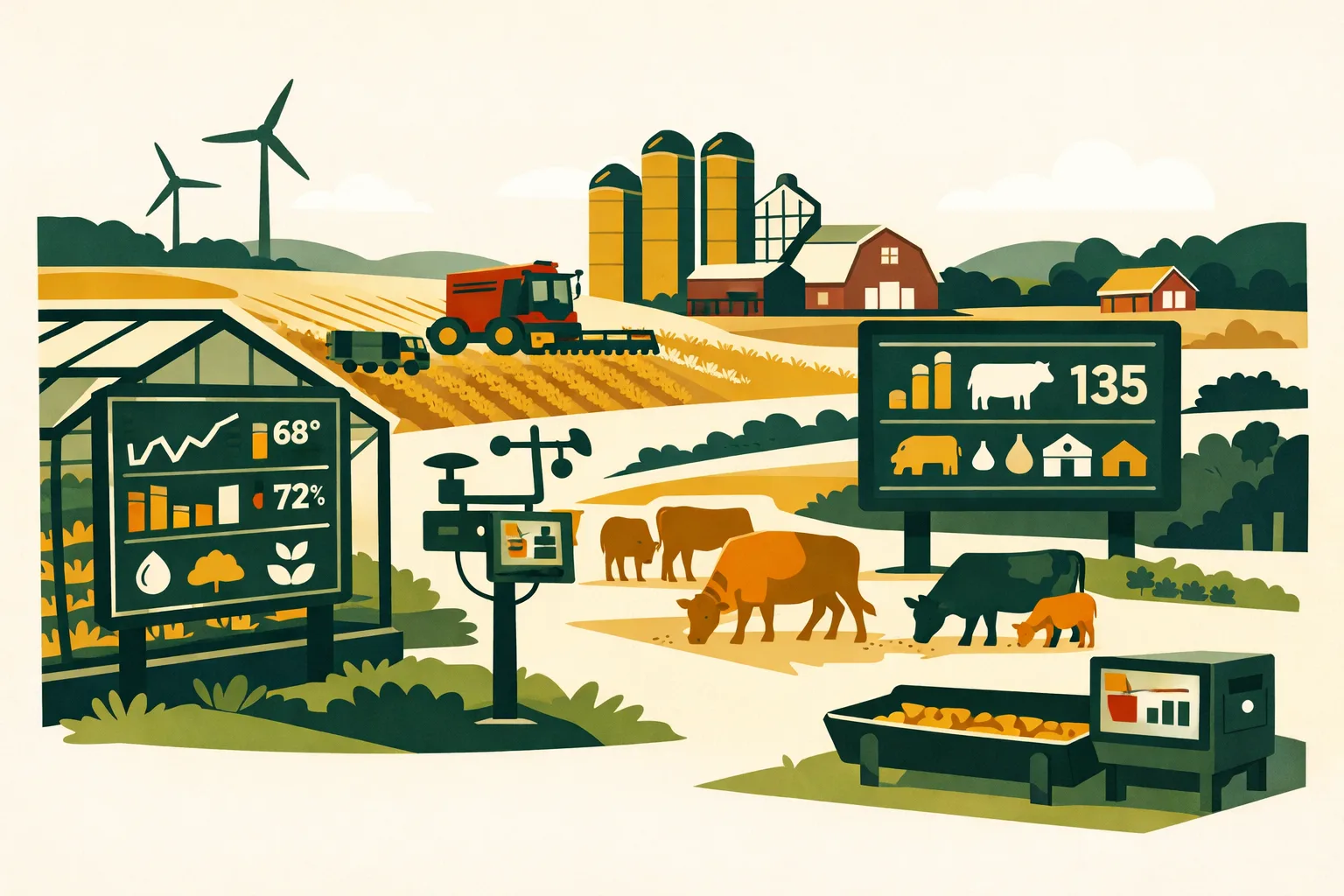
Margins are tighter, labor is harder to schedule, input decisions have less room for error, and buyers expect cleaner records than ever. For commercial farms, efficiency is no longer just about getting more acres covered per day. It is about making faster decisions with better information, reducing rework, keeping crews aligned, and knowing exactly where money, time, equipment, and inventory are going.
A modern farm management application can help—but only when it is used to solve real operational bottlenecks. The farms getting the most value are not just “going digital.” They are replacing scattered spreadsheets, paper spray logs, whiteboard task lists, text-message instructions, and end-of-season guesswork with a system that supports day-to-day execution.
Below are five practical, field-tested ways farm management applications can improve efficiency across row crop, specialty crop, livestock, mixed, and multi-site operations in 2026.
What a Farm Management Application Should Do for a Commercial Operation
A farm management application is software that helps farm owners, managers, agronomists, crew leads, and office staff plan, assign, record, monitor, and analyze farm work.
For a commercial operation, the application should support more than basic note-taking. It should help manage:
- Field records
- Crop plans
- Task assignments
- Spray and fertilizer applications
- Labor scheduling
- Equipment usage
- Inventory
- Compliance documentation
- Harvest records
- Input costs
- Work orders
- Multi-farm or multi-location visibility
- Reports for internal decisions and external audits
A good application creates one operating picture across the farm. That matters when you are managing dozens, hundreds, or thousands of acres and coordinating work across multiple people, machines, and deadlines.
If you are still evaluating whether farm software is worth adopting, this guide pairs well with FarmsFlo’s related post on how farm management software supports commercial farm operations.
1. Centralized Field Records Reduce Duplicate Work and Missed Details
Most farms already collect a lot of information. The problem is where that information lives.
Field notes may be in notebooks, agronomist emails, tractor cab binders, spreadsheets, employee phones, or memory. When decisions need to be made quickly—what was sprayed, when the field was last scouted, which hybrid went where, whether an interval has cleared—managers lose time chasing details.
A farm management application improves efficiency by making field records accessible in one place.
Where Centralized Records Save Time
Commercial farms typically gain efficiency in several daily workflows:
- Checking prior applications before scheduling the next pass
- Reviewing seed, variety, or hybrid placement
- Confirming field boundaries and acreage
- Tracking irrigation, fertility, and pesticide records
- Reviewing scouting notes
- Comparing actual work completed against the plan
- Preparing documentation for buyers, lenders, crop consultants, or auditors
Instead of asking three people for the latest field status, the manager can open the application and see the record.
Practical Example: Row Crop Operation
A 2,000-acre corn and soybean operation may have different people responsible for planting, spraying, scouting, grain hauling, and office reporting. Without centralized records, the farm manager may spend time at the end of each week reconciling:
- Which fields were planted
- Planting dates
- Seed varieties
- Seeding rates
- Herbicide passes
- Weather limitations
- Operator notes
- Fuel or equipment issues
With a farm management application, operators and managers can log this information as work is completed. That reduces end-of-week data entry and helps catch issues while they can still be fixed.
Practical Example: Specialty Crop Operation
In fruit, vegetable, vineyard, or nursery operations, the record burden is often heavier. Managers may need to track:
- Block-level tasks
- Labor crews
- Spray intervals
- Irrigation sets
- Fertility timing
- Harvest passes
- Buyer-specific documentation
- Lot traceability
A centralized system can reduce manual coordination between field supervisors and the office. That is especially valuable when harvest windows are tight and multiple crews are moving across blocks.
Efficiency Gains to Expect
Actual savings depend on operation size and software adoption, but common improvements include:
- Less time searching for records
- Fewer duplicate data entries
- Faster handoffs between field and office staff
- Cleaner application histories
- Easier planning for next season
- Better visibility when managers are off-site
For many farms, the first efficiency gain is not a major workflow redesign. It is simply having reliable field information available without digging through paper, texts, or spreadsheets.
Cost and Time Estimate
A practical rollout for centralized field records often looks like this:
| Item | Typical Effort | Cost Considerations |
|---|---|---|
| Field list cleanup | 2–8 hours | Staff time |
| Boundary and acreage review | 4–16 hours depending on acres | Staff time or consultant support |
| Importing crop plans or historical records | 4–20 hours | Staff time |
| Training managers and operators | 1–3 sessions | Software subscription plus time |
| First-season record adjustment | Ongoing | Usually improves after first crop cycle |
The biggest investment is not usually the subscription. It is the discipline of agreeing on how records will be entered and who is responsible for each record type.
2. Task Management Keeps Crews, Equipment, and Timing Aligned
Farm efficiency breaks down when people are waiting, duplicating effort, or unclear on priorities. This happens often during planting, spraying, haying, irrigation changes, harvest, and livestock handling.
A farm management application helps by turning plans into assigned tasks.
Instead of relying on verbal instructions, handwritten lists, or long message threads, managers can create work orders tied to fields, blocks, equipment, crops, and deadlines.
What Good Farm Task Management Looks Like
A strong task workflow should answer:
- What needs to be done?
- Where does it need to happen?
- Who is assigned?
- What equipment is needed?
- What inputs or materials are required?
- When should it be completed?
- What instructions or restrictions apply?
- Was it completed?
- What issues were reported?
This helps managers spend less time repeating instructions and more time supervising execution.
Common Farm Tasks That Fit Well in an Application
For crop operations:
- Planting
- Spraying
- Fertilizer spreading
- Tillage
- Scouting
- Irrigation
- Mowing
- Harvest
- Cover crop seeding
- Soil sampling
- Drainage checks
For livestock and mixed operations:
- Feed deliveries
- Pasture moves
- Fence checks
- Bedding
- Health treatments
- Breeding tasks
- Manure hauling
- Water checks
- Equipment maintenance
- Facility inspections
For specialty crops:
- Pruning
- Trellising
- Thinning
- Irrigation sets
- Fertigation
- Harvest crew assignments
- Food safety checks
- Pest monitoring
- Block-specific spray tasks
How Task Management Improves Efficiency
A farm management application reduces waste in several ways:
Fewer Unclear Instructions
Crew leads can see the task, location, timing, and notes. This reduces repeated calls and prevents work from being done in the wrong field or block.
Faster Priority Changes
Weather, equipment breakdowns, and product availability can change the day quickly. Digital task lists allow managers to reassign work without rewriting whiteboards or chasing every employee individually.
Better Accountability
Completed tasks create a record. Managers can see what was done, when it was done, and who completed it.
Cleaner Follow-Up
If an operator notices a washout, plugged nozzle, weak stand, broken gate, or irrigation leak, the note can become a follow-up task instead of getting buried in a text message.
Comparison: Paper Lists vs. Farm Management Application
| Workflow Area | Paper / Whiteboard / Texts | Farm Management Application |
|---|---|---|
| Assigning work | Fast for small teams, hard to scale | Assign by field, person, equipment, and due date |
| Updating priorities | Requires calls or rewritten lists | Changes can be pushed quickly |
| Tracking completion | Manual follow-up | Completion visible in the system |
| Capturing notes | Often lost or scattered | Notes stay tied to the task or field |
| Multi-location visibility | Limited | Managers can monitor several locations |
| Historical review | Time-consuming | Past tasks can be searched and reported |
| Compliance support | Requires separate records | Tasks can feed documentation workflows |
Paper can work for a small crew in a single location. As acreage, staff, crop diversity, or compliance needs grow, the limits show quickly.
Time Estimate for Implementation
For task management, farms can usually start small:
- 1–2 hours: Set up users and basic roles
- 2–4 hours: Create standard task categories
- 1 hour: Train managers or crew leads
- 1–2 weeks: Pilot with one workflow, such as spraying, irrigation, or harvest prep
- 30 minutes weekly: Review completed and overdue tasks
The fastest path is to digitize the most painful workflow first, not every task on the farm at once.
3. Input Tracking Helps Control Costs Before the Season Is Over
Input costs are one of the largest controllable areas on many commercial farms. Seed, fertilizer, chemicals, feed, fuel, packaging, bedding, and irrigation energy can move profitability quickly.
The challenge is timing. Many farms only get a clear picture after invoices, applications, and yield results are reconciled late in the season or after harvest. A farm management application helps managers monitor input use closer to real time.
What Input Tracking Should Include
Depending on the farm type, the application should track:
- Products purchased
- Products applied or used
- Rates
- Field or block location
- Application date
- Operator
- Equipment
- Supplier
- Lot or batch numbers where needed
- Cost per unit
- Cost per acre, block, head, or production unit
- Remaining inventory
For specialty crop, livestock, organic, and food safety programs, product traceability may be just as valuable as cost tracking.
How Input Tracking Improves Operational Efficiency
Less Emergency Purchasing
When inventory is tracked accurately, managers can see what is available before sending someone to pick up more product. This reduces last-minute trips and prevents over-ordering.
Better Product Allocation
If a farm has limited chemical, fertilizer, seed, or feed availability, managers can prioritize fields or groups based on crop stage, yield potential, pest pressure, or contract requirements.
Faster Cost Review
Instead of building cost-per-acre estimates from multiple spreadsheets, managers can review input use by field, crop, or block.
Cleaner Regulatory Records
For restricted products, pesticide programs, nutrient plans, and buyer audits, accurate input records reduce the scramble before inspections.
Practical Example: Fertilizer and Chemical Tracking
A farm planning multiple fertilizer and chemical passes can use the application to compare planned versus actual:
- Planned rate
- Actual rate
- Field completed
- Total product used
- Remaining inventory
- Cost per acre
- Weather or timing notes
- Operator comments
This helps catch discrepancies while they are still fresh. If a rate was adjusted because of field conditions or product substitution, the record explains why.
Practical Example: Livestock Feed and Treatment Records
For livestock operations, efficiency often comes from knowing feed and health product use by group or location.
A farm management application can help track:
- Feed deliveries
- Ration changes
- Pasture rotations
- Bedding use
- Veterinary treatments
- Withdrawal periods
- Mortality notes
- Group movement
This supports operational planning and reduces time spent rebuilding records from invoices and notebooks.
Cost and Time Estimate
Input tracking requires more setup than basic field notes because product lists, units, and costs must be consistent.
Expected setup effort:
- 2–6 hours: Create product lists
- 2–4 hours: Set up suppliers and units
- 4–12 hours: Enter opening inventory, depending on product count
- 1–3 hours: Train applicators or managers
- 15–30 minutes weekly: Inventory reconciliation during busy periods
The payback comes from better purchasing control, fewer record gaps, and faster cost analysis.
Practical Tip: Start With High-Value Inputs
Do not try to track every bolt, glove, and fitting immediately. Start with the categories that most affect profit or compliance:
- Seed
- Fertilizer
- Crop protection products
- Feed
- Fuel
- Packaging
- Irrigation inputs
- Veterinary products
- Organic-approved materials
Once the team is comfortable, expand the inventory workflow.
For related planning ideas, see FarmsFlo’s farm software guides at farmsflo.com/blog.
4. Reporting and Compliance Workflows Reduce Office Bottlenecks
Many farm managers underestimate how much efficiency is lost after the fieldwork is done. Office workflows can become a serious bottleneck, especially for farms dealing with pesticide records, food safety programs, organic certification, crop insurance, sustainability reporting, labor documentation, or buyer-specific requirements.
A farm management application helps by turning daily records into usable reports.
Compliance Pressure Is Increasing Across Farm Types
Different sectors face different record demands:
Row Crop Farms
- Chemical application records
- Fertilizer records
- Restricted-use pesticide documentation
- Crop insurance details
- Conservation program records
- Tenant or landlord reports
- Custom application records
Specialty Crop Farms
- Spray records
- Pre-harvest interval documentation
- Harvest lots
- Food safety logs
- Worker task records
- Irrigation and fertigation records
- Buyer quality documentation
- Organic records where applicable
Livestock Operations
- Animal health treatments
- Feed records
- Pasture movement
- Withdrawal periods
- Mortality records
- Manure application records
- Facility checks
- Biosecurity tasks
Mixed Farms
- Crop and livestock records
- Shared equipment usage
- Manure nutrient records
- Feed production records
- Cross-enterprise cost allocation
The more complex the enterprise mix, the more value there is in using one application to connect records.
Reports That Save Management Time
A commercial-grade farm management application should make it easier to generate:
- Field activity reports
- Spray records
- Product use reports
- Cost-per-acre reports
- Crop history reports
- Inventory reports
- Task completion reports
- Labor activity summaries
- Equipment activity summaries
- Harvest or production reports
- Compliance export files
- Audit support documents
The key efficiency gain is avoiding repeated manual data preparation. When records are entered as work happens, reports should require less cleanup.
Practical Example: Spray Record Workflow
Without software, a spray record may require:
- Operator notes from the cab
- Product label or rate confirmation
- Field name and acreage lookup
- Weather data entry
- Date and time confirmation
- Product total calculation
- Office spreadsheet entry
- Review before filing
With a farm management application, much of that record can be captured during task completion. The manager still needs to review accuracy, but the process is shorter and less dependent on memory.
Office Time Savings Without Cutting Corners
The goal is not to rush compliance. The goal is to make accurate records easier to create.
A good workflow includes:
- Standardized product names
- Required fields for regulated activities
- Clear user permissions
- Date, field, crop, and operator records
- Notes for exceptions
- Review steps before reports are finalized
- Easy export for audits or advisor review
Cost and Time Estimate for Report Setup
Expect to spend time customizing report workflows:
- 1–3 hours: Identify required reports
- 2–6 hours: Configure record fields
- 1–2 hours: Train field users on required information
- 1–2 hours: Train office staff on review and export
- 30–60 minutes monthly: Review record completeness
- More frequent reviews during spray, harvest, or audit season
The best time to design reports is before the season begins. Trying to build compliance records after the work is done usually costs more time.
5. Operational Dashboards Help Managers Make Faster Decisions
Farm efficiency depends on daily decisions: what to spray, which crew goes where, what equipment needs repair, which fields are ready, whether harvest should move, and where costs are drifting.
A farm management application improves decision speed by showing current operational status in one place.
What a Useful Farm Dashboard Should Show
A practical dashboard for farm managers may include:
- Open tasks
- Overdue tasks
- Completed work
- Field status
- Crop stage
- Application history
- Input inventory
- Equipment availability
- Labor assignments
- Weather-sensitive tasks
- Harvest progress
- Cost tracking
- Compliance alerts
- Notes needing review
The exact dashboard should match the farm’s management style. A grain farm may prioritize field status, equipment, and inputs. A vegetable farm may prioritize crews, blocks, harvest orders, spray intervals, and food safety logs. A livestock operation may prioritize groups, feed, water, health events, and facility checks.
Decision Areas Where Dashboards Help
Weather Windows
When a short spray, planting, cutting, or harvest window opens, managers need fast answers:
- Which fields are ready?
- Which tasks are highest priority?
- Which products are available?
- Which machines are ready?
- Who is assigned?
- What restrictions apply?
A farm management application supports faster coordination.
Equipment Utilization
Equipment downtime and underuse both cost money. Applications that track work orders, maintenance notes, and equipment assignments can help managers avoid scheduling conflicts and detect recurring problems.
Examples:
- Sprayer assigned to two jobs at once
- Tractor due for service before a heavy tillage window
- Harvester moved before a field is ready
- Irrigation pump issue logged but not assigned
- Loader needed by both feed and shipping crews
Labor Planning
Commercial farms rarely have excess labor. Dashboards can help managers see whether work is properly staffed and whether crew time is going to the right places.
Useful views include:
- Tasks by employee or crew
- Hours by field or enterprise
- Open work by location
- Seasonal workload trends
- Completed work by crew
- Issues reported by supervisors
Harvest Coordination
During harvest, the efficiency gains can be significant. A dashboard can help coordinate:
- Field readiness
- Yield or production estimates
- Trucking
- Bin or storage availability
- Labor assignments
- Equipment status
- Buyer orders
- Quality notes
- Lot tracking
In specialty crops, harvest coordination may include multiple passes through the same block and several crews working at once. Digital visibility prevents confusion.
Practical Example: Multi-Site Farm
A multi-site operation with rented ground, separate yards, or geographically spread blocks may struggle with visibility. Managers lose time driving between locations or calling supervisors for updates.
A farm management application can provide:
- Location-level task views
- Field completion status
- Input use by site
- Equipment location notes
- Crew assignments
- Issue tracking
- Centralized reporting
This does not replace field supervision. It helps supervisors and owners focus their time where attention is needed most.
Practical Checklist: How to Roll Out a Farm Management Application Without Disrupting the Operation
A farm management application delivers the most value when rollout is practical. Trying to digitize every process at once can frustrate employees and create poor data.
Use this checklist to implement software in stages.
Phase 1: Define the Efficiency Problem
Before selecting or expanding software, answer:
- What is currently wasting the most time?
- Where do records get lost?
- Which decisions are delayed by poor information?
- Which reports take too long to prepare?
- Which workflows depend too much on one person’s memory?
- Which teams need better coordination?
- What are the biggest compliance risks?
- Which costs are hardest to track during the season?
Pick one to three high-value problems first.
Phase 2: Clean Up Core Farm Data
Prepare the foundation:
- Confirm farm names and locations
- Review field or block names
- Verify acreage
- Update crop lists
- Standardize product names
- Add key employees and roles
- Create equipment lists
- Enter active suppliers
- Set basic permissions
- Decide naming conventions
This prevents confusion later.
Phase 3: Start With One Workflow
Good first workflows include:
- Spray records
- Planting records
- Irrigation tasks
- Harvest tracking
- Fertilizer applications
- Feed records
- Equipment maintenance
- Scouting notes
- Food safety checks
Choose a workflow with clear value and repeatable steps.
Phase 4: Train by Role
Do not train everyone on everything.
Train managers on:
- Planning
- Assigning tasks
- Reviewing dashboards
- Running reports
- Approving records
Train operators and crew leads on:
- Viewing assigned work
- Completing tasks
- Entering required details
- Adding notes or photos if supported
- Reporting issues
Train office staff on:
- Reviewing records
- Correcting missing fields
- Exporting reports
- Reconciling invoices or inventory
Phase 5: Review Weekly During the First Season
During adoption, review:
- Are tasks being completed in the system?
- Are required fields missing?
- Are product names consistent?
- Are employees using the application correctly?
- Are managers still keeping duplicate paper systems?
- Are reports becoming easier to prepare?
- Are decisions being made faster?
Short weekly reviews prevent small issues from becoming season-long data problems.
Phase 6: Expand After the First Win
After the first workflow is working, add the next one. A practical sequence might be:
- Field records
- Task assignments
- Spray and fertilizer logs
- Inventory
- Equipment maintenance
- Labor tracking
- Harvest records
- Cost analysis
- Compliance reporting
- Multi-enterprise dashboards
The best implementations improve gradually and become part of daily operations.
What to Look for When Choosing a Farm Management Application in 2026
Not every application fits commercial farm operations. Some tools are built for small-scale users and cannot support large acreage, multiple employees, complex crops, or compliance requirements.
When evaluating software, focus on operational fit.
Must-Have Features for Commercial Farms
Look for:
- Field and block management
- Crop planning
- Task management
- Mobile access
- User roles and permissions
- Input tracking
- Spray and fertilizer records
- Inventory visibility
- Equipment tracking
- Reporting tools
- Multi-location support
- Historical records
- Data export
- Support and onboarding
- Practical dashboards
- Ability to handle your farm type
Questions to Ask Before Buying
Ask vendors:
- Can the application handle our acreage and number of fields?
- Does it support our crops or livestock workflows?
- Can multiple users work in the system?
- How does mobile use work in areas with poor service?
- Can we import existing data?
- What reports are available?
- Can we export our data?
- How are permissions managed?
- What onboarding support is included?
- How long does setup usually take?
- How are updates handled?
- What happens if we change crop plans mid-season?
- Can we track costs by field, crop, block, or enterprise?
- Does the system support compliance records we need?
Red Flags
Be cautious if the application:
- Is hard for field staff to use
- Requires too much duplicate entry
- Cannot handle your crop or enterprise mix
- Has weak reporting
- Lacks data export options
- Does not support multiple users well
- Has no clear onboarding process
- Is designed mainly for hobby or garden-scale use
- Cannot manage field-level or block-level detail
- Makes simple tasks too complicated
A farm management application should reduce friction, not create a new office burden.
Sector-Specific Ways Farm Management Applications Improve Efficiency
Different farm sectors gain value in different places. The same application may support several workflows, but the efficiency driver depends on the operation.
Row Crop Farms
Row crop operations benefit from:
- Crop plan execution
- Planting and harvest records
- Fertility and chemical tracking
- Field activity history
- Equipment coordination
- Cost-per-acre visibility
- Landlord and crop insurance reporting
- Custom work documentation
The main efficiency gain is connecting field execution with financial and agronomic records.
Vegetable and Specialty Crop Farms
Specialty crop operations benefit from:
- Block-level task management
- Crew scheduling
- Harvest pass tracking
- Spray interval records
- Buyer documentation
- Food safety logs
- Irrigation and fertigation records
- Lot traceability
- Quality notes
The main efficiency gain is coordinating many time-sensitive tasks across many blocks, crews, and market requirements.
Fruit, Vineyard, and Orchard Operations
Perennial crop operations benefit from:
- Block histories
- Pruning and canopy work records
- Pest monitoring
- Spray records
- Irrigation schedules
- Harvest timing
- Quality and grade notes
- Labor tracking
- Long-term productivity comparisons
The main efficiency gain is managing recurring block-level work across seasons.
Livestock and Mixed Operations
Livestock and mixed farms benefit from:
- Feed records
- Health treatments
- Pasture moves
- Facility checks
- Manure application records
- Equipment tasks
- Crop-livestock cost allocation
- Compliance and withdrawal records
The main efficiency gain is reducing information gaps between animal care, crop production, and office records.
Multi-Location Farms
Multi-location farms benefit from:
- Centralized task status
- Site-level reporting
- Crew coordination
- Equipment visibility
- Inventory by location
- Standardized processes
- Remote management oversight
The main efficiency gain is visibility. Owners and managers can see what is happening without relying on constant calls or site visits.
Common Mistakes That Reduce Software ROI
A farm management application can only improve efficiency if the farm uses it consistently. Watch for these common mistakes.
Mistake 1: Keeping the Old System Fully Alive
If the farm continues running the same spreadsheets, whiteboards, paper records, and text threads alongside the application, employees will not know which source is correct.
Keep a backup process where needed, but define the application as the primary record for selected workflows.
Mistake 2: Entering Data Too Late
End-of-week or end-of-season entry creates errors. Field staff forget details, and managers lose the chance to act on information during the season.
Aim to capture task completion and key notes as close to the work as possible.
Mistake 3: Tracking Too Much Too Soon
Trying to record every minor detail from day one can slow adoption. Start with the records that affect decisions, compliance, or cost control.
Mistake 4: Not Assigning Ownership
Every workflow needs an owner. For example:
- Spray records: applicator enters, manager reviews
- Inventory: office updates purchases, manager reviews use
- Harvest records: crew lead enters, sales or office reconciles
- Equipment maintenance: operator reports, mechanic closes task
Without ownership, records become incomplete.
Mistake 5: Choosing Software Without Field Staff Input
Managers may like reports, but operators need a tool they can actually use. Include at least one practical field user during evaluation.
Mistake 6: Ignoring Onboarding
The first 30–60 days matter. Good onboarding helps farms avoid messy data, inconsistent naming, and poor adoption.
Estimated Budget Considerations for Commercial Farms
Software pricing varies by vendor, acreage, user count, modules, and support. Farms should evaluate total cost, not just subscription price.
Common cost areas include:
- Software subscription
- Setup or onboarding fee
- Data import support
- Training time
- Staff time for configuration
- Mobile devices if needed
- Process changes
- Ongoing administration
Internal Time Budget
For a 50–500 acre operation, a basic rollout may take:
- 5–15 hours of setup
- 2–5 hours of training
- Weekly review during the first month
For a 500–5,000+ acre operation, a more complete rollout may take:
- 15–60 hours of setup
- Multiple training sessions
- Data cleanup before launch
- Workflow testing
- Department or crew lead involvement
- Seasonal review meetings
The larger the operation, the more valuable standardization becomes.
How to Evaluate ROI
Look at efficiency in practical terms:
- Fewer hours spent building reports
- Less time calling for task updates
- Reduced duplicate data entry
- Better input inventory control
- Fewer missed tasks
- Faster compliance preparation
- Improved equipment scheduling
- Better cost visibility
- Faster decisions during weather windows
- Less dependence on memory or one key employee
Even when exact ROI is hard to calculate, these are measurable operating improvements.
2026 Farm Management Application Buying Checklist
Use this action list before you commit to a system.
Operational Fit
- Supports your farm size and acreage
- Handles your crops, livestock, or mixed enterprises
- Works for field, office, and management users
- Supports multi-location operations if needed
- Provides mobile access for field use
- Allows clear user permissions
Recordkeeping
- Field and block records
- Task history
- Spray and fertilizer records
- Input tracking
- Inventory records
- Equipment records
- Labor or crew activity
- Harvest or production data
- Compliance reports
Efficiency
- Reduces duplicate entry
- Makes task assignments clear
- Provides dashboards for daily decisions
- Speeds up report preparation
- Helps track costs during the season
- Makes historical records searchable
Implementation
- Vendor provides onboarding
- Data import process is clear
- Training is practical by role
- Support is accessible
- System can grow with the operation
- Export options are available
Decision Test
Before buying, ask: “Will this application make our daily work easier, our records cleaner, and our management decisions faster?”
If the answer is unclear after a demo or trial, keep evaluating.
How FarmsFlo Helps
FarmsFlo is built for commercial farm teams that need practical, organized, day-to-day farm management—not another disconnected spreadsheet.
With FarmsFlo, farm owners and managers can bring key operational workflows into one place, including field records, task coordination, input tracking, reporting, and team visibility. That helps reduce manual follow-up, improve record accuracy, and keep managers aligned with what is happening across the farm.
FarmsFlo is a strong fit for operations that want to:
- Replace scattered paper records and spreadsheets
- Assign and track field tasks more clearly
- Improve spray, fertilizer, crop, and activity records
- Give managers better visibility across acres, crews, and locations
- Prepare cleaner reports without rebuilding records from scratch
- Build a more organized operating system for the season ahead
If you are evaluating a farm management application for 2026, the best next step is to test it against your real workflows. Start with one high-value process—such as field records, task management, or input tracking—and see how quickly your team can use it.
Start a FarmsFlo trial at farmsflo.com and see how it can help your farm run with cleaner records, better coordination, and less operational drag.