5 Proven Ways Dairy Cattle Management Software Actually Transforms Ranches by 2026
Compare how dairy cattle management software helps track herds, milk output, health tasks, and costs so you can choose tools for better ranch decisions.
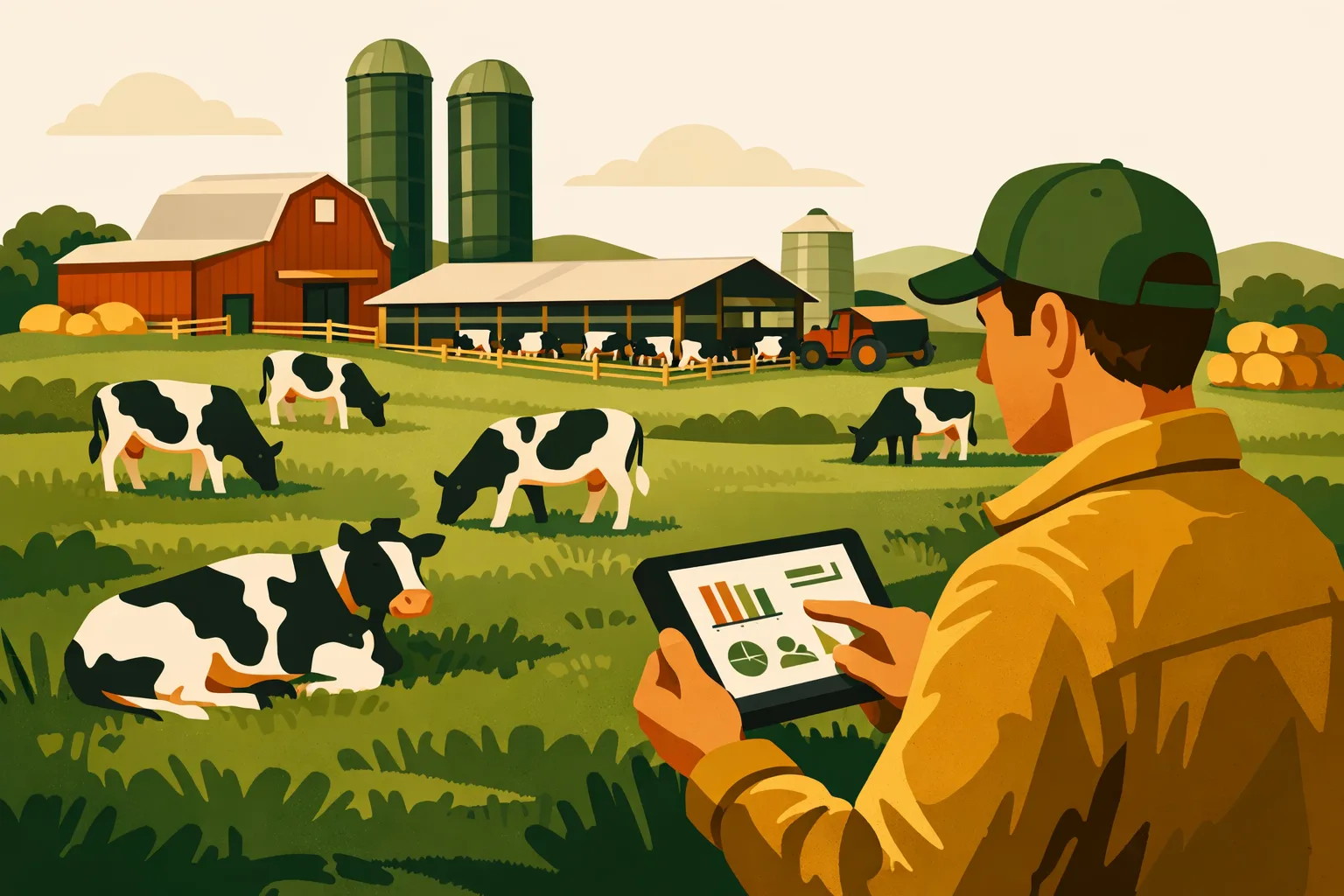
Margins in dairy are won or lost in daily execution: breeding decisions made on time, sick cows caught early, feed changes tracked correctly, treatments documented, employees aligned, and inventory under control. When those jobs are spread across notebooks, whiteboards, spreadsheets, text messages, and memory, the operation may still function — but it becomes harder to manage consistently at scale.
For commercial dairy farms and ranches, dairy cattle management software is no longer just a digital record book. The right system connects herd records, employee tasks, compliance documentation, breeding schedules, treatment history, inventory, and operational reporting into one working platform. That gives owners and managers faster decisions, cleaner accountability, and better visibility into where profit is being protected or lost.
Below are five practical ways dairy cattle management software can transform a commercial dairy operation by 2026 — not with buzzwords, but through specific workflows that improve efficiency, reduce missed work, and support more profitable management.
Why Dairy Operations Are Moving Past Paper and Spreadsheets
Commercial dairy management has become too complex for disconnected records.
A 100-cow dairy can sometimes get by with notebooks and spreadsheets if one or two people know every animal. A 1,000-cow or 5,000-cow dairy cannot rely on memory and manual communication without creating risk. More cows, more employees, more protocols, more regulatory pressure, and tighter margins all increase the need for structured systems.
Common problems with manual management include:
- Missed heats or late breeding decisions
- Incomplete treatment records
- Employees unclear on daily priorities
- Feed changes not communicated consistently
- Inventory errors for medicine, semen, chemicals, or feed additives
- Calving and dry-off schedules tracked in multiple places
- Managers spending too much time chasing updates
- Records that are hard to audit, analyze, or transfer between staff
Dairy cattle management software helps solve these problems by centralizing herd and operational data. Instead of asking, “Who wrote that down?” managers can ask, “What does the system show?”
For related farm software planning, see FarmsFlo’s guide on farm management software for commercial operations and how to organize farm records before switching platforms.
1. Better Herd Visibility Without Chasing Paper Records
The first major benefit of dairy cattle management software is visibility. Managers need to know what is happening across the herd without walking barn to barn, searching clipboards, or calling multiple employees.
What Herd Visibility Looks Like in Practice
A strong dairy cattle management system should help you quickly answer questions like:
- Which cows are due to calve this week?
- Which animals are open, bred, confirmed pregnant, dry, fresh, or treated?
- Which cows need attention today?
- What treatments were given, by whom, and when?
- Which animals are under withdrawal?
- Which cows have repeated breeding attempts?
- Which groups are changing pens, feed programs, or production status?
- Which tasks are overdue?
This matters because dairy profitability depends on timing. A delayed treatment, missed breeding opportunity, or poor transition cow follow-up may not look costly on one day, but these misses add up across hundreds or thousands of animals.
From Animal Records to Management Decisions
Good software does more than store cow data. It turns individual records into management actions.
For example:
- A cow is freshened and automatically added to a monitoring list.
- A treated cow is flagged with withdrawal dates.
- A pregnancy check result updates her next scheduled action.
- A dry-off date triggers tasks for the herd crew.
- A hoof trim event becomes part of her health history.
- A pen move updates group-level work assignments.
Instead of employees interpreting scattered records differently, the operation follows one source of truth.
Common Herd Data to Track
Commercial dairies typically benefit from tracking:
- Animal ID, tag, RFID, or EID
- Birth date and source
- Breed, lactation number, and production group
- Breeding dates and sire details
- Pregnancy status
- Calving dates and outcomes
- Dry-off dates
- Health events and treatments
- Vaccinations
- Hoof care
- Culling reasons
- Mortality records
- Pen and group movement
- Withdrawal periods
- Employee notes and task history
The goal is not to collect data for its own sake. The goal is to collect the right data in a way that supports faster decisions.
Cost and Time Estimate
For a commercial dairy moving from paper or spreadsheets:
- Setup time: 1–4 weeks depending on herd size, data condition, and integrations
- Initial data cleanup: 10–40 management hours for small to mid-sized herds; more for larger or multi-site operations
- Employee training: 1–3 sessions per crew, usually focused by role
- Ongoing daily use: Often 5–20 minutes per user per day once workflows are established
Actual time depends on herd complexity, data quality, and how many workflows you bring into the system at launch.
2. Fewer Missed Tasks Across Breeding, Calving, Health, and Dry-Off
Dairy operations run on repeatable workflows. The problem is that many of the most valuable tasks are easy to miss when they are managed manually.
Dairy cattle management software helps convert recurring work into assigned, trackable tasks.
Breeding and Reproduction Workflows
Reproductive efficiency depends on consistency. Software can help managers organize:
- Heat detection follow-ups
- Breeding dates
- Pregnancy checks
- Recheck schedules
- Open cow lists
- Repeat breeder reviews
- Sire usage records
- Technician assignments
Instead of relying on a whiteboard that may not be updated, employees can work from live task lists. Managers can see what has been completed and what still needs attention.
Calving and Fresh Cow Management
Calving is another area where software improves coordination. Commercial dairies can use software to track:
- Expected calving dates
- Close-up pen assignments
- Calving assistance
- Calf information
- Colostrum protocols
- Fresh cow checks
- Post-calving health observations
- Transition cow alerts
This is especially valuable when multiple shifts or teams are involved. The night crew, maternity crew, herd manager, and calf team all need the same facts.
Health and Treatment Protocols
Health events create both operational and compliance requirements. A software system should allow authorized employees to document:
- Diagnosis or observed condition
- Treatment given
- Dose and route
- Product lot if required
- Treatment date and time
- Employee responsible
- Follow-up schedule
- Milk and meat withdrawal
- Veterinary notes or protocol reference
This reduces the risk of incomplete treatment histories and helps managers verify that protocols are followed.
Dry-Off and Transition Cow Scheduling
Dry-off timing affects cow health, labor planning, grouping, and nutrition. Software helps organize:
- Dry-off candidate lists
- Dry cow pen moves
- Treatment protocols
- Vaccination tasks
- Expected calving windows
- Transition cow monitoring
For larger herds, even a small amount of confusion in dry-off scheduling can create rework and stress. A shared software platform keeps the dry cow program visible and accountable.
Practical Action List: Tasks to Digitize First
If your dairy is moving into dairy cattle management software, start with the workflows that create the most time-sensitive risk.
-
Animal identification and herd status
- Confirm tag/RFID format
- Standardize animal status categories
- Remove duplicates or inactive records
-
Breeding and pregnancy checks
- Enter breeding events
- Build pregnancy check schedules
- Create open cow and recheck lists
-
Calving and fresh cow tasks
- Track expected calving dates
- Assign maternity tasks
- Build fresh cow follow-up checks
-
Treatments and withdrawals
- Set approved treatment protocols
- Track withdrawal periods
- Assign follow-up tasks
-
Dry-off workflows
- Build dry-off candidate reports
- Assign treatments and pen moves
- Connect dry-off dates to calving preparation
-
Employee task lists
- Assign daily responsibilities by role
- Track completed and missed work
- Review exceptions during manager meetings
For more workflow structure, read FarmsFlo’s guide to farm task management software and farm employee management systems.
3. Cleaner Compliance, Treatment Records, and Audit Readiness
Commercial dairy operations face increasing documentation demands. Whether the pressure comes from milk buyers, processors, veterinarians, lenders, insurers, food safety programs, or internal ownership, records need to be accurate and accessible.
Dairy cattle management software helps keep compliance documentation organized before someone asks for it.
Why Treatment Records Need Structure
Treatment records are one of the highest-risk areas for dairy operations. A handwritten note may be enough for the person who wrote it, but it may not be enough for the manager, veterinarian, processor, or auditor later.
A digital record can include:
- Animal ID
- Condition treated
- Product used
- Dosage
- Route of administration
- Treatment date and time
- Employee who administered treatment
- Veterinary protocol
- Withdrawal period
- Follow-up requirement
- Completion status
When treatment records are structured, they become searchable and auditable. Managers can check whether protocols are followed and whether animals under withdrawal are properly identified.
Reducing the Risk of Record Gaps
Record gaps usually happen during busy periods:
- Calving rushes
- Disease outbreaks
- Employee turnover
- Weather events
- Feed disruptions
- Vet visits
- Multi-site movement
Software does not remove the need for training, but it reduces dependence on memory. Employees can record events from the barn, parlor, hospital pen, or office depending on the platform and device setup.
Audit Preparation Benefits
Digital records can simplify preparation for:
- Milk buyer reviews
- Veterinary protocol reviews
- Animal welfare documentation
- Drug use documentation
- Internal management audits
- Food safety program documentation
- Insurance or lender reporting
- Ownership reporting
Instead of assembling paperwork after the fact, managers can pull records from the system.
Compliance Workflow Example
A hospital pen employee treats a cow for a condition under an approved protocol. In the software, the employee:
- Searches or scans the animal ID.
- Selects the health event.
- Chooses the approved treatment.
- Enters dose and date.
- Confirms withdrawal.
- Assigns follow-up.
- Saves the record.
The herd manager later reviews the daily treatment report and sees:
- Which animals were treated
- Whether any follow-ups are due
- Which cows are under withdrawal
- Whether any protocols need review
This is a practical improvement over paper logs that must be interpreted, re-entered, or reconciled at the end of the day.
Cost and Time Estimate
Compliance setup usually involves more management input than basic herd records.
Typical planning time may include:
- Protocol setup: 2–8 hours with herd manager and veterinarian
- Employee training: 1–2 hours per treatment-authorized group
- Record review routine: 15–45 minutes daily or several times per week, depending on herd size
- Audit preparation: Often reduced when records are already current, but managers should still allow time for review and export formatting
Exact requirements vary by processor, state, buyer, and veterinarian. Your software should support your current documentation obligations without forcing duplicate work.
Dairy Cattle Management Software vs. Manual Systems
The difference between software and manual systems is not just “digital versus paper.” It is the difference between reactive management and structured execution.
| Management Area | Manual / Spreadsheet Approach | Dairy Cattle Management Software Approach | Commercial Benefit |
|---|---|---|---|
| Herd status | Updated by hand, often delayed | Live records by animal, group, or location | Faster decisions and fewer outdated lists |
| Breeding | Calendar, notebook, or whiteboard | Scheduled events, alerts, and reports | Fewer missed checks and cleaner repro tracking |
| Treatments | Paper logs or employee memory | Structured records with withdrawal tracking | Better compliance and less record risk |
| Daily tasks | Verbal instructions or text messages | Assigned task lists with completion status | Clear accountability across crews |
| Inventory | Periodic counts and purchase history | Usage tracking tied to tasks or products | Better purchasing and fewer surprises |
| Reporting | Manual spreadsheet work | Dashboards and exportable reports | Faster manager and owner review |
| Multi-site operations | Separate systems at each location | Centralized records across sites | Better standardization and oversight |
| Employee turnover | Knowledge leaves with people | Processes remain documented in system | Easier onboarding and continuity |
Software does not replace good managers. It gives good managers better control.
4. Better Labor Coordination Across Crews, Shifts, and Locations
Labor is one of the hardest parts of running a commercial dairy. Even strong employees can struggle when priorities change quickly and communication is inconsistent.
Dairy cattle management software helps managers assign work, verify completion, and standardize procedures.
Daily Work Becomes Visible
Without software, managers often rely on:
- Morning meetings
- Whiteboards
- Text threads
- Paper lists
- Radio calls
- Verbal reminders
Those tools still have a place, but they are easy to miss or forget. A software-based task system allows daily work to be organized by:
- Employee
- Crew
- Barn
- Pen
- Animal group
- Due date
- Priority
- Task type
- Completion status
This makes it easier to manage work across shifts. The next crew can see what was completed and what remains open.
Better Accountability Without Micromanaging
Accountability is not about watching every employee. It is about making expectations clear and measurable.
Software can help managers answer:
- Was the task completed?
- Who completed it?
- When was it completed?
- Were notes added?
- Is the follow-up scheduled?
- Are there repeated misses by workflow, shift, or location?
When employees know where to find their work and how completion is tracked, managers spend less time repeating instructions.
Standard Operating Procedures in the Field
Commercial dairies depend on consistent protocols. Dairy cattle management software can support SOPs by connecting tasks to instructions.
Examples:
- Fresh cow check steps
- Treatment protocols
- Calving assistance procedures
- Pen move instructions
- Feed delivery checks
- Equipment inspection tasks
- Biosecurity steps
- Cleaning and sanitation routines
This is especially useful when onboarding new employees or covering absences.
For more on standardizing farm work, see FarmsFlo’s guide on farm SOPs and operational checklists.
Multi-Site Dairy Management
For dairies operating multiple ranches, calf sites, heifer facilities, or feed centers, software is even more valuable.
Managers can compare:
- Task completion by location
- Herd health events by site
- Inventory levels by facility
- Employee workload
- Breeding and calving schedules
- Treatment activity
- Equipment or maintenance issues
A centralized platform reduces the risk of each site building its own recordkeeping habits. Ownership gets a clearer view of operations without waiting for separate reports from each manager.
Cost and Time Estimate
Labor coordination software setup depends on how many roles and workflows are included.
Typical estimates:
- Role mapping: 2–6 hours to define crews, permissions, and task categories
- Task template creation: 4–12 hours for core dairy workflows
- Employee training: 30–90 minutes per role for basic use
- Manager review time: 10–30 minutes daily for task review and issue follow-up
The biggest time saver is usually not from typing faster. It comes from reducing repeated instructions, missed work, and end-of-day reconciliation.
5. Stronger Inventory, Cost Control, and Profitability Decisions
Dairy cattle management software improves profitability by helping managers see how operational decisions connect to cost and performance. Not every system handles financials the same way, but even basic operational visibility can support better cost control.
Inventory Areas to Track
Commercial dairies commonly need better control over:
- Veterinary drugs
- Vaccines
- Reproductive supplies
- Semen inventory
- Feed additives
- Chemicals
- Milking supplies
- Bedding
- Parts and maintenance supplies
- Calf supplies
- PPE and sanitation materials
Inventory problems create two types of cost: buying too much of the wrong product or running out of something needed at the wrong time.
Linking Inventory to Workflows
Inventory tracking becomes more useful when connected to actual work.
Examples:
- A treatment record reduces medicine inventory.
- A breeding event records semen use.
- A vaccination task logs product usage.
- A maintenance task records parts or supplies.
- A feed change tracks additive usage.
This helps managers compare purchases with actual usage instead of relying only on invoices or periodic counts.
Better Purchasing Decisions
When inventory and usage are tracked, managers can make better decisions about:
- Reorder timing
- Overstocked products
- Expiring medications
- Supplier comparisons
- Seasonal demand changes
- Usage by site or crew
- Product standardization
- Waste reduction
This does not require complex accounting on day one. Many dairies begin by tracking high-value or high-risk categories first, then expand.
From Records to Profitability Questions
A good dairy cattle management software system should help managers investigate questions like:
- Are treatment events increasing in a certain group?
- Are repeat breeder rates creating extra labor and semen use?
- Are certain protocols creating heavy inventory demand?
- Are tasks being missed before health problems rise?
- Are culling reasons being recorded accurately?
- Are supplies being used consistently across locations?
- Are we buying based on real usage or habit?
These questions matter because operational discipline affects margin. Software cannot guarantee profitability, but it gives managers cleaner information to act on.
Cost and Time Estimate
Inventory implementation can be phased.
A practical starting point:
- Initial product list setup: 4–12 hours for priority products
- Storage location setup: 1–4 hours
- Beginning inventory count: 2–10 hours depending on number of products and sites
- Training: 30–60 minutes for employees recording product use
- Weekly review: 15–60 minutes depending on inventory complexity
Start with the most valuable or compliance-sensitive products before trying to track every low-cost item.
What to Look For in Dairy Cattle Management Software
Not every platform is built for commercial dairy operations. Some tools are too basic. Others are powerful but difficult for employees to use consistently. The best fit depends on herd size, workflows, staffing, and integration needs.
Core Features to Prioritize
When comparing dairy cattle management software, look for:
- Individual animal records
- Group and pen management
- Breeding and pregnancy tracking
- Calving and fresh cow workflows
- Treatment and withdrawal records
- Task assignment and completion tracking
- Mobile access for field and barn teams
- Employee permissions
- Inventory tracking
- Reporting and exports
- Multi-site support
- Offline or low-connectivity capability if needed
- Integration options with existing systems
- Data import and cleanup support
- Usable dashboards for managers
If the software is hard to use in the barn, adoption will suffer. Commercial operations need practical tools employees can use during real work, not only in the office.
Questions to Ask Vendors
Before choosing a system, ask:
- Can animal records be imported from our current spreadsheets or systems?
- How are treatment protocols and withdrawal periods handled?
- Can tasks be assigned by employee, crew, location, or group?
- Does the system support mobile use?
- What happens when internet service is weak?
- Can managers control permissions by role?
- How are reports exported?
- Can multiple sites be managed under one account?
- What training and onboarding support is included?
- How does the platform handle data ownership and backups?
- Can we start with a few workflows and expand later?
- What is the realistic implementation timeline for our herd size?
A good vendor should be able to explain how the software works in daily dairy operations, not just show dashboard screenshots.
Red Flags During Software Selection
Be cautious if:
- The system requires too much duplicate entry
- Employees need extensive computer skills for basic tasks
- Mobile workflows are weak or unavailable
- Treatment records are not structured enough
- Permissions are too limited
- Reports are hard to export
- Multi-site management is clunky
- Onboarding support is vague
- Pricing is unclear
- The platform is designed mainly for hobby livestock rather than commercial dairy
For commercial farms, software must handle complexity without creating more office work.
Implementation Plan: How to Roll Out Dairy Software Without Disrupting the Operation
The biggest mistake is trying to digitize everything at once without a clear rollout plan. A phased implementation works better for most commercial dairies.
Phase 1: Clean the Core Herd Data
Start with accurate animal records.
Focus on:
- Active animals
- Animal IDs
- Group or pen
- Status
- Lactation or age group
- Breeding status
- Expected calving dates
- Treatment flags if available
Do not let perfect data delay useful progress. Clean the fields that drive daily work first.
Phase 2: Launch High-Value Workflows
Choose two or three workflows where missed tasks create the most operational risk.
Good starting workflows include:
- Breeding and pregnancy checks
- Fresh cow monitoring
- Treatments and withdrawals
- Dry-off scheduling
- Daily herd task lists
Train employees only on what they need for their role. A maternity employee does not need the same dashboard as the owner or herd manager.
Phase 3: Standardize Task Management
After core workflows are live, build task templates.
Examples:
- Daily fresh cow check
- Weekly pregnancy check list
- Dry-off task sequence
- Hospital pen follow-up
- Vaccination schedule
- Pen move procedure
- Calf transfer checklist
Use consistent names, due dates, and completion rules. This helps managers review work quickly.
Phase 4: Add Inventory and Reporting
Once employees are comfortable with daily use, add:
- Medicine inventory
- Semen inventory
- Vaccines
- Feed additives
- Key supplies
- Weekly manager reports
- Monthly owner reports
Avoid overwhelming employees early. Inventory tracking works best after task and event recording are already consistent.
Phase 5: Review and Improve
After 30–60 days, review:
- Which tasks are being completed consistently?
- Where are employees struggling?
- Which records are still being kept outside the system?
- Are reports useful for managers?
- Are any workflows too complicated?
- What data fields are missing?
- Which duplicate processes can be eliminated?
Software implementation is not a one-time event. It should become part of how the dairy improves operations.
Common Mistakes to Avoid
Digitizing Bad Processes Without Fixing Them
If a paper process is confusing, putting it into software will not automatically make it better. Before building a workflow, simplify it.
Ask:
- Who owns this task?
- When should it happen?
- What information must be recorded?
- What follow-up is required?
- Who reviews completion?
Training Only Managers
Managers may understand the system, but employees create much of the data. Train the people doing the work.
Role-based training works best:
- Herd manager: reporting, oversight, protocols
- Breeding crew: repro events and task completion
- Hospital crew: treatments and follow-ups
- Maternity crew: calving and fresh cow records
- Inventory staff: counts, usage, reorder notes
- Ownership: dashboards and reports
Keeping Duplicate Systems Too Long
During transition, some duplicate records may be necessary. But if the dairy continues using paper, spreadsheets, and software indefinitely, employees will not know which record matters.
Set a date when each workflow officially moves into the software.
Overcomplicating Permissions
Permissions protect data, but overly restrictive access can slow work. Give employees enough access to complete their jobs while protecting sensitive records and system settings.
Ignoring Mobile Usability
Barn and field employees need simple mobile workflows. If every entry must happen later in the office, records will be delayed or forgotten.
Expected Business Outcomes from Dairy Cattle Management Software
Dairy cattle management software can support measurable operational improvements, but the exact financial result depends on herd size, adoption, management discipline, and starting conditions.
Realistic outcomes include:
- Faster access to herd information
- Fewer missed time-sensitive tasks
- More consistent treatment documentation
- Better withdrawal tracking
- Improved employee accountability
- Cleaner handoffs between shifts
- Easier audit preparation
- Better inventory visibility
- Less dependence on one person’s memory
- More useful reports for owners and managers
- Standardized workflows across sites
The software creates value when managers use it to make decisions and employees use it consistently during daily work.
Buying Guide: How to Evaluate ROI Before You Commit
Before starting a paid rollout, estimate where the software will affect your operation.
Identify Your Current Pain Points
List the operational issues costing time or money:
- Missed breeding tasks
- Late pregnancy checks
- Treatment record gaps
- Inventory stockouts
- Duplicate data entry
- Slow reporting
- Employee confusion
- Inconsistent SOPs
- Lost paperwork
- Multi-site communication problems
Rank them by operational risk and frequency.
Estimate Time Savings
Calculate time currently spent on:
- Rewriting paper records
- Building manual reports
- Calling employees for updates
- Searching for animal history
- Reconciling inventory
- Preparing audit documents
- Correcting missed tasks
- Training employees from scratch
Even if software saves only a few management hours per week, that time can be redirected to higher-value work.
Estimate Risk Reduction
Some benefits are not simple hourly savings. They come from reducing risk:
- Better withdrawal control
- Cleaner treatment records
- Fewer missed follow-ups
- More consistent protocols
- Improved owner visibility
- Less disruption from employee turnover
These benefits matter most on larger operations where small process failures can scale quickly.
Compare Total Cost
When evaluating software cost, include:
- Monthly or annual subscription
- Setup or onboarding fees
- Data import support
- Employee training time
- Hardware if needed
- Integration work
- Internal manager time
Then compare that cost against the value of better management control, reduced rework, and cleaner records.
How FarmsFlo Helps
FarmsFlo is built for commercial farm operators who need practical systems for daily execution, not another disconnected spreadsheet. For dairy operations, FarmsFlo can help centralize work orders, task assignments, team communication, recordkeeping, inventory workflows, and operational visibility across crews and locations.
With FarmsFlo, managers can:
- Assign and track daily dairy tasks
- Standardize recurring workflows
- Improve employee accountability
- Organize records in one platform
- Manage inventory and operational follow-ups
- Reduce missed handoffs between shifts
- Give owners and managers clearer visibility into farm activity
- Build repeatable systems that scale with the operation
If your dairy is still relying on paper logs, whiteboards, text messages, and spreadsheets, now is the time to evaluate a more structured approach.
Start a FarmsFlo trial at farmsflo.com and see how better farm operations software can support your dairy team before the next busy season.