5 Mistakes Farmers Make with Agriculture Software in 2026
Discover the common mistakes farmers make when using agriculture software and learn how to avoid them. Transform your farm management in 2026.
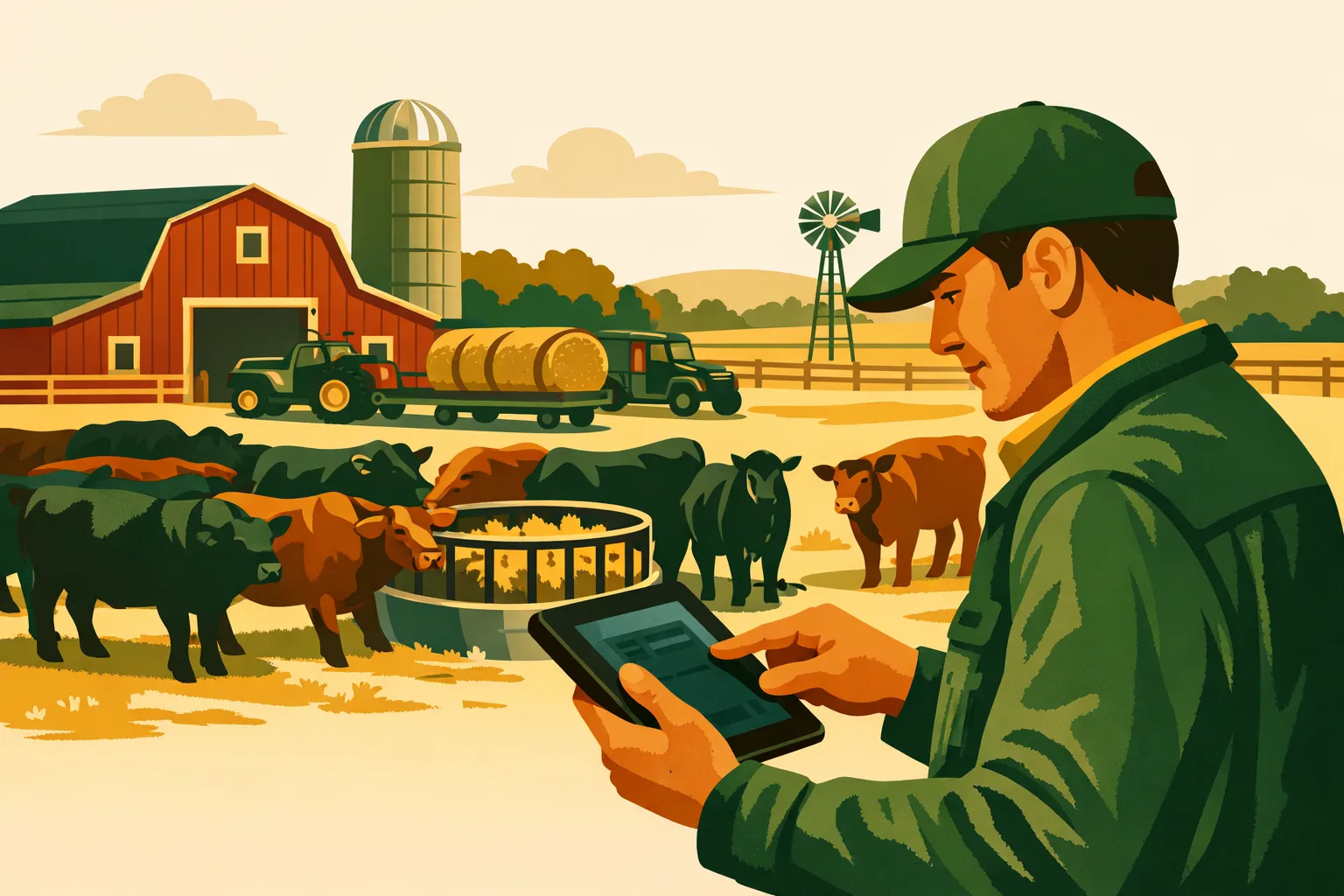
A farm can spend six figures on equipment and still lose hours every week because the crew is working from memory, paper notes, text messages, and spreadsheets that only one person understands. The right agriculture software fixes that problem—but only if it matches how the operation actually runs. For commercial farms, software is not just an office tool. It is a management system for field work, labor, inputs, equipment, compliance records, crop plans, and day-to-day decisions.
Agriculture software can help a 50-acre specialty crop operation, a 2,000-acre grain farm, or a diversified livestock and crop business improve consistency and reduce management drag. But many farms buy too quickly, implement too loosely, or fail to connect software to real operational outcomes.
This guide covers the five mistakes farm operators should avoid in 2026, what each mistake costs in practical terms, and how to evaluate agriculture software that actually improves farm management efficiency.
What Agriculture Software Should Do for a Commercial Farm
Agriculture software should help farm managers plan, assign, track, and improve work across the operation. It should reduce guesswork and make it easier to answer questions such as:
- What fields need work this week?
- Which crops or blocks are behind schedule?
- What inputs were applied, where, when, and by whom?
- Which jobs are complete, delayed, or waiting on weather?
- What equipment, labor, and materials are required tomorrow?
- Are records ready for compliance, certification, customer audits, or internal review?
- What work is costing more time than expected?
For a commercial operation, the value is not “going digital” for its own sake. The value is faster coordination, cleaner records, better input control, and fewer missed tasks during busy periods.
If you are comparing software categories, start with a clear view of your operational needs. A general farm management platform, a crop planning system, an inventory tool, and an accounting package all solve different problems. For more context, see FarmsFlo’s guide to farm management software and farm record keeping.
Mistake 1: Buying Agriculture Software Before Mapping Farm Workflows
Many farms start with a demo, a feature list, or a recommendation from another grower. That can help narrow options, but it is not enough. A farm should not choose agriculture software until it has mapped the workflows that create the most management pressure.
Why This Mistake Hurts
Software that does not match your workflows becomes another place to enter data. The crew keeps using text messages, paper notebooks, whiteboards, and phone calls because the system does not reflect the way work actually moves through the farm.
Common symptoms include:
- Managers still calling crew leads every evening for updates
- Field notes entered days later, if at all
- Spray, fertilizer, irrigation, or harvest records stored in separate files
- Employees unsure which system is the “source of truth”
- Duplicate data entry between field operations, inventory, and reporting
- Software used only by the office, not the field team
This usually happens because the buying process focuses on what the software can do, not what the farm needs it to control.
What to Do Instead
Start with workflow mapping. You do not need a consultant for this. Gather the farm manager, office manager, key crew leads, and anyone responsible for compliance or inventory. Then document how work happens today.
Map these core workflows:
-
Crop planning
- How are crops, varieties, acres, fields, and planting windows planned?
- Who approves the plan?
- How do changes get communicated?
-
Task scheduling
- How are jobs assigned?
- Who decides priority?
- How are delays handled?
-
Field execution
- How does a worker know what to do, where to go, and what materials to use?
- How are completion notes captured?
-
Input tracking
- How are seed, fertilizer, chemicals, amendments, fuel, and packaging tracked?
- Who records usage?
-
Labor and equipment tracking
- Are labor hours tied to fields, jobs, crops, or crews?
- Is equipment time tracked by operation?
-
Compliance and reporting
- What records are required?
- How often are records reviewed?
- Who prepares them?
-
Management review
- What reports does ownership need weekly, monthly, and seasonally?
- What decisions should software support?
For a deeper operational planning framework, see FarmsFlo’s guide to farm operations management.
Cost and Time Estimate
For most 50-5000+ acre operations, a practical workflow review takes:
- Small to mid-size farm: 4-8 management hours
- Larger or multi-location farm: 1-3 working days across key staff
- Cost: Primarily internal time; outside implementation help may range from a small onboarding fee to a larger project cost depending on vendor and complexity
That time is minor compared with buying a system that the crew does not use.
Questions to Ask Vendors
Before choosing agriculture software, ask:
- Can tasks be assigned by field, crop, crew, due date, and priority?
- Can workers update jobs from mobile devices?
- Can records be captured in the field instead of re-entered later?
- Can the system handle our crop types, acreage, locations, and season structure?
- Can we customize task types, workflows, and reporting fields?
- Who on our team will use the software daily, and what will they see?
If a vendor cannot explain how the platform fits your actual workflow, keep evaluating.
Mistake 2: Treating Agriculture Software as a Record-Keeping Tool Only
Record keeping matters. Commercial farms need accurate records for pesticide applications, input use, food safety, organic certification, crop history, labor tracking, customer requirements, and financial analysis.
But if agriculture software is used only after the work is done, it misses most of its value.
The Problem with Backward-Looking Software Use
Many farms enter records at the end of the day, end of the week, or end of the season. That can satisfy a reporting requirement, but it does not help the manager prevent problems while there is still time to act.
Backward-looking use creates gaps such as:
- Missed spray windows
- Unclear task ownership
- Incomplete harvest or planting notes
- Delayed visibility into labor bottlenecks
- Input shortages discovered too late
- Managers relying on memory instead of real-time status
Agriculture software should help run the operation, not just document it.
The Practical Benefit of Real-Time Farm Management
When software is used during the work cycle, managers can:
- Assign jobs before crews leave the yard
- Check job status during the day
- Adjust priorities when weather changes
- Confirm which fields are ready for the next pass
- Track material use as it happens
- Spot delays before they affect harvest, planting, irrigation, or spray timing
- Keep records cleaner because data is entered closer to the work
This is where software becomes a management tool rather than a digital filing cabinet.
Example: Spray Record vs. Spray Workflow
A record-only approach captures:
- Product used
- Rate
- Field
- Date
- Applicator
- Weather conditions
A workflow approach manages:
- Field scouting trigger
- Treatment decision
- Product availability
- Equipment assignment
- Applicator assignment
- Weather check
- Pre-harvest interval or re-entry interval tracking
- Completion confirmation
- Record storage
- Follow-up scouting task
The second approach creates better operational control. It also produces the record as a byproduct of the work.
Build Software into the Daily Rhythm
To move beyond record keeping, define how agriculture software fits into daily farm routines.
A practical daily rhythm might look like this:
- Morning: Manager reviews weather, open tasks, crew availability, and equipment status
- Before dispatch: Crew leads receive assigned jobs and field details
- During work: Workers update status, quantities, notes, or issues
- End of day: Manager reviews completed and incomplete jobs
- Weekly: Management reviews delays, input use, labor needs, and upcoming workload
This does not require every worker to become a power user. The goal is to capture enough information at the right time to support better decisions.
For farms struggling with scattered records, FarmsFlo’s farm record keeping guide covers the foundation for cleaner operational data.
Mistake 3: Ignoring Integration, Mobile Access, and Field Conditions
Agriculture software fails quickly when it works in the office but not in the field. Commercial farms operate across sheds, fields, trucks, spray rigs, irrigation blocks, packing areas, barns, and remote locations. If the system is difficult to use where work happens, adoption drops.
What “Field-Ready” Really Means
Field-ready software should support:
- Mobile access for managers and crew leads
- Fast task updates
- Clear field, crop, and job information
- Photo and note capture where useful
- Usability in poor or inconsistent connectivity
- Simple navigation for non-office users
- Role-based access so each worker sees what they need
- Quick review by managers from a phone or tablet
Some farms need offline capability. Others can manage with mobile-friendly tools and reasonable connectivity. The right requirement depends on your acreage, location, crop type, and how far crews operate from the office.
Integration Matters, But Do Not Overcomplicate It
Farms often ask for every system to connect automatically: accounting, payroll, equipment telematics, weather, irrigation, agronomy, inventory, compliance, and yield tools. Integration can be valuable, but it should follow your operational priorities.
Start by identifying where duplicate entry costs time or creates errors.
High-value integration areas often include:
- Field records to compliance reporting
- Task completion to labor tracking
- Input usage to inventory
- Crop plans to work schedules
- Harvest records to customer or packing workflows
- Equipment operations to maintenance records
Lower-value integrations can wait if they do not reduce daily work or improve decision-making.
Comparison Table: Feature-Heavy vs. Operations-Ready Agriculture Software
| Evaluation Area | Feature-Heavy Software | Operations-Ready Software |
|---|---|---|
| Primary appeal | Long feature list, broad promises | Clear fit with daily farm workflows |
| Field usability | May require office entry or complex screens | Mobile-friendly, fast updates from the field |
| Record keeping | Stores information after work is complete | Captures records during normal work |
| Task management | Basic calendar or notes | Assigns work by field, crop, crew, priority, and status |
| Adoption risk | Higher if crew finds it hard to use | Lower when field teams can use it with minimal friction |
| Implementation focus | Setup software modules | Redesign daily routines around better visibility |
| Best use case | Farms with dedicated admin capacity and narrow use needs | Farms wanting active operational control across teams |
Device and Connectivity Planning
Before rolling out agriculture software, make a device plan.
Decide:
- Which employees need access?
- Will the farm provide phones or tablets?
- Can workers use their own devices?
- Is there reliable coverage in all operating areas?
- Are tablets needed in tractors, trucks, or packing facilities?
- Who is responsible for device charging, damage, replacement, and security?
- What happens when connectivity drops?
Cost and Time Estimate
Typical planning and rollout considerations include:
- Device setup: 15-45 minutes per device depending on security and apps
- User setup: 5-15 minutes per user if roles are clear
- Field testing: 1-2 days during real work before full rollout
- Hardware cost: Varies widely depending on whether the farm uses existing phones, rugged tablets, or mounted devices
- Connectivity cost: May include mobile data plans, boosters, or additional office/yard Wi-Fi coverage
Run a field test before peak season. Do not discover usability problems during planting, spraying, harvest, lambing, calving, or packing season.
Mistake 4: Underestimating Onboarding, Data Cleanup, and Staff Training
The most common software rollout problem is not the software itself. It is poor implementation.
A farm buys agriculture software, imports partial data, trains one manager, sends logins to the team, and expects the system to work. Then adoption stalls because fields are mislabeled, crop plans are incomplete, old records are messy, and workers are unsure what to do.
Clean Data Comes First
Before launch, clean up the core farm data that the system will rely on.
At minimum, confirm:
- Field names
- Block names
- Acreage or production area
- Crop and variety names
- Active crop plans
- Equipment list
- Employee list
- Input inventory list
- Vendor or supplier names
- Customer or market channels if used in operations
- Standard task categories
Messy data creates confusion. If one field is called “North 40,” “N40,” and “North Field” in different files, your reports and task lists will be unreliable.
Training Should Be Role-Based
Not every employee needs the same training. Train by role.
Owners and General Managers
Focus on:
- Dashboards
- Reports
- Workload visibility
- Labor and input tracking
- Exceptions and delays
- Seasonal review
Farm Managers and Supervisors
Focus on:
- Creating tasks
- Assigning crews
- Updating schedules
- Reviewing field progress
- Managing crop plans
- Handling changes during the day
Crew Leads
Focus on:
- Viewing assigned jobs
- Updating status
- Adding notes and photos
- Recording quantities
- Flagging issues
Office and Compliance Staff
Focus on:
- Record review
- Report generation
- Data cleanup
- Audit preparation
- Exporting information if needed
Avoid the “One Big Training Day” Problem
A single training day rarely works. Farm teams absorb software better through staged rollout.
A better rollout plan:
-
Week 1: Setup
- Clean field, crop, employee, equipment, and input data
- Configure workflows
- Set user roles
-
Week 2: Pilot
- Test with one crop, one crew, one location, or one work type
- Capture feedback
- Fix confusing setup issues
-
Week 3: Expand
- Add more crews or work types
- Begin using daily task review
- Start reviewing completed vs. incomplete work
-
Week 4: Standardize
- Lock in naming conventions
- Define required fields
- Confirm reporting process
- Set weekly management review routine
Larger operations may need a longer rollout, especially when multiple locations, languages, crop systems, or reporting requirements are involved.
Cost and Time Estimate
Implementation time depends on complexity, but most farms should budget for:
- Data cleanup: 4-20 hours for small/mid-size operations; more for multi-location farms
- Initial setup: 2-10 hours depending on vendor and data quality
- Training: 1-3 hours per role group
- Pilot period: 1-3 weeks
- Full operational adoption: Usually requires repeated use across several work cycles
Software subscription cost is only part of the investment. Budget management attention as well. If the farm manager has no time to lead the rollout, assign a project owner with authority to standardize data and enforce usage.
For farms building a better planning process alongside software, see FarmsFlo’s guide to crop planning software.
Mistake 5: Measuring Agriculture Software by Features Instead of Farm Results
The wrong buying question is, “Which agriculture software has the most features?”
The better question is, “Which system helps us run the farm with fewer missed tasks, cleaner records, better coordination, and faster decisions?”
Define Success Before You Buy
Before selecting a platform, write down what success should look like after 90 days and after one season.
Practical success measures might include:
- Daily work assignments are visible to managers and crew leads
- Field work status is updated the same day
- Spray and input records are complete without end-of-season reconstruction
- Crop plans are tied to actual work
- Inventory shortages are identified earlier
- Weekly operations meetings use software reports instead of memory
- Managers spend less time chasing updates by phone
- New employees understand tasks faster
- Field history is easier to review before making decisions
Avoid vague goals like “better efficiency.” Define what should change.
Match Benefits to Your Operation Type
Different farms should prioritize different software outcomes.
Row Crop Operations
Agriculture software may be most valuable for:
- Field activity planning
- Input application records
- Equipment coordination
- Crop history
- Fertility and chemical tracking
- Seasonal job review
- Multi-field scheduling
Specialty Crop Farms
High-value areas may include:
- Crop and block planning
- Harvest task coordination
- Labor allocation
- Food safety records
- Irrigation and fertility schedules
- Packing or market coordination
- Quality notes by block or harvest lot
Mixed Crop and Livestock Operations
Software may help with:
- Shared labor scheduling
- Feed, pasture, and crop task planning
- Equipment conflicts
- Seasonal workload balancing
- Inventory and supply tracking
- Internal communication across enterprises
Multi-Site Farms
The biggest benefit may come from:
- Standardized task reporting
- Location-level visibility
- Shared naming conventions
- Manager accountability
- Centralized records
- Consistent crop planning
Ask for a Realistic Demo
A polished vendor demo can make any system look smooth. Ask the vendor to demonstrate your workflows using realistic farm data.
Ask them to show:
- Creating a field task
- Assigning it to a crew
- Updating it from a mobile device
- Recording input use
- Reviewing incomplete work
- Generating a record or report
- Adjusting the plan when weather changes
- Finding historical work on a field
- Restricting access by user role
If the demo requires too many clicks, unclear screens, or workarounds, the crew may not adopt it.
Build a 90-Day Review
After launch, review whether the software is changing operations.
Ask:
- Are managers using it daily?
- Are crew leads updating tasks?
- Are records more complete?
- Are we still using parallel paper systems?
- Are reports helping weekly decisions?
- Are users confused about naming, fields, or required information?
- Which workflow is still outside the system?
- What can be simplified?
Software adoption should improve over time. If it does not, the problem may be configuration, training, leadership, or a poor fit.
Practical Agriculture Software Selection Checklist for 2026
Use this checklist before signing a contract or starting a trial.
1. Define the Farm Management Problem
- List the top five operational pain points
- Identify which problems cost the most time during peak season
- Decide whether the priority is task management, records, crop planning, inventory, labor, compliance, or all of the above
- Define what should improve within 90 days
2. Map the Workflows
- Document how tasks are created, assigned, completed, and reviewed
- Map input usage from purchase to field application
- Map crop planning from seasonal plan to daily work
- Identify where paper notes, spreadsheets, and texts are still used
- Decide what information must be captured in the field
3. Confirm Field Usability
- Test the system on phones or tablets
- Test it with real crew leads or supervisors
- Check usability in low-connectivity areas
- Confirm workers can update jobs quickly
- Confirm user permissions match job roles
4. Review Reporting and Records
- Confirm required compliance records can be produced
- Confirm field history is easy to find
- Confirm input, labor, and equipment records can be reviewed
- Confirm exports are available if needed
- Confirm reports are useful for management meetings
5. Plan Implementation
- Clean field, crop, equipment, employee, and input data
- Assign an internal project owner
- Schedule role-based training
- Pilot the software before full rollout
- Set a weekly review meeting during the first month
6. Evaluate Vendor Fit
- Ask for a workflow-based demo
- Review onboarding support
- Confirm pricing structure and user limits
- Ask how support works during busy seasons
- Confirm whether the vendor understands commercial-scale farm operations
Agriculture Software Budgeting: What to Include Beyond the Subscription
Many farms compare software only by monthly or annual subscription cost. That misses the full picture.
When budgeting for agriculture software, include:
- Subscription or license fees
- Onboarding fees
- Data import or cleanup time
- Staff training time
- Mobile devices or tablets
- Connectivity improvements if needed
- Internal management time
- Process redesign
- Ongoing admin time
- Support needs during peak season
Practical Budget Planning Ranges
Exact costs vary by vendor, farm size, user count, and feature set. A practical planning approach is to estimate both direct and indirect costs.
Small Commercial Farm: 50-250 Acres
Likely cost drivers:
- Basic subscription
- Few users
- Limited devices
- Moderate setup time
- Simple reporting needs
Internal time to budget:
- 4-10 hours for setup and data cleanup
- 2-6 hours for training
- Weekly 30-minute review during rollout
Mid-Size Farm: 250-1500 Acres
Likely cost drivers:
- Multiple users and crews
- More complex field lists
- Input and labor tracking
- Compliance reporting
- Mobile access for supervisors
Internal time to budget:
- 10-30 hours for setup and cleanup
- 4-12 hours for training across roles
- 1-3 week pilot period
Large or Multi-Location Farm: 1500-5000+ Acres
Likely cost drivers:
- Multiple managers or locations
- Standardized processes
- Integration needs
- More users
- Role-based permissions
- Reporting consistency
Internal time to budget:
- 20-60+ hours for setup, cleanup, and process alignment
- Multiple training sessions
- 3-8 week staged rollout depending on complexity
The more complex the operation, the more value there is in getting implementation right. A rushed launch can turn good software into a source of frustration.
For farms needing better control of supplies and materials, FarmsFlo’s guide to farm inventory management is a useful next read.
How to Compare Agriculture Software Vendors
Once your workflows are mapped and your requirements are clear, compare vendors using farm-specific criteria rather than generic software claims.
Must-Have Capabilities
For most commercial farms, agriculture software should handle:
- Field and block management
- Crop planning
- Task scheduling
- Crew or employee assignment
- Mobile access
- Field notes
- Input usage records
- Work status tracking
- Reporting
- User permissions
- Historical records
- Support and onboarding
Nice-to-Have Capabilities
Depending on your operation, you may also want:
- Inventory management
- Labor cost tracking
- Equipment maintenance tracking
- Weather references
- Compliance templates
- Multi-location dashboards
- Harvest tracking
- Customer or order-related workflows
- Integrations with accounting or payroll systems
Do not let nice-to-have features distract from daily usability. A system that covers the core workflow well usually creates more value than a complex system nobody updates.
Red Flags During Evaluation
Watch for these warning signs:
- The vendor cannot explain how field teams will use the system
- Setup requires heavy customization for basic farm tasks
- Mobile use is slow or confusing
- Reporting requires manual spreadsheet cleanup
- The demo avoids real-world farm scenarios
- Pricing is unclear
- Onboarding is limited to generic videos
- The system creates duplicate data entry
- The platform is built for hobby growers rather than commercial operators
- Support availability does not match your busy season needs
Practical Buying Process
Use a structured process:
- Identify the farm’s top operational problems
- Map workflows
- Build a short requirements list
- Demo two to four systems
- Run one realistic workflow in each demo
- Check mobile usability
- Ask about onboarding and support
- Estimate total cost and staff time
- Start with a pilot or trial
- Review adoption before expanding
This process keeps the purchase grounded in farm results.
Getting the Most Value from Agriculture Software in 2026
The farms that get the most from agriculture software usually share a few habits.
They Standardize Names and Processes
They use consistent field names, crop names, task categories, and input names. This makes reports reliable and reduces confusion.
They Use the System Daily
Software is part of dispatch, field updates, and management review. It is not a once-a-week data entry project.
They Keep Workflows Simple
They do not try to track every possible detail at the start. They begin with the information that drives decisions.
They Assign Ownership
One person is responsible for setup quality, user access, data standards, and adoption. Without ownership, software becomes optional.
They Review Results
They use weekly meetings to review open tasks, completed work, bottlenecks, and upcoming priorities. Software supports management discipline.
They Improve Over Time
They start with core workflows, then add inventory, reporting, labor tracking, or integrations once the team is comfortable.
Final Pre-Purchase Questions for Farm Managers
Before moving forward with any agriculture software, ask your management team:
- What problem are we trying to solve first?
- Who will use the system every day?
- What current process will it replace?
- What information must be entered in the field?
- What reports do we need weekly?
- What records do we need for compliance or customers?
- Who owns data quality?
- When will training happen?
- What will we stop doing once the system is live?
- How will we judge success after 90 days?
If you cannot answer these questions, pause the purchase and clarify the plan. A short delay before buying is better than a season of poor adoption.
How FarmsFlo Helps
FarmsFlo is built for commercial farm teams that need clearer day-to-day control across planning, tasks, records, and operations. Instead of forcing managers to chase updates across notebooks, spreadsheets, and text threads, FarmsFlo helps centralize the work that keeps the farm moving.
With FarmsFlo, farm operators can:
- Plan and organize farm work by crop, field, crew, and priority
- Improve visibility into what is complete, delayed, or coming up next
- Keep field activity and operational records in one place
- Support better communication between managers, supervisors, and crews
- Reduce reliance on scattered paper notes and disconnected spreadsheets
- Build more consistent workflows before the busiest parts of the season
If you are evaluating agriculture software for 2026, start with the workflows that cost your farm the most time today. Then test whether the platform makes those workflows easier to manage.
Start a FarmsFlo trial at farmsflo.com and see how a practical farm management system can support cleaner records, better coordination, and more efficient daily operations.