5 Farm Management Programs to Actually Transform Your Ranch in 2026
Discover five innovative farm management programs that promise to revolutionize your ranch operations in 2026 with cutting-edge features and benefits.
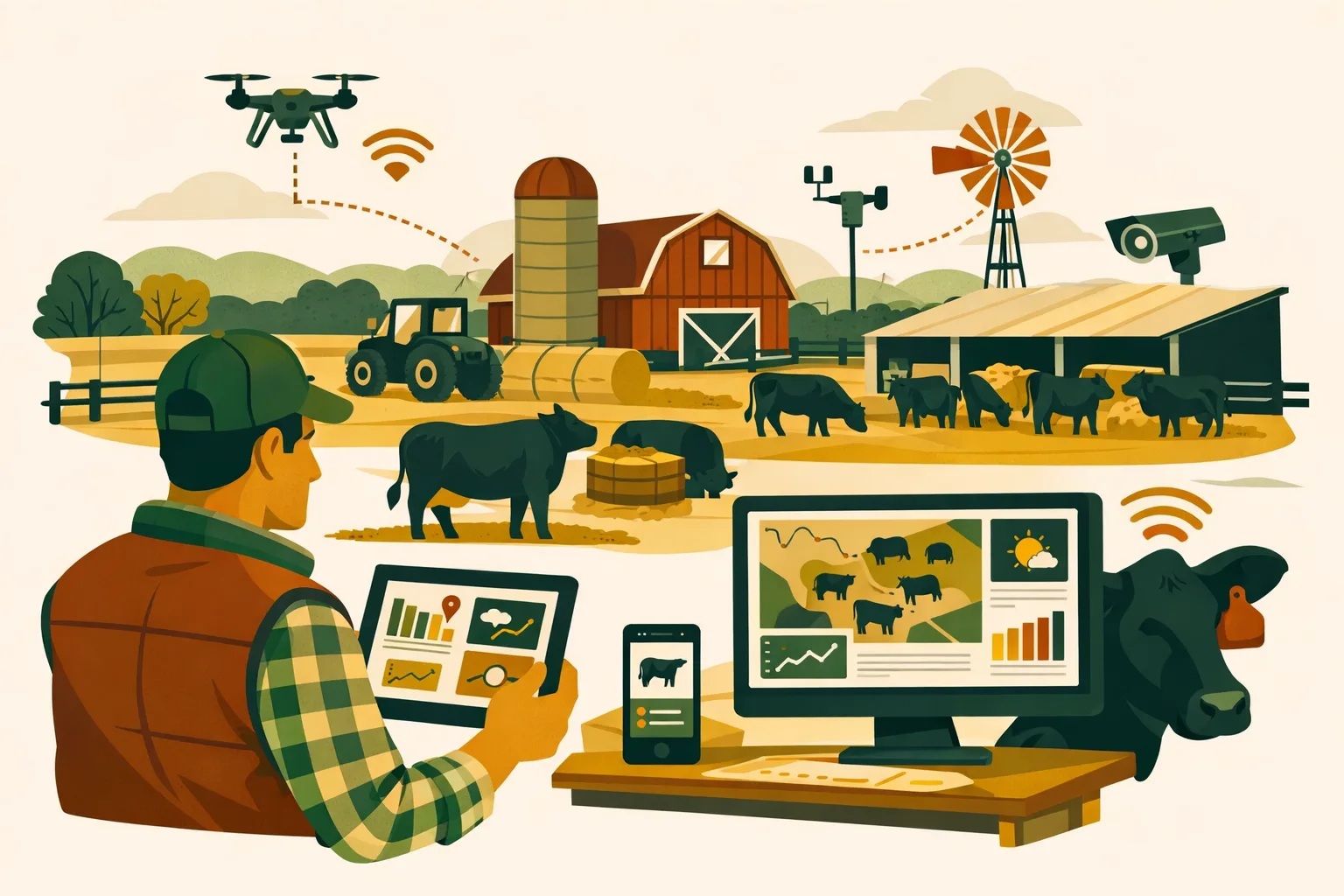
5 Farm Management Programs to Actually Transform Your Ranch in 2026
Margins are getting tighter, labor is harder to schedule, equipment costs keep climbing, and most ranches are still running too many decisions through texts, spreadsheets, notebooks, and memory. The right farm management program should do more than “store records.” It should help your team plan work, track costs, coordinate people, manage livestock and fields, and give you cleaner numbers before a small issue becomes an expensive one.
For commercial ranches and mixed operations, the buying decision comes down to fit: livestock depth, crop and pasture records, equipment tracking, inventory, job scheduling, reporting, integrations, and how quickly your crew will actually use it.
Below are five farm management programs worth evaluating for 2026, with practical comparisons for farm managers, ranch owners, and operations teams running serious acreage.
What Commercial Ranches Should Expect From Farm Management Programs in 2026
Farm management software has moved past basic record keeping. In 2026, a viable platform should help you manage daily work and long-term business performance.
For ranches, that usually means:
- Field, pasture, and paddock records
- Livestock and herd management
- Work orders and crew task assignments
- Equipment maintenance tracking
- Input inventory and chemical records
- Cost tracking by field, herd, enterprise, or job
- Maps, boundaries, and operational history
- Mobile access for field crews
- Reporting for audits, lenders, landlords, and management reviews
- Integrations with accounting, machinery, weather, or agronomic systems
The right program depends on whether your operation is primarily cattle, row crop, forage, hay, grazing, seedstock, or a mixed enterprise.
If you are still early in your software search, you may also want to read FarmsFlo’s guide to farm management software selection and the practical breakdown on farm record keeping for commercial operations.
Quick Comparison: 5 Farm Management Programs for Commercial Ranches
| Program | Strongest Fit | Key Strengths | Potential Limitations | Typical Implementation Effort |
|---|---|---|---|---|
| FarmsFlo | Mixed farms, ranches, and commercial operators needing operational control | Task management, farm records, equipment, inventory, team coordination, practical workflows | May require process cleanup if your operation has scattered records | 1–4 weeks for core setup |
| Agworld | Crop-focused farms and agronomy-driven operations | Field records, agronomic planning, advisor collaboration, compliance records | Less livestock-centered than dedicated ranch platforms | 2–6 weeks depending on fields and advisors |
| Granular | Larger crop operations needing financial and operational visibility | Field-level profitability, planning, cost tracking, crop enterprise analytics | Can be more than needed for smaller or livestock-heavy ranches | 4–10+ weeks for detailed financial setup |
| Conservis | Commercial grain, specialty crop, and vertically managed farms | Crop production tracking, inventory, contracts, reporting, traceability | Stronger for crop enterprises than cattle workflows | 4–12+ weeks depending on complexity |
| CattleMax | Cow-calf, seedstock, and cattle-focused ranches | Herd records, breeding, health, pedigree, performance tracking | Limited for full-farm operations, equipment, crop, and inventory workflows | 1–3 weeks for herd setup |
1. FarmsFlo: Practical Operations Control for Mixed Farms and Ranches
FarmsFlo is built for commercial operations that need one place to coordinate work, records, equipment, inventory, and farm activity without turning the software into a full-time administrative job.
For ranches and mixed farms, the biggest advantage is operational simplicity. Many farm management programs either lean heavily toward agronomy or livestock alone. FarmsFlo is positioned for managers who need to run the day-to-day business across people, land, assets, and records.
Where FarmsFlo Fits Best
FarmsFlo is a strong fit if you manage:
- 50–5000+ acres
- Multiple workers, contractors, or family members
- Hay, pasture, crop, or mixed enterprises
- Equipment fleets with recurring maintenance needs
- Input inventory such as seed, chemicals, fertilizer, fuel, feed, parts, and supplies
- Field and ranch tasks that currently live in text messages or whiteboards
- Compliance records that need to be easier to retrieve
For a ranch with both livestock and land operations, FarmsFlo can serve as the operating layer that keeps work moving. You can assign jobs, record completed work, track assets, and build a cleaner operational history.
Features That Matter for Ranch Operators
Key FarmsFlo capabilities to evaluate include:
- Task scheduling and work assignment
- Field and pasture records
- Equipment and maintenance tracking
- Inventory visibility
- Team coordination
- Activity history
- Mobile-friendly workflows
- Practical reporting for managers
A ranch may use FarmsFlo to schedule fence repairs, track pasture spraying, document hay cutting, assign equipment service, record fuel or parts usage, and keep seasonal work from slipping through the cracks.
For more on this side of the operation, see FarmsFlo’s guide to farm equipment maintenance tracking and farm inventory management.
Where FarmsFlo Stands Out
FarmsFlo stands out when the problem is operational execution. If you know what needs doing but struggle to keep everyone aligned, this type of platform can quickly pay for itself in reduced confusion, fewer missed jobs, and better visibility.
Common operational pain points FarmsFlo can help address:
- “Who was supposed to do that job?”
- “When was that tractor serviced?”
- “How much chemical do we have left?”
- “Which pasture was treated?”
- “Where did we record that repair?”
- “Did that task get finished before the weather changed?”
Those are not small issues. On commercial operations, missed maintenance, poor inventory visibility, and weak task handoff can create real costs.
Potential Limitations to Consider
No software fixes poor processes automatically. If your operation has no standard way to name fields, record tasks, or track inventory, you will need some setup discipline.
Before launching FarmsFlo, decide:
- How fields, pastures, and paddocks will be named
- Who can create and close tasks
- Which records must be entered daily versus weekly
- Which equipment needs maintenance tracking
- Which inventory categories matter most
- Who reviews reports and when
Cost and Time Planning
Actual software pricing can vary by plan and business needs, but commercial ranches should budget time for setup and training.
Practical time estimates:
- Initial setup: 2–8 management hours
- Field, pasture, and asset entry: 4–20 hours depending on size
- Crew onboarding: 1–2 short training sessions
- First full working season: enough time to refine categories, permissions, and reports
A focused ranch can usually get value from basic task and equipment workflows within the first few weeks if ownership and managers commit to using it consistently.
2. Agworld: Strong Agronomy Collaboration for Crop and Pasture Records
Agworld is widely known for crop planning, agronomic records, and collaboration between growers, agronomists, and advisors. For ranches with significant crop, hay, forage, or pasture management needs, Agworld can be a serious contender.
It is especially relevant if your ranch depends on outside agronomy support or needs detailed chemical, fertilizer, and field application records.
Where Agworld Fits Best
Agworld is a better fit for operations that need:
- Agronomist collaboration
- Crop input planning
- Field-level agronomic history
- Chemical and fertilizer record keeping
- Scouting observations
- Maps and field plans
- Compliance-oriented application documentation
For a ranch growing hay, silage, forage crops, or grain in addition to livestock, Agworld can help standardize field plans and recommendations.
Features to Review
When comparing Agworld against other farm management programs, look at:
- Field maps and boundaries
- Work orders and recommendations
- Spray records
- Fertilizer plans
- Crop scouting notes
- Advisor communication
- Compliance and reporting workflows
Agworld’s strength is not just storing data. It helps connect the plan from an agronomist to the actual field work.
Where Agworld Stands Out
Agworld shines when agronomy decisions drive profitability. If your operation runs multiple crop rotations or needs precise input documentation, a crop-centric system helps keep records organized and accessible.
It can be especially useful for:
- Farms working with crop consultants
- Operations with pesticide application reporting needs
- Growers managing multiple fields and crops
- Ranches producing high-value forage or feed crops
- Managers who want better visibility into field recommendations
Potential Limitations to Consider
Agworld is not primarily a livestock management platform. If your biggest need is cow-calf tracking, herd health, breeding, or animal performance records, you may need a dedicated cattle system or another program alongside it.
For a diversified ranch, the question is whether agronomy records are your main pain point or just one part of a broader operations problem.
Cost and Time Planning
Implementation effort depends on how many fields, advisors, and records you need to bring in.
Practical time estimates:
- Field setup: 2–10 hours for smaller operations, more for complex field structures
- Advisor onboarding: 1–3 meetings
- Staff training: 1–2 sessions for applicators and managers
- Record cleanup: several hours if prior spray or fertilizer records are inconsistent
If you run a crop-heavy ranch, Agworld may be worth comparing directly against FarmsFlo depending on whether agronomy depth or whole-operation coordination matters more.
3. Granular: Financial Visibility for Larger Crop-Driven Operations
Granular is often evaluated by larger crop operations that want better planning, budgeting, and field-level financial analysis. For ranches with major crop enterprises, rented ground, multiple farms, or enterprise-level cost tracking needs, Granular can provide deeper business visibility.
Its strength is tying operational plans to financial outcomes.
Where Granular Fits Best
Granular is most relevant for:
- Large crop farms
- Multi-location operations
- Farms tracking profitability by field
- Operations with detailed crop budgets
- Managers needing production and financial planning
- Businesses with strong office administration support
For a ranch that farms substantial acreage alongside livestock, Granular may help answer questions like:
- Which fields are profitable?
- Which rented acres are underperforming?
- How do input costs compare across farms?
- What crop plan supports better margins?
- Where are labor and machinery costs concentrating?
Features to Review
Key areas to evaluate include:
- Crop planning
- Budgeting
- Field-level cost tracking
- Profitability reporting
- Operational plans
- Inventory and input planning
- Financial analysis
- Integration with accounting or machinery data where available
Granular is not just a digital notebook. It is aimed at helping commercial operators understand the business side of production.
Where Granular Stands Out
Granular stands out when management decisions depend on financial clarity across acres. If you manage many fields and need to evaluate profitability by crop, farm, landlord, or enterprise, the analytics can be valuable.
This is especially useful when:
- Rent decisions are getting tougher
- Input costs are volatile
- Owners need better management reporting
- Crop mix decisions need financial backing
- You want to separate production performance from business performance
A lot of farms know yield. Fewer know true field-level profitability with enough confidence to make fast decisions. Granular is designed to help close that gap.
Potential Limitations to Consider
Granular can require more setup discipline than simpler farm management programs. To get useful financial output, you need quality input data.
That means your team must be willing to track:
- Field boundaries
- Crop plans
- Input costs
- Field activities
- Labor and equipment assumptions
- Harvest records
- Land costs
- Overhead allocations where applicable
If your operation does not have the administrative capacity to maintain those records, implementation may stall.
Granular may also be less suitable as the primary system for livestock-heavy ranches. A cow-calf operation with limited cropping may not need this level of crop enterprise analysis.
Cost and Time Planning
For larger farms, implementation is a business project, not just a software signup.
Practical time estimates:
- Setup planning: 2–4 management meetings
- Data migration and field setup: 10–40+ staff hours
- Budget configuration: several working sessions
- Training: 2–5 sessions for managers and office staff
- First-year refinement: expect adjustments after planting, application, and harvest cycles
If you want financial decision support, allow enough time to build the structure correctly. Rushing setup can weaken the reports you are buying the software to produce.
For more budgeting context, see FarmsFlo’s guide to farm budgeting and operational planning.
4. Conservis: Production, Inventory, and Traceability for Commercial Farms
Conservis is another platform often considered by larger commercial farms, especially those needing production tracking, inventory, contracts, and traceability. It has traditionally been used by crop operations that need stronger visibility across the production cycle.
For ranches with crop production, feed production, or vertically managed business units, Conservis can be worth evaluating.
Where Conservis Fits Best
Conservis is a fit for operations needing:
- Crop production management
- Input inventory tracking
- Harvest records
- Contract or delivery tracking
- Traceability
- Enterprise reporting
- Multi-user office workflows
- Commercial-scale production visibility
It may be especially useful for operations with multiple entities, business units, or production streams that must be tracked from planning through delivery.
Features to Review
When comparing Conservis, look at:
- Crop plan management
- Inventory and input usage
- Harvest tracking
- Storage and delivery records
- Contract management
- Production reports
- Traceability features
- Accounting-related workflows
These features matter when your farm office needs more than agronomic recommendations or task lists. Conservis is often about operational and business traceability.
Where Conservis Stands Out
Conservis stands out for farms that need a clearer chain from inputs to production to sale or delivery. That can help with:
- Inventory control
- Contract fulfillment
- Production reporting
- Audit preparation
- Management oversight
- Reducing disconnected spreadsheets
For a ranch producing large volumes of hay, grain, silage, or feed commodities, tracking inventory and production flow can be a major advantage.
Potential Limitations to Consider
Like Granular, Conservis can require disciplined data entry. The more detailed the system, the more your team must commit to keeping records current.
It may not be the first choice if your operation mainly needs:
- Basic task coordination
- Equipment maintenance tracking
- Simple pasture activity logs
- Livestock breeding and health records
- Crew communication
For livestock-heavy ranches, Conservis may need to be paired with a cattle platform or replaced by a simpler whole-farm operations tool depending on your needs.
Cost and Time Planning
Implementation planning should include the office team, managers, and field supervisors.
Practical time estimates:
- Discovery and workflow mapping: 1–3 meetings
- Data import and setup: 10–50+ hours depending on business complexity
- Inventory configuration: several dedicated work sessions
- Training: 2–6 sessions across office and field users
- Go-live support: plan extra administrative time during the first busy season
If you need traceability and inventory rigor, Conservis deserves a close look. If your main issue is day-to-day execution, compare it carefully against simpler operational systems.
5. CattleMax: Focused Herd Management for Cattle Operations
CattleMax is different from the crop-oriented platforms above. It is a cattle management program built specifically for herd records. For cow-calf, seedstock, and cattle-focused ranches, it may solve problems that broader farm management programs do not handle deeply enough.
If your biggest operational risk is incomplete herd information, CattleMax belongs on your shortlist.
Where CattleMax Fits Best
CattleMax is designed for ranches that need to manage:
- Individual animal records
- Breeding and pregnancy status
- Calving records
- Health treatments
- Weaning weights
- Pedigree information
- Performance data
- Pasture and group records
- Sale and culling decisions
For cattle operations, the value is in having accurate herd history available when making management decisions.
Features to Review
Key features to compare include:
- Cow, bull, calf, and group records
- Breeding and calving tracking
- Health treatment records
- Vaccination and medication history
- Performance measurements
- Pedigree and registration support
- Reporting for culling and replacements
- Mobile access for chute-side use
A ranch manager should be able to pull up an animal’s history quickly and make a better decision about treatment, breeding, sale, or retention.
Where CattleMax Stands Out
CattleMax stands out because general farm software often does not go deep enough on livestock. If you need breeding history, calving details, animal performance, or seedstock documentation, a cattle-specific platform can be the right tool.
It can help answer:
- Which cows are open?
- Which animals need treatment follow-up?
- Which calves came from which sires?
- Which cows consistently wean better calves?
- Which animals should be culled?
- What health history is tied to this group?
That type of record can directly affect herd quality and management confidence.
Potential Limitations to Consider
CattleMax is not designed to be a complete farm operations platform for every ranch workflow. You may still need another system for:
- Equipment maintenance
- Field and pasture work orders
- Input inventory
- Chemical and fertilizer records
- Crew task management
- Crop production planning
- Whole-farm operational reporting
For cattle-first ranches, CattleMax may be the herd system while FarmsFlo or another operations platform manages the rest of the business.
Cost and Time Planning
Setup time depends on herd size and how clean your existing records are.
Practical time estimates:
- Account setup: 1–2 hours
- Herd import: several hours to multiple days depending on herd size and data quality
- Staff training: 1–2 sessions
- Chute-side workflow testing: 1 working day before heavy use
- First calving season: expect refinement of codes, groups, and reports
If you have years of paper records, plan extra time for cleanup. Do not try to digitize every historic note at once. Start with active breeding stock, current calves, health records, and key performance data.
How to Choose the Right Farm Management Program
The mistake many operators make is shopping by feature list instead of workflow. A platform can have impressive tools and still fail if it does not match how your ranch operates.
Use these criteria to narrow your decision.
1. Start With Your Main Management Bottleneck
Pick the biggest problem first.
Common examples:
- Jobs are missed or duplicated
- Equipment maintenance is reactive
- Inventory is inaccurate
- Field records are incomplete
- Herd records are scattered
- Crop profitability is unclear
- Office reporting takes too long
- Crew communication depends on one person’s memory
If your issue is operational coordination, prioritize FarmsFlo-style workflows. If it is herd data, look at CattleMax. If it is crop profitability, evaluate Granular. If it is agronomy collaboration, look at Agworld. If it is production traceability, review Conservis.
2. Match the Program to Your Enterprise Mix
A 200-acre cow-calf ranch, a 5,000-acre grain farm, and a diversified hay-and-cattle operation do not need the same software.
Ask:
- What percentage of revenue comes from livestock?
- What percentage comes from crops, hay, or forage?
- How much rented ground do we manage?
- How many people need access?
- How much office support do we have?
- Do we need field-level profitability?
- Do we need animal-level performance data?
- Do we need compliance or audit-ready records?
Your enterprise mix should drive your shortlist.
3. Check Mobile Usability Before You Buy
Commercial farm software fails when the field team refuses to use it.
Test the mobile workflow for:
- Creating tasks
- Closing completed jobs
- Recording notes
- Uploading photos
- Viewing maps
- Checking equipment details
- Entering treatments or applications
- Working with weak connectivity where applicable
Do not rely only on a desktop demo. Have the people who will use it from the truck, shop, chute, or field test it.
4. Evaluate Reporting Against Real Decisions
Reports only matter if they support decisions.
Ask vendors to show how the program helps you answer:
- What work was completed last week?
- Which equipment is due for service?
- What inputs were applied to each field?
- What inventory is running low?
- Which fields or enterprises are underperforming?
- Which animals need follow-up?
- What records would we provide to a lender, landlord, auditor, or owner?
If reports require too much cleanup, the program may not fit your operation.
5. Be Honest About Administrative Capacity
Detailed platforms can produce better analysis, but only if someone maintains the data.
Before selecting software, decide:
- Who owns setup?
- Who enters records?
- Who reviews data quality?
- Who trains new employees?
- Who closes tasks or approves records?
- Who handles integrations or imports?
- How often will management review reports?
If no one owns the system, it will become another abandoned tool.
Practical Checklist: Software Evaluation for Ranch Managers
Use this checklist before signing a contract or starting a rollout.
Operational Fit
- List your top three management problems
- Identify whether each problem is livestock, crop, equipment, inventory, labor, or reporting related
- Confirm the software handles your main enterprise type
- Test real workflows, not just demo examples
- Include field staff, office staff, and managers in the evaluation
Data and Setup
- Standardize field, pasture, paddock, and equipment names
- Clean up current spreadsheets before importing
- Decide which historic records are worth moving
- Build a simple chart of categories for tasks, inventory, and assets
- Assign one person to own setup quality
Mobile and Crew Adoption
- Test the mobile app in normal working conditions
- Confirm users can complete tasks in a few taps
- Check whether photos, notes, and attachments are easy to add
- Train workers on only the workflows they need
- Set expectations for same-day or end-of-day updates
Reporting and Management
- Choose five reports you will actually review
- Schedule a weekly or monthly software review
- Compare reports against known records during the first month
- Adjust categories before bad habits set in
- Use the software in management meetings
Budget and Timeline
- Budget subscription cost plus setup time
- Assign 1–4 weeks for basic implementation
- Assign 4–12+ weeks for complex crop financial or traceability systems
- Avoid launching during the most chaotic week of the season
- Review usage after 30, 60, and 90 days
Common Implementation Mistakes to Avoid
Even good farm management programs can fail when the rollout is rushed or too complicated.
Trying to Digitize Everything at Once
Do not begin by entering every note from the last 15 years. Start with the records that support current decisions.
Good starting points:
- Active fields and pastures
- Current equipment list
- Current inventory
- Current herd or crop year
- Open tasks
- Current season applications
- Maintenance due dates
Historic data can be added later if it is valuable.
Giving Everyone Too Much Access
Clear roles reduce confusion. A seasonal worker may only need assigned tasks. A shop manager may need equipment and maintenance access. The office may need inventory and reports. Owners may need dashboards.
Set permissions based on job responsibilities.
Skipping Naming Standards
Poor naming creates bad data quickly.
Avoid:
- “North field”
- “N field”
- “North 40”
- “Field by road”
Pick one naming structure and use it everywhere. The same applies to equipment, inputs, chemicals, pastures, and livestock groups.
Not Reviewing the System Weekly
During the first 60–90 days, review the software weekly. Look for missing tasks, duplicate names, incomplete records, and confused users.
A 30-minute weekly review can prevent months of messy data.
Buying for Features Instead of Adoption
The most powerful platform is not always the most useful one. The right program is the one your operation will use consistently.
If your crew needs simple task management, do not overbuy a complex financial platform. If your owners need field profitability, do not rely on a basic task app.
Recommended Buying Path for 2026
Here is a practical sequence for choosing farm management programs without wasting time.
Step 1: Define the Primary Use Case
Choose one primary objective:
- Improve daily task coordination
- Build better herd records
- Track crop profitability
- Improve agronomy records
- Strengthen inventory and traceability
- Manage equipment and maintenance
- Standardize compliance records
One primary objective keeps the search focused.
Step 2: Shortlist Two or Three Platforms
Based on the five programs above:
- Choose FarmsFlo if whole-operation coordination is the main issue
- Choose Agworld if agronomy collaboration is central
- Choose Granular if crop financial analytics are the priority
- Choose Conservis if production traceability and inventory depth matter most
- Choose CattleMax if herd records are the main driver
Many diversified ranches will compare one operational platform with one specialized platform.
Step 3: Run a Real Workflow Test
Do not ask for a generic demo. Ask each vendor to walk through your actual season.
Example test:
- Create a pasture spraying task.
- Assign it to an employee.
- Add chemical inventory.
- Record completion from a mobile device.
- Attach notes or photos.
- Update inventory.
- Pull a report showing the work history.
For cattle systems, test a breeding, calving, treatment, and culling workflow.
For crop financial systems, test a field budget, input application, harvest record, and profitability report.
Step 4: Calculate Total Adoption Cost
Software cost is only one part of the investment.
Include:
- Subscription or licensing
- Setup labor
- Data cleanup
- Training time
- Possible consulting or onboarding
- Time spent building reports
- Ongoing administrative ownership
A simple program that your team adopts may produce more value than a complex system that never gets fully implemented.
Step 5: Commit to a 90-Day Rollout
A 90-day rollout is long enough to test real use but short enough to keep urgency.
Suggested timeline:
- Days 1–15: Setup fields, assets, users, inventory categories
- Days 16–30: Train staff and launch core workflows
- Days 31–60: Review data quality and refine reports
- Days 61–90: Expand usage to additional workflows
- Day 90: Decide what to standardize, improve, or discontinue
Which Program Should Your Ranch Choose?
The right answer depends on the job you need the software to do.
Choose FarmsFlo if you want a practical operations platform for tasks, records, equipment, inventory, and team coordination across a mixed farm or ranch.
Choose Agworld if your operation is crop or pasture agronomy driven and you work closely with advisors on recommendations, applications, and field records.
Choose Granular if you manage a larger crop enterprise and need stronger financial visibility by field, crop, or business unit.
Choose Conservis if you need commercial production tracking, inventory control, contracts, delivery records, or traceability.
Choose CattleMax if your priority is detailed cattle records, breeding, calving, health, and animal performance.
For many commercial ranches, the answer may be a combination: one system for cattle records and one system for whole-operation management. The key is avoiding overlap and making sure each program has a clear job.
How FarmsFlo Helps
FarmsFlo helps commercial farm and ranch operators bring daily operations into one practical system. Instead of managing tasks through texts, equipment records in notebooks, inventory in spreadsheets, and field notes in someone’s head, FarmsFlo gives your team a central place to plan, track, and review the work that keeps the operation moving.
With FarmsFlo, you can manage:
- Daily and seasonal tasks
- Field and pasture activity
- Equipment and maintenance records
- Inventory and supplies
- Team assignments
- Operational history
- Practical farm records for better decision-making
If your ranch needs better coordination, cleaner records, and fewer missed details in 2026, FarmsFlo is built for that job.
Start a FarmsFlo trial at farmsflo.com and see how quickly your operation can move from scattered records to a more controlled, accountable workflow.