5 Farm Software Mistakes Costing You in 2026
Avoid 5 farm business management software mistakes that cost commercial farms real money in 2026. Learn to choose the right system and actually use it.
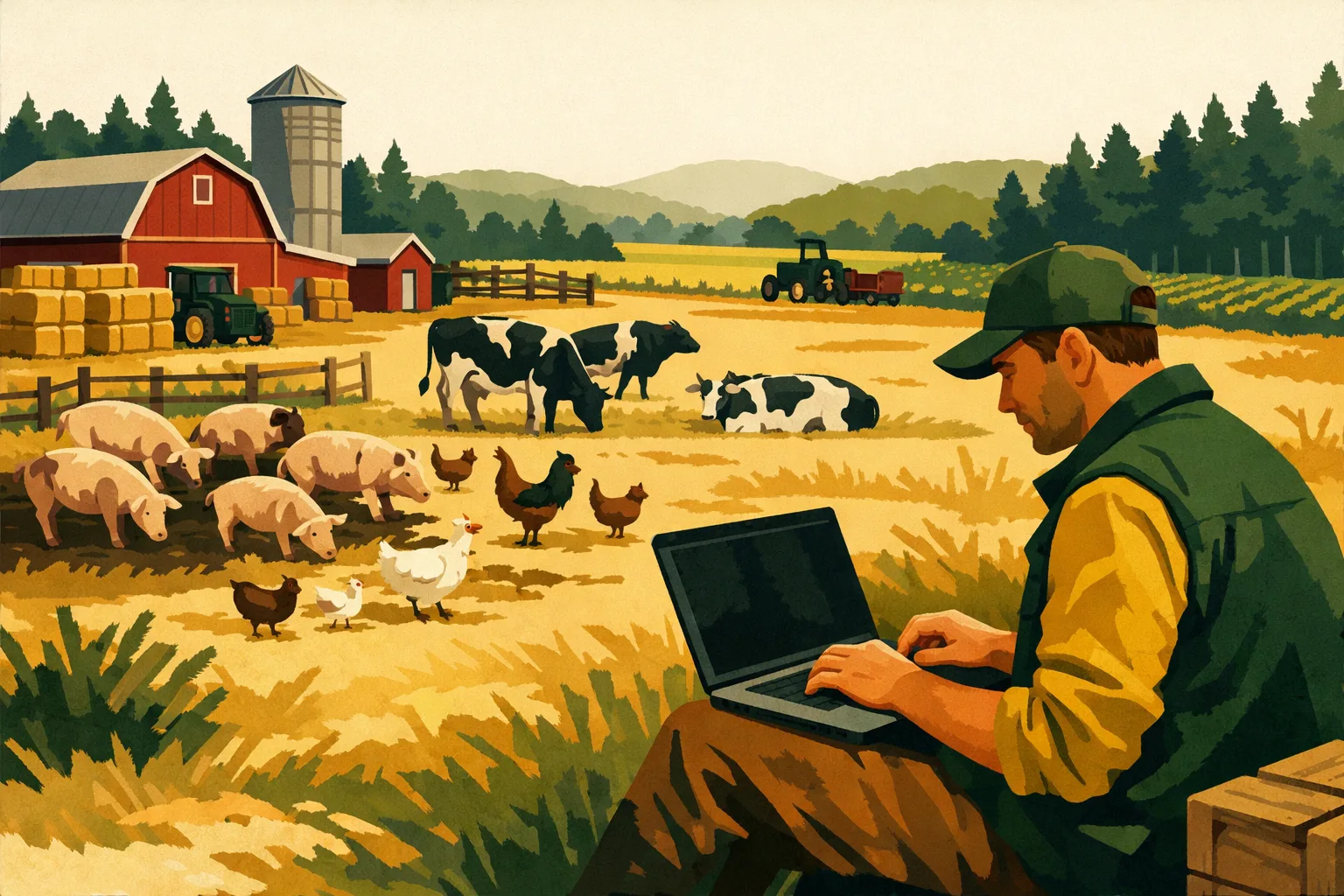
Margins get tight long before harvest. A missed input price change, a delayed field record, an invoice that never gets matched to the right crop enterprise, or a spray log that lives in someone’s notebook can quietly turn a profitable acre into a guessing game. For commercial farms, software is no longer just a digital filing cabinet. It affects purchasing, labor planning, compliance, field execution, cash flow, and whether you can make confident decisions before the season is already gone.
Farm business management software should help you run the operation with cleaner numbers, faster communication, and fewer dropped tasks. But many farms buy the wrong system, set it up poorly, or use only a small fraction of what they paid for.
This guide breaks down the software mistakes that cost commercial farms real money, time, and management control—and how to avoid them before your next season planning cycle.
What Farm Business Management Software Should Do for a Commercial Operation
Farm business management software is not the same thing as a simple field map, accounting tool, or spreadsheet. A useful system for a 50- to 5,000+ acre operation should connect the operational side of farming with the financial and management side.
At farm scale, the right platform should help you manage:
- Field records and crop plans
- Input purchases and inventory
- Work orders and assigned tasks
- Equipment activity and maintenance
- Labor scheduling and time tracking
- Spray, fertilizer, irrigation, and harvest records
- Cost of production by field, crop, enterprise, or season
- Compliance documentation
- Vendor, customer, and employee communication
- Reports for managers, lenders, advisors, and ownership
The key word is connect. If your farm business management software stores data but does not help you use it, you may be paying for a database instead of a management tool.
For more on connecting day-to-day work with farm records, see the FarmsFlo guide to farm task management software and our practical article on digital farm record keeping.
Mistake 1: Buying Software Before Defining the Business Problem
Many farms start shopping for software because they are frustrated with paperwork, spreadsheets, or disconnected apps. That frustration is valid. The mistake is jumping into demos before identifying which problems need to be solved first.
A farm may say it needs “better management software,” but that can mean several very different things:
- The owner wants better profit visibility by field.
- The operations manager wants fewer missed jobs.
- The office manager wants cleaner invoices and input records.
- The spray operator wants mobile access to work orders.
- The agronomist wants better application history.
- The lender wants stronger cost reporting.
- The family partnership wants clearer accountability.
Those are all legitimate needs, but they do not all require the same software priority.
Why This Costs You
When the buying process starts without a clear operational goal, farms often end up with one of two outcomes.
First, they buy a system that looks impressive in a demo but does not match daily workflows. It has maps, reports, dashboards, and integrations, but the crew still texts job updates, the office still enters records twice, and management still waits until month-end to see where costs are going.
Second, they choose software based only on one department’s pain point. The accounting team may prefer one platform, the field team another, and ownership another. If the final choice does not work across the whole operation, adoption drops quickly.
The visible cost is subscription fees. The larger hidden costs are:
- Staff time spent entering duplicate data
- Missed or incomplete field records
- Delayed invoicing or billing
- Poor purchasing decisions because inventory is unclear
- Management decisions based on outdated spreadsheets
- Crew frustration and lower compliance with recordkeeping
For a commercial farm, even small process failures repeated across hundreds or thousands of acres can become expensive.
What to Do Instead
Before scheduling demos, identify the highest-value management problems the software must solve. Bring in the people who will actually use the system: owner, farm manager, office manager, agronomist, equipment lead, and at least one field employee.
Ask these questions:
- Where do we lose the most time every week?
- Which records are most often missing, late, or inaccurate?
- Which decisions are we making without enough information?
- Which tasks fall through the cracks during busy seasons?
- Which reports are hardest to produce for management, lenders, landlords, or compliance?
- Which data is being entered more than once?
- Which current tools are working and should remain part of the system?
Then rank the problems by financial impact and operational urgency. A farm struggling with missed spray records has a different buying priority than a farm struggling with enterprise-level profitability.
Practical Cost and Time Estimate
For a 500- to 2,500-acre operation, expect the software selection planning process to take:
- 2–4 hours for internal workflow review
- 1–2 hours to document required features
- 2–5 vendor demos depending on complexity
- 1–2 weeks from initial review to shortlist
This is not wasted time. A short planning process can prevent years of paying for software your team does not fully use.
Mistake 2: Choosing Features Instead of Fit
Farm software buyers often compare platforms by feature list. Field maps, inventory, scouting, payroll, mobile app, weather data, integrations, reports, accounting export, crop planning—the longest list can look like the safest choice.
But more features do not automatically mean better fit.
A row crop operation, a fresh produce farm, a mixed livestock and cropping business, a vineyard, and a custom operator may all need farm business management software, but their workflows differ. Even two grain farms of similar acreage may operate differently depending on labor structure, equipment sharing, rented ground, storage, and marketing practices.
Feature Lists Can Be Misleading
A software product may technically offer a feature, but that does not mean it works well for your operation.
For example:
- “Inventory management” may not track partial chemical containers the way your team needs.
- “Work orders” may not support mobile updates in low-connectivity areas.
- “Cost reporting” may not separate costs by crop, field, block, or enterprise in the format you use.
- “Accounting integration” may require manual exports instead of a clean workflow.
- “Equipment tracking” may not connect maintenance, operator notes, and field activity.
- “Compliance reports” may not match your state, crop, buyer, or certifier requirements.
The result is a system that checks boxes during sales conversations but creates workarounds during planting, spraying, harvest, or audit season.
Fit Comes From Workflow Testing
The best way to evaluate farm business management software is to test it against real scenarios from your farm.
Instead of asking, “Does it have work orders?” ask:
- Can we create a spray job from a crop plan?
- Can the manager assign it to an operator from a phone?
- Can the operator see field, product, rate, PPE, notes, and timing instructions?
- Can the completed job update records without re-entry?
- Can the office see the input usage and cost impact?
- Can management review completed work by field and date?
- Can we export or report the record when needed?
This kind of workflow testing reveals whether the software will reduce work or simply move work from paper into a screen.
Comparison Table: Feature-Based Buying vs Workflow-Based Buying
| Evaluation Area | Feature-Based Buying | Workflow-Based Buying |
|---|---|---|
| Main question | “Does the software have this feature?” | “Can our team complete this real farm process faster and cleaner?” |
| Demo style | Vendor shows standard screens | Farm tests real scenarios |
| Risk | Overpaying for unused tools | Lower risk of poor adoption |
| User involvement | Often owner or office only | Owner, manager, office, and field users |
| Data quality | May remain inconsistent | Built around how records are created |
| Long-term value | Depends on manual discipline | Improves daily execution and reporting |
What to Do Instead
Build a short list of must-have workflows. For most commercial farms, these should include:
- Crop planning to field work execution
- Input purchase to inventory to field usage
- Labor assignment to task completion
- Equipment scheduling to maintenance notes
- Field activity to cost reporting
- Compliance record creation and retrieval
- Management reporting by crop, field, or enterprise
During demos, ask the vendor to walk through your actual process using sample data. If they cannot demonstrate how the software handles your workflow, assume your team will be building workarounds later.
For more detail on choosing tools around daily execution, read how to manage farm operations more efficiently.
Mistake 3: Ignoring Implementation, Training, and Adoption
Even good software fails when implementation is treated as a one-time setup task. Commercial farms are busy, seasonal, and dependent on people who may not spend their day at a desk. If the rollout is rushed or unclear, the system becomes “office software” instead of a farm management tool.
The Common Rollout Problem
A farm signs up for a platform in winter, imports some fields, adds users, and assumes everyone will use it when the season starts. Then spring pressure hits.
The manager is calling and texting instructions. Operators are moving quickly. Chemical and fertilizer records are entered later, sometimes from memory. Equipment notes get written on paper. The office waits for updates. By the time everyone realizes the software is not being used consistently, the season’s records are already incomplete.
The software may not be the problem. The rollout was.
Why Adoption Fails
Adoption usually fails for practical reasons:
- Users do not know exactly what they are responsible for entering.
- The system has too many required fields.
- Mobile access is poor or untested.
- The farm did not decide who reviews completed records.
- Managers continue using texts, notebooks, and whiteboards as the primary system.
- Training was done once, too early, with no follow-up.
- Employees do not see how the software helps their work.
A commercial farm cannot rely on “everyone should use it.” Each role needs a clear process.
Assign Ownership by Role
Successful implementation needs an owner for each major workflow.
Examples:
- Farm owner/general manager: reviews financial dashboards, crop budgets, and high-level reports.
- Operations manager: creates and assigns work orders, monitors completion, reviews field progress.
- Office manager/bookkeeper: manages vendor records, invoices, inventory reconciliation, and exports.
- Applicator/operator: completes assigned jobs, enters rates, notes, and timing.
- Equipment lead: logs service events, inspections, breakdowns, and repair notes.
- Agronomist/crop advisor: reviews field activity and contributes recommendations where allowed.
This does not need to be complicated. But it must be explicit.
Practical Implementation Timeline
For most commercial farms, a realistic implementation plan looks like this:
Week 1: Setup and data structure
- Add fields, blocks, crops, users, vendors, equipment, and primary inputs.
- Decide naming conventions.
- Connect integrations where needed.
- Set permission levels.
Week 2: Workflow setup
- Build templates for recurring jobs.
- Create standard task types.
- Define inventory categories.
- Set up reporting views.
- Test mobile use from the field.
Week 3: Training and pilot
- Train managers and office users.
- Train field users on only the tasks they need.
- Run a pilot on a few fields or work orders.
- Review what was missed or confusing.
Week 4: Full rollout
- Move active work into the system.
- Stop using duplicate whiteboards or side spreadsheets where possible.
- Schedule a weekly review meeting.
- Adjust templates and permissions.
A smaller operation may compress this into a week. A larger, multi-location operation may need 6–8 weeks. The main point is to implement before the busy season, not during the worst part of it.
Training Cost and Time Estimate
Training time varies by operation, but a practical starting point is:
- Owner/general manager: 1–2 hours
- Operations manager: 3–5 hours
- Office/bookkeeping staff: 3–6 hours
- Equipment or crew leads: 1–3 hours
- Field employees/operators: 30–90 minutes focused on mobile tasks
Plan for a follow-up session after 2–3 weeks of live use. That second session often matters more than the first because users finally know what questions to ask.
For a deeper implementation approach, see the FarmsFlo guide on farm management software implementation.
Mistake 4: Letting Bad Data Undermine Good Software
Farm business management software is only as useful as the data inside it. Many farms underestimate how much old, inconsistent, or incomplete data affects reporting.
Bad data does not always look obvious. It may show up as duplicate fields, inconsistent crop names, outdated input prices, missing application rates, old vendor records, or equipment listed under different names.
Common Farm Data Problems
Commercial farms often run into these data issues:
- One field has several names across maps, spreadsheets, and accounting.
- Rented acres are not separated clearly from owned acres.
- Crop names change from year to year.
- Input products are entered by nickname instead of product name.
- Fertilizer blends are not standardized.
- Labor is not assigned to the correct enterprise.
- Equipment hours are missing or entered late.
- Inventory units are mixed: gallons, jugs, pounds, tons, bags, acres treated.
- Field activities are recorded without cost data.
- Harvest records are not tied back to the field or block.
Any one of these may seem manageable. Combined, they make reports hard to trust.
The Real Cost of Bad Data
Bad data costs money because it weakens decision-making.
If input usage is not tied to fields, you cannot confidently compare field profitability. If inventory is inaccurate, you may over-order, under-order, or lose time during application windows. If labor and equipment costs are not assigned correctly, crop budgets become guesses. If records are incomplete, compliance and customer reporting become stressful and time-consuming.
The issue is not perfection. Farming has weather, breakdowns, substitutions, and human judgment. The goal is reliable enough data to support real management decisions.
Standardize Before You Scale
Before moving fully into a new platform, clean up your core farm data.
Focus on:
- Field names and IDs
- Crop and variety names
- Landlord or ownership categories
- Equipment names and IDs
- Employee and user roles
- Input product names and units
- Vendor and customer records
- Inventory locations
- Cost categories
- Task and activity types
A consistent naming system prevents confusion across the farm.
For example, instead of using “North 40,” “N40,” and “North Home,” choose one field name and use it everywhere. For larger farms, consider adding field codes that match maps, accounting, and crop plans.
Data Cleanup Time Estimate
For a 1,000-acre farm with moderate complexity, expect:
- Field and crop cleanup: 2–4 hours
- Equipment and user setup: 1–2 hours
- Input inventory standardization: 3–8 hours
- Vendor/customer cleanup: 1–3 hours
- Report category setup: 2–4 hours
For multi-entity or diversified operations, data cleanup may take longer. It is still better to fix the structure before the season than to rebuild reports after months of inconsistent entries.
Build Data Rules Your Team Can Follow
Avoid making the system so detailed that nobody uses it correctly. A workable data rule is better than a perfect rule that fails under pressure.
Examples of practical data rules:
- Every field activity must include field, date, crop, operator, and activity type.
- Every chemical or fertilizer application must include product, rate, unit, acres treated, and conditions required by your compliance process.
- Every equipment issue must include machine, date, issue description, and urgency.
- Every input purchase must include vendor, product, unit, quantity, and price if available.
- Every task must have one responsible person.
These rules create consistency without overloading employees.
Mistake 5: Failing to Connect Software to Financial Decisions
This is where many farms leave the most value on the table. They use farm business management software to record what happened, but not to guide what happens next.
A good system should help answer management questions such as:
- Which fields are carrying the highest input cost per acre?
- Which crops or enterprises are underperforming?
- Are labor costs increasing because of inefficiency, weather, or crop mix?
- Are we buying inputs at the right time and quantity?
- Are equipment repairs concentrated on machines that need replacement?
- Are custom work, rented acres, or lower-yielding blocks actually profitable?
- Are we tracking costs early enough to adjust during the season?
If the software does not feed financial decisions, it becomes a recordkeeping expense rather than a management investment.
Field-Level Profitability Requires Operational Detail
Many farms know total revenue and total expenses. Fewer have timely visibility into cost and performance by field, crop, block, or enterprise.
To get there, the software must connect:
- Crop plans
- Input costs
- Actual field applications
- Labor and equipment usage
- Irrigation or fuel costs where relevant
- Harvest quantities and quality
- Storage, hauling, or marketing costs when applicable
This does not mean every farm needs complex enterprise accounting on day one. But if the goal is better business management, the system should move you toward clearer cost of production.
For related reading, see farm cost tracking software and farm budgeting software.
Watch for Reporting Gaps
During software evaluation, do not only ask what data can be entered. Ask what reports can be generated without manual spreadsheet rebuilding.
Useful reports may include:
- Cost per acre by field
- Input usage by crop
- Work completed by date range
- Labor hours by activity
- Equipment maintenance history
- Inventory on hand and projected needs
- Spray or fertilizer application history
- Crop budget vs actual
- Field profitability
- Outstanding tasks and overdue work
If the platform cannot generate the reports you need, find out whether data can be exported cleanly. Manual exports are not automatically bad, but they should not become a weekly bottleneck.
Use Software for Pre-Season and In-Season Decisions
The biggest value often comes before the end-of-year review.
Use farm business management software during pre-season planning to:
- Build crop plans
- Estimate input requirements
- Compare cost scenarios
- Assign labor and equipment capacity
- Review past field performance
- Prepare budgets by crop or enterprise
Use it in-season to:
- Monitor actual input usage against plan
- Adjust work schedules
- Track weather-related delays
- Identify inventory shortages early
- Review labor and equipment bottlenecks
- Keep compliance records current
Use it post-season to:
- Compare budget vs actual
- Review profitability by field or enterprise
- Evaluate equipment reliability
- Analyze labor efficiency
- Plan crop rotation and input strategy
- Prepare management, lender, or ownership reports
When software supports decisions at all three stages, it becomes part of the operating system of the farm.
Mistake 6: Keeping Too Many Disconnected Tools
Most farms do not move from paper to one clean software system overnight. They accumulate tools over time: spreadsheets, accounting software, field maps, messaging apps, weather apps, maintenance logs, shared drives, notebooks, and maybe a farm management platform.
Some of these tools may be necessary. The mistake is allowing critical farm data to stay scattered with no clear source of truth.
The Hidden Cost of Tool Sprawl
Disconnected tools create problems such as:
- The office has one version of input purchases.
- The farm manager has another version of planned applications.
- Operators receive instructions through text messages.
- Equipment repairs are tracked in a notebook.
- Inventory is updated after the fact.
- Yield or harvest data is stored separately from field costs.
- Ownership gets reports assembled manually from several sources.
This creates friction and weakens accountability. When something goes wrong, the team spends time figuring out which record is accurate.
Decide Your Source of Truth
A source of truth is the place your team agrees to trust for a specific category of information.
For example:
- Field boundaries and names: farm management software
- Accounting ledger: accounting system
- Work orders and task status: farm management software
- Vendor invoices: accounting or document system
- Equipment maintenance: farm management software or maintenance platform
- Compliance records: farm management software
- Team communication: designated messaging tool
The goal is not necessarily to eliminate every tool. The goal is to eliminate confusion.
Integration Matters, but Process Matters More
Integrations can save time, but they are not magic. A poorly designed process with integrations is still a poorly designed process.
Before relying on integrations, confirm:
- What data moves between systems
- Whether it is one-way or two-way
- How often it syncs
- Who resolves errors
- Which system wins if records conflict
- Whether exported reports match your accounting or management categories
For example, if field application records flow into cost reports, make sure input prices and units are maintained correctly. If invoices are handled in accounting software, decide how those costs connect back to fields or crop enterprises.
Mistake 7: Underestimating Mobile and Field Usability
Farm business management software succeeds or fails in the field. If field users cannot enter updates quickly from a phone or tablet, the system will rely on delayed office entry.
Delayed entry means missing details, more phone calls, and lower trust in reports.
Field Conditions Are Different From Office Conditions
Software that works well in an office demo may struggle during real farm use.
Field users need:
- Simple mobile screens
- Fast task updates
- Offline or low-connectivity support where needed
- Clear field names and maps
- Minimal typing
- Easy photo or note capture
- Simple completion status
- Relevant instructions without extra clutter
Operators should not have to navigate through unnecessary menus while moving between fields or running equipment.
Test the Mobile Workflow Before Buying
Before committing, test these tasks from a phone:
- Open assigned work for the day
- Find the correct field
- Review job instructions
- Mark a task started or completed
- Enter product usage or notes
- Add a photo
- Report a problem
- View upcoming tasks
- Sync data when service is weak
If your crew cannot complete these tasks without confusion, adoption will suffer.
Keep Field Requirements Lean
Managers often want detailed data. Field users need speed. The right setup balances both.
For example, an applicator should be able to complete a spray record with the required compliance details, but the system should not ask for unnecessary information on every job. Use templates, defaults, and standardized lists wherever possible.
A practical rule: if a field employee cannot complete the mobile task in less time than it takes to send a text and photo, the process needs refinement.
Practical Checklist: How to Avoid Costly Farm Software Mistakes
Use this action list before buying, switching, or expanding farm business management software.
1. Define the Business Case
- Identify the top 3 operational problems you need to solve.
- Estimate where time, money, or records are being lost.
- Decide which reports management needs every week, month, and season.
- Separate “must-have” features from “nice-to-have” features.
2. Map Current Workflows
- Document how tasks are assigned today.
- Track how field records move from operator to office.
- List all spreadsheets and apps currently used.
- Identify where duplicate entry happens.
- Mark which records are often late or incomplete.
3. Involve the Right Users
- Include ownership or senior management.
- Include the farm or operations manager.
- Include office/bookkeeping staff.
- Include at least one field employee or equipment operator.
- Include agronomy or compliance staff if relevant.
4. Test Real Farm Scenarios
- Create a sample spray job.
- Assign a field task from mobile.
- Record input usage.
- Update inventory.
- Log an equipment issue.
- Generate a cost or compliance report.
- Export data if needed.
5. Clean Core Data
- Standardize field names.
- Standardize crop and variety names.
- Clean vendor and customer records.
- Set up equipment names consistently.
- Confirm input units and prices.
- Remove duplicates.
6. Build an Implementation Plan
- Set a rollout date before the busy season.
- Assign process owners.
- Train each role based on actual responsibilities.
- Pilot with a small group or limited acreage.
- Hold a follow-up review after live use begins.
7. Measure Results
- Track whether records are completed faster.
- Review overdue tasks weekly.
- Compare planned vs actual input use.
- Monitor inventory accuracy.
- Review field-level costs.
- Ask field users what is slowing them down.
What to Budget for Farm Business Management Software
Software pricing varies based on acreage, users, modules, features, support, and integrations. Rather than focusing only on the subscription price, budget for the full cost of ownership.
Cost Categories to Consider
Typical cost categories include:
- Software subscription
- Setup or onboarding fees
- Data migration or cleanup time
- Training time for employees
- Mobile devices or tablets if needed
- Integrations with accounting, mapping, or equipment systems
- Internal administration time
- Seasonal review and reporting time
A lower-priced platform that requires heavy manual work may cost more in staff time than a higher-priced platform that fits your workflow. On the other hand, an enterprise system with features you will not use may be unnecessary for your operation.
Time Costs Matter
The largest cost is often not the subscription. It is the time your team spends maintaining messy processes.
Watch for:
- Office staff re-entering paper field records
- Managers calling multiple people for task status
- Operators waiting for unclear instructions
- Inventory counts being rebuilt manually
- Reports taking days to assemble
- Compliance documents being searched for under deadline
If software reduces those bottlenecks, the return is easier to justify.
How to Evaluate Farm Business Management Software Vendors
A strong vendor should understand commercial farm workflows, not just software screens.
Questions to Ask During a Demo
Ask these questions before you commit:
- How does your system handle field-level cost tracking?
- Can work orders be assigned and completed from mobile?
- What happens when there is poor connectivity?
- Can we standardize task templates?
- How does inventory update after field activities?
- Can we track labor, equipment, and input costs together?
- What reports are available without custom work?
- Can data be exported cleanly?
- How are user permissions managed?
- What does onboarding include?
- How long does implementation usually take for a farm our size?
- What support is available during planting, spraying, and harvest seasons?
- Can you show our actual workflow in the demo?
Red Flags to Watch For
Be cautious if:
- The vendor avoids workflow-specific questions.
- The mobile experience is weak or complicated.
- Reporting requires extensive manual spreadsheet work.
- Setup depends entirely on your team with little guidance.
- The system cannot handle your crop mix or operational structure.
- Pricing is unclear.
- Training is generic and not role-based.
- The vendor focuses on features but not adoption.
Commercial farm software needs to perform under seasonal pressure. A clean demo is not enough.
When to Replace Your Current Farm Software
Not every frustration means you need to switch platforms. Sometimes the right move is better setup, training, or process discipline. But there are clear signs that your current system is not serving the farm.
Signs You May Need a Change
Consider replacing or upgrading if:
- Your team still relies on spreadsheets for core management decisions.
- Field records are frequently late or incomplete.
- You cannot track costs by field, crop, or enterprise.
- Mobile users avoid the system.
- Reports take too long to prepare.
- Inventory records are consistently inaccurate.
- The software does not support your current acreage, crops, or business structure.
- Support is slow during critical seasons.
- Integrations are unreliable or create duplicate work.
- Managers do not trust the data.
Before switching, document what is failing. This prevents you from carrying the same process problems into a new platform.
Best Time to Switch
The best time to switch farm business management software is usually after post-season review and before heavy pre-season planning. For many farms, that means winter or the slower planning window before field activity ramps up.
Avoid switching during peak planting, spraying, irrigation, or harvest unless the current system is creating severe operational risk. Even then, consider a phased rollout.
A Practical 30-Day Plan for Better Software Use
If you already have farm business management software but suspect it is not delivering full value, use the next 30 days to tighten the system.
Days 1–5: Audit Usage
- List every tool used for tasks, records, inventory, and reporting.
- Identify duplicate entry.
- Ask each role what they use and what they avoid.
- Review missing or incomplete records from the past season.
Days 6–10: Clean Data
- Standardize field and crop names.
- Remove duplicate vendors and products.
- Review equipment lists.
- Fix input units and inventory categories.
- Archive outdated records where appropriate.
Days 11–15: Simplify Workflows
- Reduce unnecessary required fields.
- Create task templates.
- Set standard activity types.
- Define who enters what.
- Decide what information must be captured in the field.
Days 16–20: Train by Role
- Train managers on task assignment and reporting.
- Train office users on inventory, costs, and exports.
- Train field users on mobile updates only.
- Provide simple written instructions.
Days 21–30: Review and Enforce
- Hold a weekly software review meeting.
- Check overdue tasks.
- Review inventory updates.
- Compare field records to actual work completed.
- Stop accepting side-channel records unless there is a defined exception.
This 30-day reset can often recover value without changing platforms.
How FarmsFlo Helps
FarmsFlo is built for commercial farm teams that need practical farm business management software without adding unnecessary complexity. It helps owners, managers, office staff, and field teams keep work, records, and decisions connected in one operating system.
With FarmsFlo, your operation can:
- Plan and assign farm tasks
- Track field work and job completion
- Improve communication between managers and crews
- Maintain cleaner digital records
- Organize operational data for better decision-making
- Reduce dependence on scattered spreadsheets, texts, and notebooks
- Support more consistent workflows across busy seasons
The goal is simple: help your farm run with clearer visibility, better accountability, and fewer costly gaps between planning and execution.
If you are evaluating farm business management software for 2026, start with the workflows that cost you the most time today. Then test whether FarmsFlo can simplify them for your team.
Start your FarmsFlo trial at farmsflo.com and see how a connected farm management system can support your next season.