5 Dairy Herd Management Programs to Avoid in 2026
Compare dairy herd management program options and learn which features to prioritize when choosing software for efficient herd, milk, and task oversight.
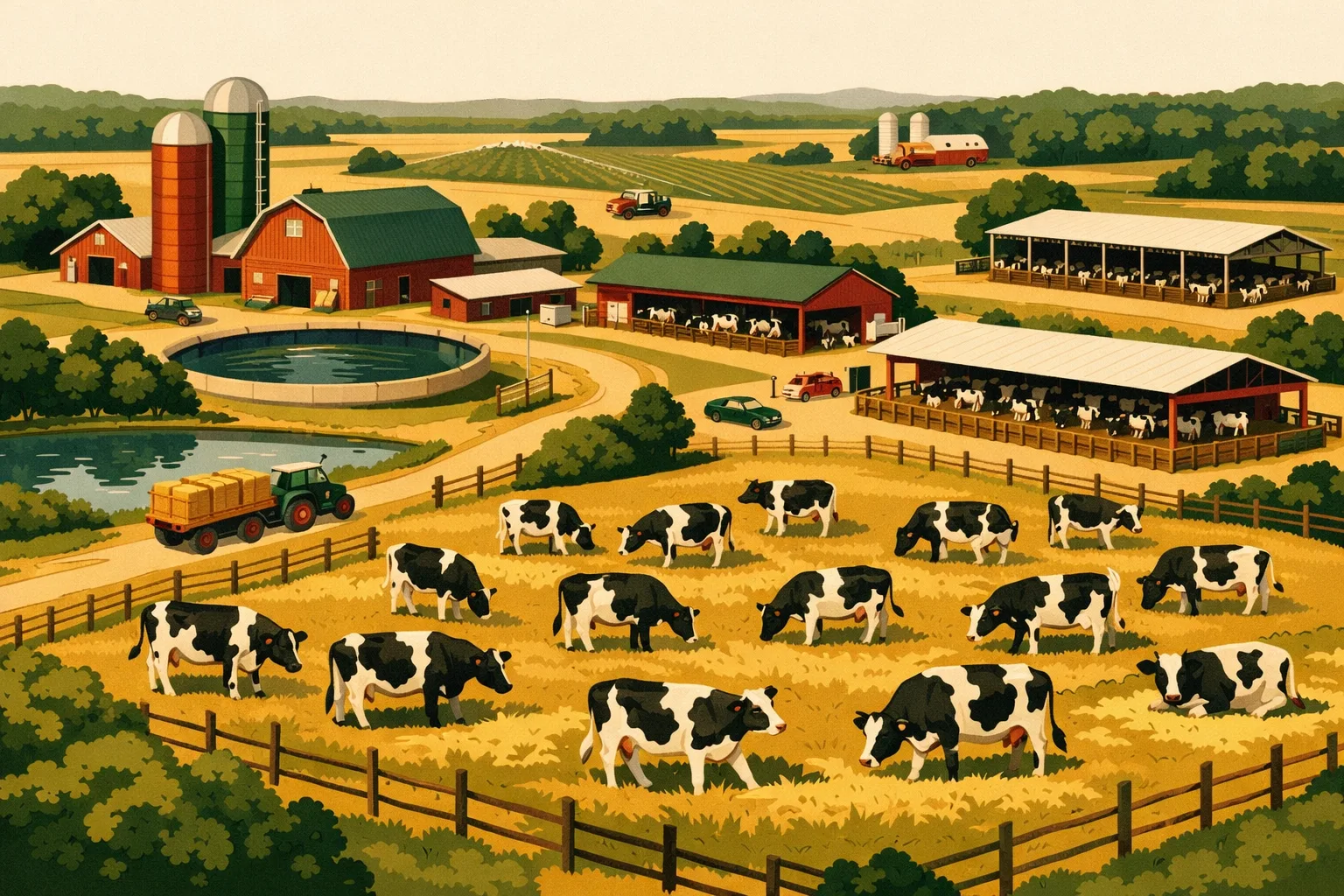
A dairy does not lose time in one dramatic failure. It loses time in missed heat checks, duplicate treatment entries, unclear feeder notes, unsigned protocols, and maintenance issues that sit in someone’s head until the parlor is already down. The right dairy herd management program should reduce those misses. The wrong one adds another screen, another login, and another place where critical information can get buried.
For a 50-cow dairy, a weak system may only be annoying. For a 500-, 1,500-, or 5,000-cow operation, it can create real operational drag: inconsistent protocols, delayed decisions, poor handoffs between shifts, and unreliable records when you need them most.
This guide breaks down five types of dairy herd management programs to avoid in 2026, what red flags to watch for, and what actually works for commercial dairy operations.
What a Dairy Herd Management Program Should Do
A commercial dairy herd management program should help the farm manage cows, people, tasks, and records in one practical workflow. It should not be a digital filing cabinet that only one person understands.
At farm scale, the system needs to support daily execution, not just reporting after the fact.
A strong program should help manage:
- Cow identification and individual animal records
- Breeding, pregnancy checks, calving, and dry-off schedules
- Milk production records and quality information
- Treatment protocols and withdrawal tracking
- Feed-related notes and ration communication
- Task assignments for herdsmen, feeders, milkers, mechanics, and managers
- Compliance documentation and audit-ready logs
- Equipment maintenance and downtime records
- Inventory for drugs, supplies, feed inputs, and parts
- Mobile access for staff working in barns, pens, shops, and offices
Many dairy systems handle part of this list well. Few handle the whole operational picture without creating gaps between herd data, labor management, maintenance, and inventory.
If your current setup requires one program for breeding, another for parlor data, spreadsheets for treatments, paper binders for protocols, text messages for repairs, and memory for follow-up tasks, the issue is not just software. It is a fragmented management system.
For related guidance on tightening farm records, see the FarmsFlo guide to farm record keeping software and the guide to farm task management software.
Quick Comparison: Dairy Herd Management Programs to Avoid vs. What Works
| Program Type to Avoid | Main Problem | Operational Risk | Better Direction |
|---|---|---|---|
| Spreadsheet-only herd programs | Easy to start, hard to control | Version errors, missed follow-ups, limited accountability | Cloud-based records with task workflows and user permissions |
| Parlor-only platforms | Strong milking data, weak whole-farm execution | Herd data does not become assigned work | Integrations plus task, treatment, and maintenance workflows |
| Overbuilt enterprise suites | Powerful but slow to implement | Staff resistance, high setup burden, underused features | Practical system with phased rollout and mobile-first workflows |
| Generic livestock apps | Not built for dairy speed or compliance | Weak breeding, treatment, withdrawal, and milk workflows | Dairy-specific records plus farm operations management |
| Locked systems with poor exports | Data is trapped | Hard switching, limited analysis, vendor dependency | Open data access, exports, integrations, and clear ownership |
1. Avoid Spreadsheet-Only Dairy Herd Management Programs
Spreadsheets still exist on nearly every commercial farm. They are useful for quick calculations, temporary lists, and one-off planning. They are not a reliable dairy herd management program once multiple people need to act on the data.
The spreadsheet problem usually starts small. One manager builds a breeding sheet. A herdsman adds treatment notes. The office tracks inventory in another file. The feeder keeps ration changes in a notebook. The mechanic texts repair needs to the owner. Six months later, nobody knows which record is current.
Common Red Flags
Avoid using spreadsheets as the core herd system if you see any of these issues:
- Multiple versions of the same file are stored in different places
- Only one person knows how the formulas work
- Treatment records are entered after the fact
- Staff cannot access current records from a phone
- Follow-up tasks depend on someone remembering to check the sheet
- Completed work is not tied to the employee who performed it
- Audit documents require manual cleanup before they can be shared
- Inventory counts are separate from treatment or work records
For a dairy with multiple shifts, spreadsheets create accountability problems. If a cow needs follow-up after treatment, the task must be visible to the right person at the right time. A spreadsheet can store the note, but it rarely drives the work.
Cost and Time Reality
Spreadsheet systems look cheap because there is no obvious subscription cost. The hidden costs are labor, errors, and management time.
Typical costs to consider:
- Setup time: 5-20 hours for a basic spreadsheet system
- Ongoing admin time: 1-5 hours per week for cleanup and updates
- Training time: low at first, higher when formulas or file locations change
- Error cost: varies widely, but can include missed treatments, duplicated work, or incomplete records
The larger the herd, the more expensive the “free” system becomes. If managers spend Sunday night reconciling paper notes, text messages, and spreadsheet rows, the farm is paying for software through labor.
What Actually Works
A better dairy herd management program should turn records into work. That means animal events, treatments, maintenance issues, and daily chores should become assigned tasks with due dates, status, and accountability.
Look for:
- Cloud-based access from office and mobile devices
- Permission levels by role
- Time-stamped entries
- Simple task assignment
- Searchable animal and work records
- Exportable reports
- Offline-friendly mobile use where barn connectivity is weak
- Standard operating procedure storage
Spreadsheets can still support planning and analysis, but they should not be the central system of record for daily herd execution.
2. Avoid Parlor-Only Programs That Do Not Manage the Farm Around the Cows
Milking system software can provide valuable production data. Milk weights, conductivity alerts, parlor performance, and animal identification data can help managers spot issues faster. The problem comes when a parlor system is treated as a complete dairy herd management program.
A parlor platform may tell you something changed. It may not ensure the correct person checks the cow, records the action, follows the protocol, updates treatment status, and communicates the result to the next shift.
That gap matters.
Where Parlor-Only Systems Fall Short
Parlor-focused platforms often do well with machine-collected data, but weaker systems fail when work leaves the parlor.
Common gaps include:
- No clear task workflow for herdsmen
- Weak treatment protocol management
- Limited inventory connection for drugs and supplies
- Poor maintenance tracking for pumps, liners, meters, gates, and wash systems
- No easy way to assign repairs to mechanics
- Limited communication between milkers, feeders, calf staff, and managers
- Reporting that shows issues but does not manage resolution
A production alert is only useful if the farm has a reliable process to respond. Without that process, alerts become background noise.
Example: Production Alert Without Execution
A cow flags for abnormal production. In a strong system, the workflow might be:
- Alert appears during or after milking.
- Herd manager receives a task to inspect the cow.
- Cow is checked and findings are recorded.
- Treatment is started if needed.
- Withdrawal status is visible to milkers.
- Follow-up task is created automatically or manually.
- Inventory is adjusted for the medicine used.
- Manager reviews unresolved cases at shift change.
In a weak parlor-only setup, the alert may be visible but the action happens through memory, paper notes, or verbal communication.
Cost and Time Reality
Parlor software may be included with equipment or priced as part of a larger technology package. The direct software cost may not show the full operational burden.
Budget planning considerations:
- Initial configuration: often tied to equipment setup or vendor support
- Staff training: 2-10 hours depending on features used
- Integration work: can require additional vendor coordination
- Ongoing management: alerts must be reviewed and converted into action
If the system cannot assign and track work, managers will need another operational layer.
What Actually Works
A parlor platform can be valuable when paired with a farm operations system. The goal is not to replace production data. The goal is to connect production insights to daily execution.
Look for a setup that supports:
- Clear task assignment from alerts or observations
- Treatment and withdrawal visibility
- Maintenance logs for parlor equipment
- Shift handoff notes
- Mobile access for non-office staff
- Integration or export options
- Simple dashboards for unresolved work
For more on keeping equipment work visible, see the FarmsFlo guide to farm equipment maintenance software.
3. Avoid Overbuilt Enterprise Suites That Your Team Will Not Use
Some dairy herd management programs are extremely powerful. They can handle complex reporting, enterprise structures, multi-site permissions, financial analysis, advanced integrations, and detailed dashboards.
The problem is not power. The problem is adoption.
If the program requires months of configuration, consultant-led setup, and extensive office training before barn staff can use it, the farm may never get the full value. Commercial dairies need systems that work in real conditions: wet gloves, early mornings, language differences, employee turnover, weak Wi-Fi, and constant priority changes.
Signs a System Is Too Heavy for Your Operation
A program may be overbuilt for your dairy if:
- Only office staff can use it confidently
- Routine entries require too many clicks
- Mobile workflows feel like an afterthought
- Setup depends heavily on outside consultants
- Custom reports are hard to change
- Managers delay rollout because the system is never “ready”
- Staff keep using paper because software entry is too slow
- Training new employees takes too long
A feature-rich system that is not used consistently becomes expensive shelfware.
Commercial Dairy Example
A 1,200-cow dairy chooses a large enterprise platform because it promises complete control. The owner likes the dashboards. The office manager likes the reports. But herdsmen find daily entries slow, milkers never log observations, and mechanics continue using text messages.
After six months, the system has good office data but poor barn-level execution. The farm still needs meetings and manual follow-up to find out what happened yesterday.
That is not a software success. It is partial adoption.
Cost and Time Reality
Overbuilt systems can carry costs beyond the license.
Plan for:
- Software subscription or contract fees
- Onboarding or implementation fees
- Data migration time
- Internal project management time
- Staff training by role
- Process redesign
- Ongoing admin support
- Report customization
Practical implementation timeline estimates:
- Small commercial dairy: 2-6 weeks for a focused rollout
- Mid-size dairy: 4-12 weeks depending on data migration and staff count
- Multi-site operation: 8-20+ weeks if workflows vary by location
A phased rollout often beats a full-system launch. Start with the workflows that create immediate value: treatments, daily tasks, maintenance requests, inventory, and shift notes.
What Actually Works
Choose a dairy herd management program that matches your management capacity. The best system is not the one with the most features. It is the one your team will use every day.
Prioritize:
- Fast mobile entry
- Clear role-based workflows
- Simple dashboards for managers
- Easy staff onboarding
- Practical reporting
- Configurable but not fragile workflows
- Strong support during rollout
- Ability to expand over time
Ask vendors to demonstrate the exact workflow your team will use. Do not accept a dashboard-only demo. Have them show how a milker logs a concern, how a herdsman receives the task, how a treatment is recorded, and how the manager verifies completion.
For broader software selection criteria, read the FarmsFlo guide to farm management software.
4. Avoid Generic Livestock Apps That Are Not Built for Dairy Operations
A beef, sheep, goat, or mixed livestock app may track animals, treatments, movements, and notes. That does not mean it can handle the speed and complexity of a commercial dairy.
Dairies have high-frequency events. Cows move through breeding, pregnancy checks, dry-off, freshening, treatment, withdrawal, pen changes, and culling decisions on tight timelines. Milk quality, parlor routines, and labor coordination add another layer.
Generic livestock software often lacks the dairy-specific workflow needed to manage this pace.
Dairy Workflows Generic Apps Often Miss
Be cautious if a program lacks strong support for:
- Lactation tracking
- Breeding and repro scheduling
- Fresh cow protocols
- Dry-off workflows
- Treatment and milk withdrawal management
- Pen-level task lists
- Mastitis case tracking
- Calf and transition cow workflows
- Parlor-related observations
- Shift handoffs
- Dairy audit records
- Milk quality issue tracking
Generic systems may be fine for a small herd or diversified livestock operation. For a commercial dairy, they often require too many workarounds.
The Workaround Problem
Workarounds feel harmless at first. A custom note field tracks withdrawal. A tag tracks fresh cows. A spreadsheet tracks dry-off. A whiteboard tracks sick cows.
The issue is that workarounds are not workflows. They depend on staff knowing the farm’s unofficial system. When an employee leaves or a manager is out, the process becomes vulnerable.
A dairy herd management program should make the correct action obvious. Staff should not need to remember which custom field means “check tomorrow” or which note format triggers a follow-up.
Cost and Time Reality
Generic apps can appear affordable, but the operational cost shows up in customization and manual coordination.
Expected burden:
- Setup time: 5-30 hours depending on herd size and custom fields
- Process documentation: 3-10 hours to explain workarounds
- Training: repeated whenever staff changes
- Ongoing management: high if reports require cleanup
If you need to build your own dairy workflow inside a generic app, you are becoming the software designer. Most farm managers do not have time for that.
What Actually Works
For animal-specific dairy records, use software that understands dairy events. For broader farm operations, pair that with a system that manages tasks, inventory, equipment, and communication.
The combination should give managers:
- Accurate cow-level information
- Reliable daily task execution
- Clear protocol documentation
- Inventory visibility
- Maintenance accountability
- Labor coordination across teams
- Easy reporting for audits and management reviews
This matters especially for larger dairies where herd, feed, maintenance, and compliance work overlap every day.
For inventory-related processes, see the FarmsFlo guide to farm inventory management software.
5. Avoid Locked Systems That Make Data Hard to Export or Share
A dairy herd management program should help you own and use your data. Avoid systems that make it difficult to export records, connect with other tools, or change vendors later.
Vendor lock-in is a serious issue for commercial farms. Once years of cow records, treatment logs, breeding data, and compliance documents live in one system, switching becomes painful if data access is limited.
Before choosing a program, ask direct questions about data ownership and export options.
Red Flags for Data Lock-In
Be cautious if the vendor:
- Cannot provide clear export options
- Charges high fees to access your own records
- Uses proprietary formats with limited practical use
- Does not support common file exports such as CSV or PDF
- Restricts integrations without expensive add-ons
- Makes cancellation terms unclear
- Limits historical record access after contract termination
- Provides reports but not usable raw data
- Has weak support for multi-location data management
A dairy does not just need reports. It needs usable records that can support decisions, audits, financing discussions, veterinary reviews, nutrition consulting, and future software changes.
Why Data Access Matters
Your herd data affects more than daily management. It can support:
- Veterinary protocols
- Reproductive reviews
- Milk quality analysis
- Culling decisions
- Labor planning
- Feed performance discussions
- Compliance documentation
- Insurance claims
- Lender conversations
- Expansion planning
If the data cannot be exported or shared in a practical format, its value is limited.
Cost and Time Reality
Locked systems can create switching costs later.
Potential costs include:
- Data extraction fees
- Consultant time to clean records
- Staff time to re-enter incomplete data
- Parallel system use during transition
- Lost historical visibility
- Delayed implementation of better tools
Before signing, ask for a sample export. Do not rely on verbal assurances. Have the vendor show what you would receive if you needed your data.
What Actually Works
Choose systems that make data access clear from day one.
Look for:
- Written data ownership terms
- Usable exports
- Report scheduling
- API or integration options where needed
- Clear cancellation process
- Historical archive access
- Multi-user permissions
- Practical support for consultants and advisors
Your dairy herd management program should reduce dependency, not create it.
What Actually Works for Efficient Dairy Herd Management in 2026
A strong dairy software setup does not have to be complicated. It does need to be intentional.
For many commercial dairies, the right answer is not one massive system. It is a connected operating model where animal records, tasks, inventory, maintenance, and communication are managed with clear ownership.
The Core Operating Model
An efficient setup usually includes five layers:
-
Animal records
Cow-level data, breeding, calving, treatments, milk records, and herd events. -
Daily work management
Tasks for herdsmen, milkers, feeders, calf teams, mechanics, and managers. -
Protocols and compliance
SOPs, treatment instructions, withdrawal rules, safety procedures, and audit records. -
Inventory and supplies
Medicines, chemicals, parts, feed inputs, bedding, and consumables. -
Equipment and facility maintenance
Preventive maintenance, repair requests, downtime logs, service records, and parts usage.
When these layers are disconnected, managers spend time chasing updates. When they work together, the farm can move faster with fewer missed details.
Must-Have Features for Commercial Dairies
When evaluating a dairy herd management program, prioritize practical features over polished sales demos.
Look for:
- Mobile access for barn and field use
- Simple task creation and completion
- Role-based permissions
- Animal event tracking
- Treatment records and withdrawal visibility
- Protocol storage
- Inventory tracking
- Equipment maintenance logs
- Photo and note attachments
- Offline capability or reliable low-signal performance
- Searchable history
- Exportable reports
- Multi-location support if needed
- Fast onboarding for new employees
- Clear support and training resources
A dairy system should fit how the farm actually works. If your team speaks multiple languages, works across shifts, or has limited time at a desktop, the software must reflect that.
Questions to Ask Before Buying
Use these questions during demos:
- How does a worker log a cow concern from a phone?
- Can a manager assign follow-up tasks by role or person?
- How are treatments and withdrawals displayed to milkers?
- Can protocols be attached to recurring tasks?
- How does the system handle pen moves?
- Can inventory update when supplies are used?
- Can mechanics receive and complete repair requests?
- What reports can be exported?
- Who owns the data?
- How long does implementation take for a farm our size?
- What happens if we cancel?
- How are new employees trained?
- Does the system work in weak connectivity areas?
- Can we start with one workflow and expand later?
If the vendor cannot demonstrate your real workflow, keep looking.
Practical Checklist: How to Evaluate a Dairy Herd Management Program
Use this checklist before replacing or renewing software.
Step 1: Map Current Workflows
Document how work actually happens today.
- Breeding checks
- Fresh cow monitoring
- Treatments
- Sick cow follow-up
- Dry-off
- Calving
- Milk quality issues
- Pen moves
- Feed changes
- Equipment repairs
- Inventory restocking
- Compliance documentation
- Shift handoffs
Estimated time: 2-6 hours for a small management team, 1-3 days for larger multi-shift dairies.
Step 2: Identify Failure Points
List where information gets lost.
- Paper notes not entered
- Text messages not tracked
- Whiteboards erased too soon
- Duplicate spreadsheets
- Delayed treatment recording
- Unclear task ownership
- Missing inventory counts
- Repairs not prioritized
- Protocols stored in binders nobody checks
Estimated time: 1-3 hours with managers and lead employees.
Step 3: Define Non-Negotiables
Choose the features the system must have.
Recommended non-negotiables:
- Mobile task management
- Cow-level or herd-event record support
- Treatment documentation
- Exportable records
- User permissions
- Protocol access
- Maintenance tracking
- Inventory visibility
- Simple reporting
Estimated time: 1 hour.
Step 4: Run a Workflow-Based Demo
Do not let the vendor control the whole demo. Bring your own scenarios.
Ask them to show:
- A fresh cow check
- A treatment and follow-up
- A parlor equipment repair request
- A medicine inventory update
- A shift handoff note
- A report export
Estimated time: 60-90 minutes per vendor.
Step 5: Pilot Before Full Rollout
Start with one team, one barn, or one workflow.
Good pilot options:
- Treatment follow-ups
- Maintenance requests
- Daily herd checks
- Inventory restocking
- Shift handoffs
Estimated time: 2-4 weeks.
Step 6: Measure Adoption
Track whether staff actually use the system.
Review:
- Completed tasks
- Overdue tasks
- Missing records
- User logins
- Duplicate communication channels
- Manager follow-up time
- Staff feedback
Estimated time: 30-60 minutes per week during rollout.
Step 7: Expand in Phases
Once the first workflow is stable, add the next.
Suggested rollout order:
- Daily tasks and shift notes
- Treatments and follow-ups
- Inventory
- Maintenance
- Compliance records
- Reporting and management review
Estimated time: 30-90 days for a practical rollout, depending on herd size and staff structure.
Budget Planning for Dairy Herd Management Software
Software pricing varies by vendor, herd size, features, users, and implementation support. Instead of chasing the lowest monthly fee, budget for the full cost of adoption.
Cost Categories to Include
Plan for:
- Software subscription or license
- Setup and onboarding
- Data migration
- Staff training
- Mobile devices if needed
- Labels, tags, scanners, or integrations where applicable
- Internal manager time
- Ongoing support
- Process documentation
- Future upgrades or add-ons
Practical Budget Ranges to Expect
Pricing models differ, so use these as planning categories rather than fixed quotes:
- Spreadsheet-heavy system: low direct software cost, higher management labor
- Basic cloud app: lower monthly subscription, limited advanced workflows
- Dairy-specific herd platform: moderate to higher cost depending on herd size and modules
- Enterprise suite: higher subscription and implementation cost
- Farm operations platform: cost depends on users, locations, and workflows managed
A lower-cost program that fails to get used is more expensive than a practical system that saves manager time every week.
Time Costs Matter
For commercial dairies, management time is often the limiting factor. A software decision should reduce:
- Time spent chasing updates
- Time correcting records
- Time preparing audit documents
- Time confirming task completion
- Time searching for inventory
- Time coordinating repairs
- Time training staff on informal processes
When evaluating ROI, include avoided mistakes and reduced management drag, not just subscription price.
Implementation Plan for a 50-5,000+ Acre Dairy Operation
Dairy operations tied to larger land bases have additional complexity. The herd side connects with cropping, manure, feed storage, equipment, labor, and seasonal fieldwork. Your dairy herd management program should not ignore the rest of the operation.
A 50-acre dairy may need tight herd, feed, and maintenance coordination. A 5,000-acre dairy with crop production needs stronger equipment scheduling, field task tracking, inventory planning, and cross-team communication.
Week 1: Prepare
Actions:
- Assign one internal software owner
- List current systems and data sources
- Identify priority workflows
- Clean up active employee lists
- Gather key protocols
- Decide pilot group
- Define success criteria
Time estimate: 4-12 management hours.
Weeks 2-3: Configure
Actions:
- Set up users and roles
- Add locations, barns, pens, shops, and storage areas
- Build recurring tasks
- Upload protocols
- Configure inventory categories
- Add maintenance assets
- Test mobile access
- Confirm reporting needs
Time estimate: 8-30 hours depending on operation size.
Weeks 4-6: Pilot
Actions:
- Train pilot team
- Run daily check-ins
- Track missed tasks
- Adjust workflows
- Remove duplicate paper processes where safe
- Review staff feedback
- Confirm data exports
Time estimate: 15-30 minutes per day for the software owner during pilot.
Weeks 7-12: Expand
Actions:
- Add more teams
- Add maintenance workflows
- Add inventory workflows
- Standardize shift handoffs
- Review reports weekly
- Train backup administrators
- Document expectations
Time estimate: 1-3 hours per week for management review.
After 90 Days: Optimize
Actions:
- Remove unused fields and workflows
- Tighten overdue task review
- Audit treatment and maintenance records
- Update protocols
- Review inventory reorder points
- Compare manager time before and after rollout
- Decide next integrations
Time estimate: 2-4 hours for quarterly review.
Mistakes to Avoid During Software Selection
Even strong dairy operations make avoidable software mistakes.
Choosing Based on Reports Instead of Daily Use
Reports matter, but reports are only as good as the entries behind them. If staff cannot easily enter data, dashboards will be incomplete.
Buying Too Much at Once
A huge rollout can overwhelm employees. Start with high-value workflows, prove adoption, then expand.
Ignoring Maintenance and Inventory
Herd performance depends on more than cow records. Broken equipment, missing supplies, and unclear work orders affect the dairy every day.
Letting One Person Own the System
If only one manager understands the software, the farm is exposed. Train backups and document core workflows.
Keeping Too Many Parallel Systems
During transition, some overlap is normal. Long term, duplicate systems create confusion. Decide what system owns each record.
Failing to Review Data Exports
Always verify export quality before signing. Your farm should be able to access its records in usable formats.
How FarmsFlo Helps
FarmsFlo helps commercial farms bring daily work, records, maintenance, inventory, and team communication into one practical operating system. For dairies, that means fewer loose notes, fewer missed follow-ups, and better visibility across the people and assets that keep the operation moving.
FarmsFlo can help your team manage:
- Daily herd and facility tasks
- Recurring chores and inspections
- Treatment follow-up workflows
- Protocols and SOPs
- Shift handoff notes
- Equipment maintenance requests
- Parts and supply inventory
- Employee accountability
- Mobile task completion
- Searchable operational records
If you already use a dairy-specific animal record system, FarmsFlo can support the operational layer around it: the work orders, checklists, inventory, maintenance, and communication that make herd plans happen on time. If your current program is held together by spreadsheets, text messages, and paper notes, FarmsFlo gives your team a cleaner way to run the day.
Start a FarmsFlo trial at farmsflo.com and see how a practical farm operations system can support more efficient dairy herd management in 2026.