5 Cow Manager App Pitfalls to Avoid in 2026
Uncover the five pitfalls of cow manager apps in 2026 and learn how to choose the right software for efficient cattle operations. Avoid costly mistakes.
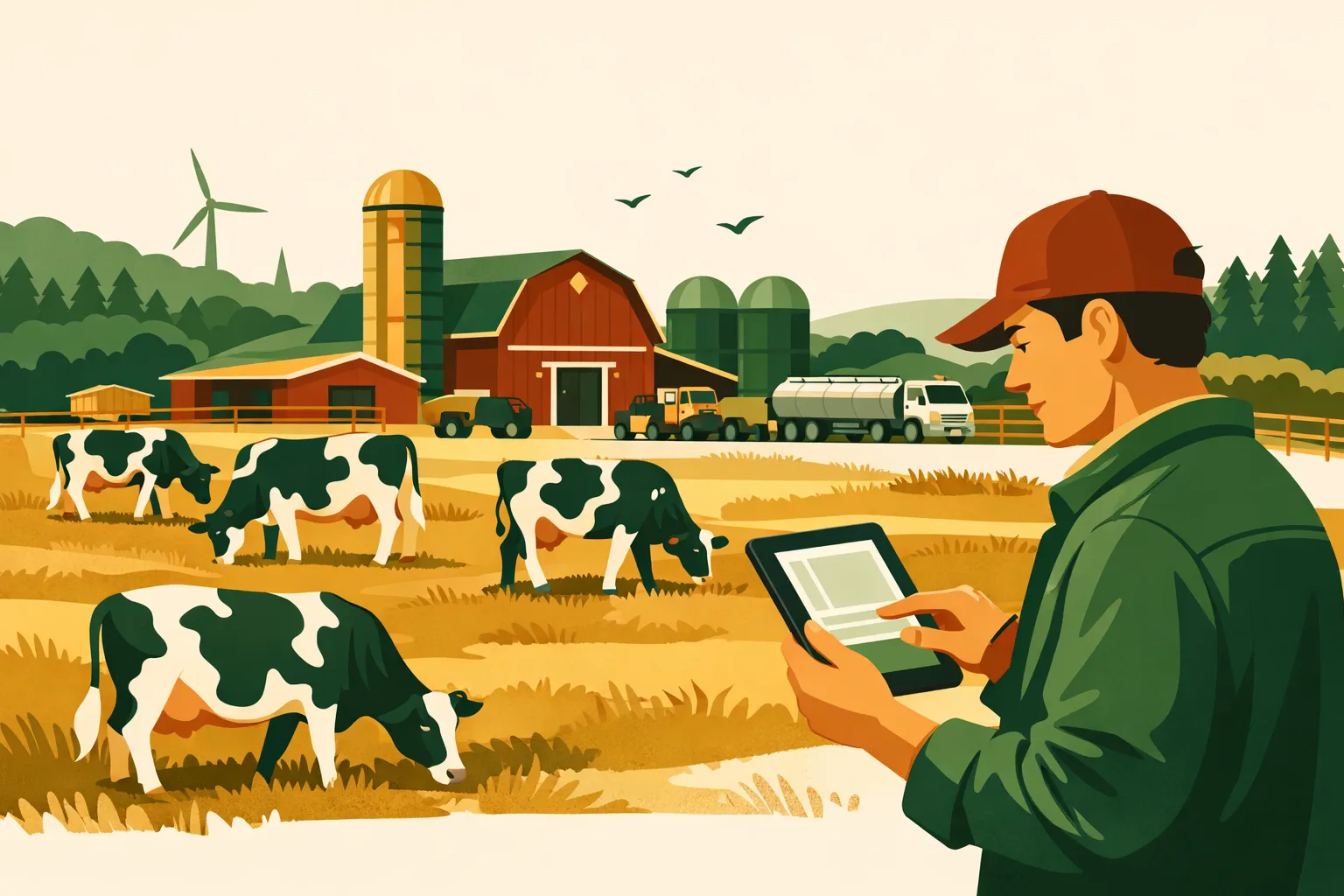
A cow manager app can tighten herd records, speed up daily decisions, and give managers cleaner visibility across animal health, breeding, inventory, tasks, labor, and compliance. But the wrong setup can create the opposite effect: duplicate data entry, missed health events, staff frustration, and reports that are too messy to trust when margins are tight.
For commercial dairy and beef operations, software is not just a digital notebook. It becomes part of the farm’s operating system. If it does not match how your crew works in the barn, chute, parlor, pasture, office, and truck, adoption drops fast.
This guide breaks down five common pitfalls farm managers run into when selecting or rolling out a cow manager app in 2026, plus a practical evaluation checklist you can use before signing a contract.
What a Cow Manager App Should Do for a Commercial Operation
A cow manager app should help you manage cattle records and daily work with less friction, not add another administrative layer.
Depending on the operation, the right system may support:
- Individual animal profiles
- Health treatments and withdrawal records
- Breeding and pregnancy checks
- Calving records
- Weaning, weights, and performance history
- Milk production records or dairy-specific integrations
- Pasture or pen movements
- Vaccination and treatment protocols
- Staff task assignment
- Inventory usage
- Compliance documentation
- Reporting for managers, veterinarians, nutritionists, lenders, or auditors
For a 50-head operation, simple digital recordkeeping may be enough. For a 5,000-head dairy, feedlot, or cow-calf enterprise, the requirements are different: role-based access, multi-site reporting, integrations, sensor data, offline use, audit trails, and manager-level dashboards become much more valuable.
The biggest mistake is treating every cattle app like it solves the same problem. A cow manager app used mainly for heat detection is not the same as a whole-farm operations platform. A recordkeeping tool is not always a task management system. A dairy herd system may not work well for beef cattle, and a beef cattle app may not support parlor or milk data workflows.
If you are also comparing broader farm software, see the FarmsFlo guide to farm management software and the guide on farm record keeping.
Pitfall 1: Buying Features Before Mapping Daily Workflows
Many farms start with a demo and a feature list. That seems efficient, but it often leads to a poor fit.
A cow manager app should be selected around your real workflows:
- Who identifies a sick animal?
- Who records the treatment?
- Who verifies withdrawal dates?
- Who enters breeding data?
- Who reviews open cows?
- Who assigns follow-up tasks?
- Who needs reports at the end of the week?
- Who handles compliance records?
- Who needs mobile access in the barn or field?
If those workflows are not mapped before purchase, the app may look strong during a sales call but fail during daily use.
Where This Pitfall Shows Up
Commercial farms often discover the mismatch after rollout:
- Workers still write notes on paper because mobile screens are too slow.
- Managers re-enter data into spreadsheets because reports do not match their format.
- Treatment records are incomplete because the app does not fit the chute-side workflow.
- Breeding data gets entered late because the reproduction team uses a separate tool.
- Tasks are discussed in text messages instead of tracked in the app.
- Office staff must reconcile duplicate animal records across platforms.
That is not a software problem alone. It is a workflow design problem.
Workflow Mapping Before You Buy
Before evaluating any cow manager app, build a simple workflow map for the highest-value processes on your farm.
Start with these core workflows:
-
Health event detection
- Who notices the problem?
- How is the animal identified?
- Where is the event recorded?
- Who receives the task?
- How is the follow-up documented?
-
Treatment and withdrawal management
- Who approves treatment?
- How are protocols selected?
- How are drug inventories updated?
- How are meat or milk withdrawal dates tracked?
- Who verifies clearance?
-
Breeding and reproduction
- How are heats detected?
- Who enters service data?
- How are pregnancy checks scheduled?
- How are open animals reviewed?
- Which reports are used for decision-making?
-
Calving and youngstock
- Who records calving events?
- How are calves tagged?
- How are colostrum, treatments, and movements documented?
- How are deaths or losses recorded?
-
Daily labor and task management
- How are tasks assigned?
- How do workers confirm completion?
- How are missed tasks escalated?
- How do managers review work by person, pen, group, or site?
A vendor demo should follow your workflows, not the vendor’s preferred script.
Practical Time Estimate
For most commercial farms, workflow mapping takes:
| Farm Size / Complexity | Estimated Planning Time | Who Should Be Involved |
|---|---|---|
| 50–200 head, single site | 2–4 hours | Owner/operator, herdsperson, bookkeeper |
| 200–1,000 head, single or mixed enterprise | 1–2 days | Manager, herd team, vet/nutrition advisor, office lead |
| 1,000+ head or multi-site | 3–7 days | Operations manager, department leads, IT/data lead, finance/admin |
The cost of skipping this step is usually paid later through poor adoption, cleanup work, and reporting gaps.
Pitfall 2: Choosing an App That Creates Data Silos
A cow manager app becomes much less useful if it traps data in one corner of the operation.
Most commercial cattle operations already have several systems in play:
- Accounting software
- Payroll or labor tracking
- Feed management tools
- Milk recording systems
- RFID readers
- Scales
- Genomics or breeding platforms
- Veterinary records
- Spreadsheets
- Compliance binders
- Inventory logs
- Task lists or messaging apps
If the cow manager app cannot connect with the systems that matter, your team may end up entering the same information multiple times.
Common Data Silo Problems
Watch for these warning signs:
- Animal IDs differ between systems.
- Treatments are recorded in one place, but drug inventory is tracked elsewhere.
- Breeding events are captured in the app, but vet check lists are built manually.
- Milk withdrawal data is not visible to the people responsible for shipping decisions.
- Feed, health, and production data cannot be reviewed together.
- Management reports require exporting CSV files and rebuilding spreadsheets every week.
- Multiple teams argue over which record is the “source of truth.”
When data does not flow, decisions slow down.
Integration Questions to Ask Vendors
Before selecting a cow manager app, ask direct questions:
- Can the app import existing animal records?
- Can it export clean data in standard formats?
- Does it support RFID workflows?
- Can it connect with scales, readers, or sensors used on your farm?
- Does it integrate with accounting or inventory systems?
- Can data be shared with vets, consultants, or nutritionists?
- Are there APIs available?
- Does the vendor charge extra for integrations?
- Who owns the data?
- How easy is it to leave the platform and export records later?
Do not accept vague answers such as “we can probably make that work.” Ask for examples, supported formats, documentation, and timelines.
Comparison Table: Cow Manager App Options by Operational Fit
| App Type | Best Fit | Strengths | Watchouts | Buyer Question |
|---|---|---|---|---|
| Herd recordkeeping app | Cow-calf, stocker, smaller dairy, basic cattle records | Animal history, treatments, breeding, calving, weights | May lack task management, integrations, multi-user controls | “Can this handle our reporting and team workflow at scale?” |
| Dairy herd management system | Commercial dairies | Milk, reproduction, health, parlor or sensor integrations | May be dairy-specific and less useful for broader farm operations | “Does it connect with labor, inventory, and whole-farm records?” |
| Sensor-led monitoring platform | Dairies or high-value herds using activity, rumination, or health sensors | Early detection, heat alerts, behavior monitoring | Hardware cost, data overload, limited operational workflow | “How do alerts turn into assigned, completed tasks?” |
| Ranch management app | Cow-calf, grazing, multi-pasture operations | Pasture movements, breeding groups, calving, herd inventory | May have limited dairy, feedlot, or compliance features | “Can it support our scale, users, and offline conditions?” |
| Whole-farm operations platform | Diversified farms, multi-site operations, managers needing task and record visibility | Tasks, records, compliance, inventory, operations dashboards | May need setup around cattle-specific workflows | “Can we configure cattle workflows without losing broader farm visibility?” |
For diversified operations that manage livestock alongside crops, equipment, labor, and compliance, a cow manager app may only solve part of the operational problem. That is where a broader farm platform can reduce tool sprawl. FarmsFlo covers this in more detail in its guide to farm operations management.
Pitfall 3: Underestimating Mobile, Offline, and Barn-Level Usability
A cattle app that works well in the office may fail in the places where records are actually created.
Commercial livestock data is often captured in tough environments:
- Chutes
- Parlors
- Calving pens
- Hospital pens
- Feed alleys
- Pastures
- Trucks
- Remote barns
- Areas with poor Wi-Fi or cellular coverage
- Cold, wet, dusty, or high-glare conditions
If the app is slow, hard to read, or unreliable offline, workers will bypass it.
Usability Matters More Than Feature Count
A cow manager app should make common tasks fast:
- Find an animal by tag, RFID, group, or pen
- Record a treatment in a few taps
- Apply a protocol without typing every detail manually
- Capture a note or photo
- Assign a follow-up task
- View withdrawal status clearly
- Record a breeding or pregnancy check
- Update a pen or pasture movement
- Work offline and sync later
If the app requires too many steps, staff will use paper, photos, texts, or memory. That creates incomplete records and weakens the value of the software.
Field Testing Before Purchase
Do not test software only in the office. Run a practical field test.
Use a real phone or tablet. Take it to the barn, chute, or pasture. Ask the people who will use it daily to complete normal tasks.
Test these scenarios:
- Record a sick cow and assign treatment.
- Enter a treatment from an approved protocol.
- Check withdrawal status.
- Record a breeding event.
- Move a group to a new pen or pasture.
- Add a note for a manager.
- Search for an animal with partial tag information.
- Work with no service, then sync later.
- Switch between English and Spanish if your crew needs it.
- Use the app with gloves, wet hands, or bright light conditions if relevant.
The right test is not whether the app can do the task. The right test is whether your crew will actually do it during a busy day.
Practical Implementation Estimate
Mobile rollout usually requires more time than expected.
A realistic schedule:
-
Device review: 1–3 days
Confirm whether staff use personal phones, farm-owned devices, rugged tablets, or shared devices. -
Connectivity review: 1–5 days
Identify dead zones in barns, parlors, shops, lanes, pastures, and remote sites. -
Field pilot: 1–3 weeks
Test with a small group of users and a defined workflow. -
Full rollout: 2–8 weeks
Depends on number of users, sites, integrations, and data migration. -
Follow-up training: Weekly for the first month
Short refreshers are usually more effective than one long training session.
This does not mean software rollout has to be complicated. It means managers should treat adoption as an operational project, not just an app download.
Pitfall 4: Ignoring Reporting, Compliance, and Audit Needs Until Later
Many farms buy a cow manager app for day-to-day records, then later realize the reports do not satisfy management, lender, processor, veterinarian, or compliance needs.
That gap matters. Commercial operations need records that are accurate, accessible, and usable under pressure.
Reports Commercial Farms Commonly Need
Depending on your operation, useful reports may include:
- Active treatments
- Treatment history by animal
- Drug withdrawal status
- Mortality records
- Calving records
- Pregnancy status
- Open cow lists
- Breeding performance
- Vaccination history
- Animal movements
- Inventory usage
- Protocol compliance
- Task completion by worker or department
- Health events by pen, group, or location
- Culling reasons
- Weight gain or performance reports
- Compliance documentation for audits or processor requirements
A cow manager app that stores data but cannot produce usable reports will create extra work for managers.
Compliance Records Need Structure
For livestock operations, compliance records are not just “notes.” They need structure.
A strong system should help document:
- Date and time of treatment
- Animal ID
- Product used
- Dose
- Route of administration
- Person administering treatment
- Diagnosis or reason
- Protocol followed
- Lot number if needed
- Withdrawal period
- Follow-up instructions
- Completion status
- Vet authorization where applicable
If workers enter this information inconsistently, reports become unreliable.
For more on keeping operational records organized, see FarmsFlo’s guide to farm compliance management.
Ask for Your Reports Before You Buy
During evaluation, give vendors sample reports you currently use. These might come from spreadsheets, binders, PDFs, or another platform.
Ask:
- Can your app produce this report without manual rebuilding?
- Can reports be filtered by date, site, pen, group, animal, or user?
- Can reports be scheduled automatically?
- Can data be exported for advisors?
- Can managers view dashboards on mobile?
- Can permissions limit sensitive data?
- Can reports show incomplete or missing records?
- Can we customize fields without breaking future reporting?
Do not wait until after implementation to learn that your preferred reports are not supported.
Avoid Dashboard Theater
A dashboard can look impressive but still fail to support decisions. Good reporting should answer operational questions clearly:
- Which animals need attention today?
- Which treatments are still active?
- Which animals are approaching withdrawal clearance?
- Which cows are open beyond target timing?
- Which pens have rising health events?
- Which tasks are overdue?
- Which employees or teams need follow-up training?
- Which records are incomplete?
If the dashboard does not drive action, it is just a screen.
Pitfall 5: Focusing on Subscription Price Instead of Total Cost of Ownership
The monthly fee is only one part of the cost of a cow manager app.
The total cost includes:
- Subscription fees
- Per-head pricing
- Per-user pricing
- Hardware
- Sensors or tags
- RFID readers
- Tablets or phones
- Integration fees
- Data migration
- Setup and configuration
- Training time
- Support costs
- Ongoing administration
- Lost time if adoption fails
- Replacement costs if the app is abandoned
A low monthly price can become expensive if the software creates extra office work or requires manual reconciliation.
Cost Categories to Budget
Ask vendors to break out all costs clearly.
Software
Common pricing models include:
- Monthly or annual subscription
- Per-head pricing
- Per-user pricing
- Per-site pricing
- Feature-based tiers
- Add-on modules
Ask what happens as your herd size changes. A pricing model that works at 300 head may look different at 3,000 head.
Hardware
Depending on the app and workflow, hardware may include:
- RFID readers
- Electronic ID tags
- Activity or rumination sensors
- Scales
- Tablets
- Rugged phone cases
- Mounts or charging stations
- Office displays
- Connectivity equipment
Clarify whether the vendor requires proprietary hardware.
Setup and Migration
Data migration can be simple or complex. It depends on the quality of your existing records.
Plan for:
- Cleaning duplicate animal records
- Standardizing tag formats
- Importing historical treatments
- Importing breeding and calving records
- Setting up users and permissions
- Building protocols
- Configuring reports
- Testing data accuracy
For a commercial operation, setup should not be treated as an afterthought.
Training
Training time is a real cost. It may include:
- Manager training
- Office staff training
- Herd team training
- Chute-side or barn-side training
- Spanish-language training if needed
- Refresher sessions
- New employee onboarding
A system that takes less training may be worth more than a cheaper tool with poor usability.
Ask for a 12-Month Ownership Estimate
Before signing, ask each vendor for a 12-month estimate that includes:
- Subscription
- Implementation
- Training
- Hardware
- Integrations
- Support
- Data migration
- Add-on features
- Renewal terms
Then estimate your internal labor:
- Hours for setup
- Hours for training
- Hours for data cleanup
- Hours for weekly administration
The right software should reduce operational drag after rollout. If the app requires a permanent manual workaround, price comparisons are misleading.
How to Select the Right Cow Manager App in 2026
The right cow manager app should match your herd, your people, your facilities, and your management style.
Use the selection process below before committing.
Step 1: Define the Primary Use Case
Be clear about the main problem you are solving.
Examples:
- Reduce missed heats
- Improve treatment records
- Manage withdrawal compliance
- Track calving and youngstock
- Improve task accountability
- Replace paper records
- Consolidate spreadsheets
- Improve reporting across sites
- Give managers real-time visibility
- Coordinate work between livestock and broader farm teams
Do not buy one system expecting it to solve every problem unless it is designed for that scope.
Step 2: Identify Required Users
List every user group:
- Owners
- General managers
- Herd managers
- Milkers
- Calving crew
- Breeding technicians
- Veterinarians
- Nutritionists
- Office administrators
- Compliance managers
- Seasonal workers
- Multi-site supervisors
Then define what each user needs to see and do. Role-based access matters on larger operations.
Step 3: Decide What Must Be Mobile
Some records can be entered later. Others need real-time entry.
Real-time mobile workflows often include:
- Treatments
- Health observations
- Calving
- Pen or pasture movements
- Chute work
- Task completion
- Mortality records
- Photos or notes
- Withdrawal checks
If the app is not strong on mobile, these workflows may remain on paper.
Step 4: Evaluate Data Migration
Your existing records may be in:
- Spreadsheets
- Paper binders
- Vet records
- Dairy herd systems
- Accounting software
- Old cattle apps
- RFID or scale software
Ask vendors to review a sample file before quoting migration. Clean data going in saves problems later.
Step 5: Run a Controlled Pilot
A pilot should have a defined scope.
Example pilot:
- 30 days
- One site or one herd group
- 5–10 users
- Health treatments and follow-up tasks
- Daily manager review
- Weekly report export
- End-of-pilot feedback meeting
Do not let the pilot become casual app testing. Use real operational standards.
Step 6: Measure Adoption and Accuracy
At the end of the pilot, review:
- Were records entered on time?
- Did staff use the app without reminders?
- Were reports accurate?
- Were tasks completed and verified?
- Did managers trust the data?
- Did the app reduce duplicate work?
- Were there connectivity problems?
- Did any workflow still require paper?
If the pilot exposes issues, decide whether they can be fixed through configuration, training, or process changes. If not, keep shopping.
Practical Cow Manager App Evaluation Checklist
Use this checklist when comparing vendors.
Farm Fit
- Supports your cattle type: dairy, beef, cow-calf, stocker, feedlot, or mixed operation
- Handles your herd size without awkward workarounds
- Supports single-site or multi-site management
- Works with your animal identification system
- Supports your pen, pasture, group, or lot structure
- Can handle your breeding, calving, treatment, and movement workflows
Mobile and Field Use
- Fast animal lookup
- Offline mode or reliable low-connectivity workflow
- Easy treatment entry
- Clear withdrawal visibility
- Task assignment and completion tracking
- Photo and note capture
- Works on devices your team will actually carry
- Supports language needs for your crew
Reporting and Compliance
- Treatment reports
- Withdrawal reports
- Breeding and pregnancy reports
- Calving reports
- Mortality and culling reports
- Task completion reports
- Missing data reports
- Exportable records
- Audit-ready documentation
- Custom fields or configurable reports
Integrations and Data
- Imports existing records
- Exports data in usable formats
- Works with RFID readers or scales if needed
- Connects with dairy, feed, accounting, or inventory systems where relevant
- Offers API access if needed
- Clear data ownership terms
- Clear exit/export process
Vendor and Support
- Commercial farm experience
- Implementation plan
- Training resources
- Responsive support
- Clear pricing
- Written scope for migration and integrations
- References from similar operations
- Product roadmap aligned with your needs
Financial Review
- 12-month total cost estimate
- Hardware requirements documented
- Setup fees documented
- Training costs documented
- Renewal terms reviewed
- Cost impact of herd growth understood
- Internal labor for rollout estimated
Red Flags When Comparing Cow Manager Apps
Some issues are easy to miss during a polished demo. Watch for these red flags:
- The vendor cannot explain how data is exported.
- The app requires too many taps for common tasks.
- Offline functionality is vague or unavailable.
- Reports cannot be customized or filtered.
- Permissions are too basic for your team structure.
- The vendor focuses on dashboards but not workflow.
- Pricing is unclear until late in the sales process.
- Hardware requirements are not disclosed early.
- Support is limited to email for critical operational issues.
- The app does not match your cattle segment.
- Every integration is described as “custom.”
- Staff dislike the app during field testing.
- The system creates duplicate data entry from day one.
A cow manager app should make records more reliable and decisions faster. If the sales process feels unclear, implementation often will too.
When a Cow Manager App Is Not Enough
A dedicated cow manager app can be valuable, especially for herd-specific records. But many commercial farms need broader visibility.
You may need more than a cattle-only app if you manage:
- Livestock and crops
- Multiple sites
- Multiple crews
- Equipment maintenance
- Chemical or input records
- Compliance tasks
- Inventory across departments
- Labor assignments
- Recurring operating procedures
- Safety checks
- Vendor or contractor work
- Management reporting beyond herd data
In that case, a cow manager app may need to integrate with a whole-farm platform, or you may need a system that can manage livestock workflows inside a broader operations structure.
For example, a dairy may need cattle treatment records, but also:
- Equipment service reminders
- Feed inventory tasks
- Parlor maintenance logs
- Employee task lists
- Compliance documentation
- Facility inspections
- Crop operation records
- Daily manager dashboards
If each function lives in a separate app, managers spend too much time reconciling information.
This is where FarmsFlo’s approach to centralized farm operations can help. The goal is not to replace every specialized tool on the farm. The goal is to reduce operational gaps, keep teams aligned, and make important work visible.
How FarmsFlo Helps
FarmsFlo helps commercial farm operators bring daily work, records, tasks, and operational visibility into one practical platform.
If you are evaluating a cow manager app in 2026, FarmsFlo can help you avoid the common problems that come from disconnected tools and weak workflows:
- Build clear task lists for herd, field, shop, and office teams
- Track recurring jobs and follow-ups
- Keep operational records organized
- Improve accountability across crews
- Centralize farm workflows beyond cattle records alone
- Reduce reliance on paper notes, texts, and scattered spreadsheets
- Give managers better visibility into what is done, overdue, or missing
For farms using a dedicated cow manager app, FarmsFlo can support the broader operating layer around the herd: labor coordination, compliance tasks, maintenance, inventory processes, and management oversight.
Before you commit to another isolated system, test how your farm’s daily work could run in a more connected way.
Start a FarmsFlo trial at farmsflo.com and see how your operation can manage tasks, records, and farm workflows with less friction.