3 Proven Ways Livestock Manager Apps Actually Transform Ranches by 2026
Discover how livestock manager apps can actually transform ranch operations with proven methods and results by 2026. Explore software features now.
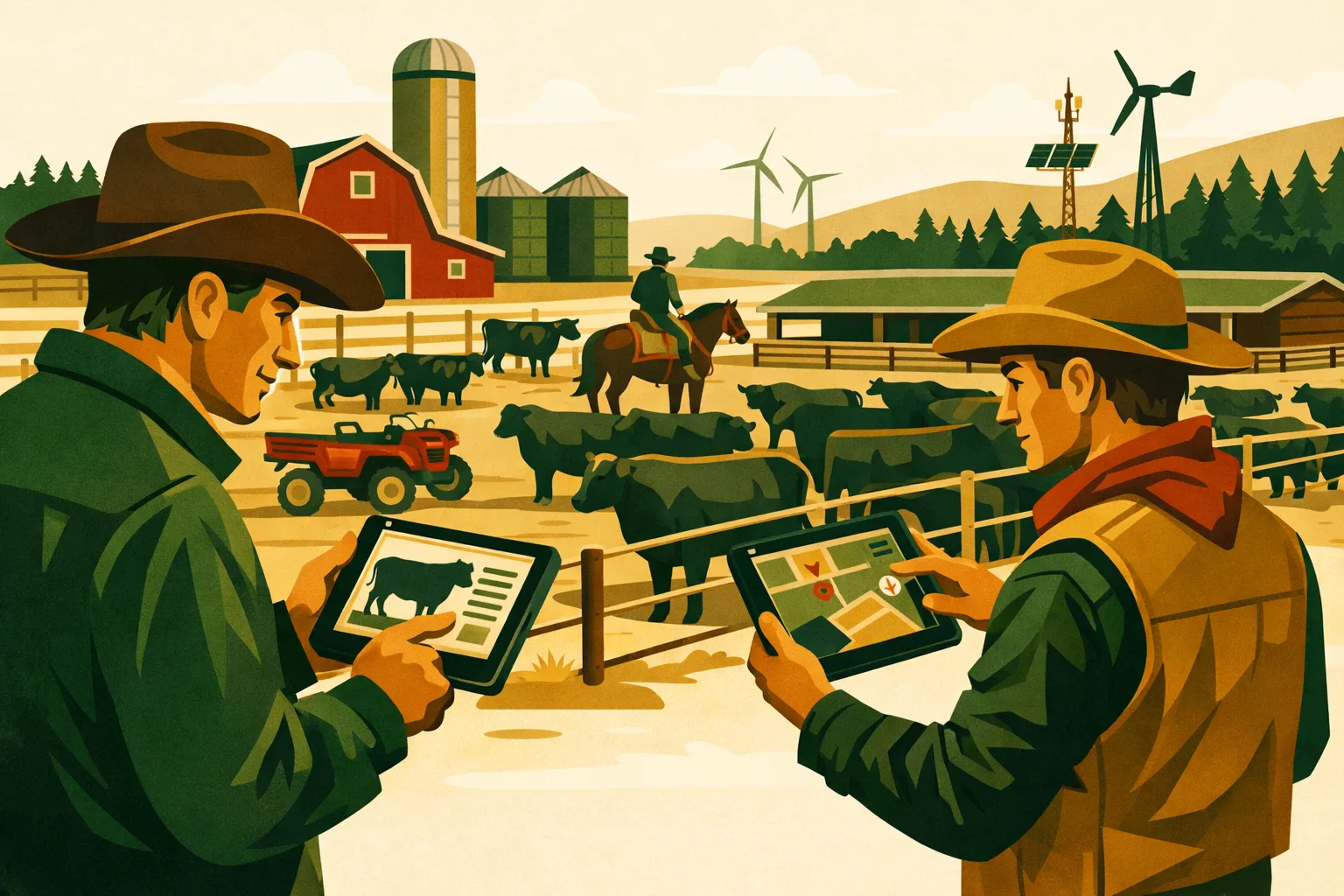
A ranch can look efficient from the road and still leak margin through missed treatments, slow pasture moves, duplicate data entry, and records that only one person knows how to find. As cattle operations grow, the bottleneck is rarely effort. It is usually information moving too slowly between the chute, office, pasture, feed pickup, vet, and owner.
A modern livestock manager app solves that by turning animal, pasture, treatment, breeding, inventory, and labor records into a shared operating system for the ranch. For commercial cattle producers, the value is not “going paperless” for its own sake. The value is making faster decisions with cleaner records, fewer preventable mistakes, and better accountability across the crew.
By 2026, ranches that still rely on notebooks, spreadsheets, text threads, and memory will have a harder time keeping up with traceability expectations, labor shortages, input costs, and tighter margins. The operations that benefit most from livestock management software are not necessarily the largest. They are the ones that use it consistently at the point of work.
This guide breaks down three practical ways a livestock manager app can transform a cattle ranch, what to look for, what it costs, how long implementation usually takes, and how to roll it out without disrupting the season.
What a Livestock Manager App Does on a Commercial Ranch
A livestock manager app is software used to track herd records, animal events, health treatments, breeding data, movements, inventory, pasture activity, tasks, and ranch performance from a phone, tablet, or desktop.
For a commercial ranch, the app should support:
- Cow-calf records
- Stocker and backgrounding groups
- Feeder cattle records where applicable
- Individual animal IDs, EID tags, or group lots
- Calving, weaning, breeding, preg-check, and culling events
- Treatments, withdrawals, vaccines, and vet notes
- Pasture movements and grazing history
- Feed, supplement, mineral, and medicine inventory
- Crew tasks and operating notes
- Reports for management, lenders, auditors, buyers, vets, and partners
The most useful systems connect field activity with financial and operational decisions. A health record entered at the chute should help inform withdrawal dates, culling decisions, treatment cost, and future performance. A pasture move should update grazing history and support stocking decisions. A feed inventory entry should help prevent shortages and reveal cost trends.
If you are comparing broader farm platforms, read the FarmsFlo guide to farm management software and the guide to farm record keeping for more context on how operations software fits across livestock, crops, labor, and equipment.
Why 2026 Is a Practical Deadline for Better Ranch Data
The shift toward digital ranch records is not just a technology trend. Several operating pressures are pushing cattle producers in the same direction.
Buyers Want Cleaner Records
Calves and cattle with clear histories are easier to market into programs that require verification. Even when premiums vary by region and market cycle, better documentation helps you answer buyer questions quickly and consistently.
Common examples include:
- Vaccination programs
- Source and age documentation
- Treatment and withdrawal history
- Breeding or genetics documentation
- Animal movement history
- Production practice claims
- Death loss and morbidity reporting
Paper records can support some of this, but they are slower to search, harder to standardize, and more vulnerable to loss. A livestock manager app gives ranch managers a cleaner way to organize data before a buyer, vet, lender, or auditor asks for it.
Labor Is Harder to Replace
Experienced ranch hands carry a lot of knowledge in their heads: which cows need watching, which gate needs repair, which pasture was short last year, which pairs need to move first, and which calves were treated twice. When that knowledge is not documented, the operation becomes dependent on a few individuals.
A shared app does not replace stockmanship. It protects it. It lets managers capture field observations, assign tasks, and standardize workflows so new or seasonal employees can work with less guesswork.
For more on crew coordination, see the FarmsFlo guide to farm labor management.
Margins Require Faster Decisions
Feed, fuel, equipment, medicine, fencing, and labor costs can move quickly. Ranches need timely information to decide:
- Which cows should be culled
- When to wean
- Whether to background calves
- Which pasture can support another group
- When to reorder vaccine, mineral, or feed
- Which equipment repair should be prioritized
- Whether a treatment protocol is working
If those decisions rely on notes gathered weeks later, the information is already stale. A livestock manager app shortens the gap between work performed and management action.
Way 1: Turn Herd Records Into Real Management Decisions
The first transformation is the most obvious: replacing scattered herd records with a reliable operating database. The deeper value is not storage. It is turning records into decisions.
What Better Herd Records Change
On many ranches, herd data lives in several places:
- Calving notebook in the truck
- Treatment book in the barn
- Spreadsheet on the office computer
- Text messages between crew members
- Vet invoices
- Sale barn reports
- Feed store receipts
- Tag lists from previous years
This works until the operation needs a fast answer. Which cows lost calves two years in a row? Which calves were treated before shipping? Which bulls serviced which pasture? Which groups need a booster? Which animals are still inside withdrawal?
A livestock manager app brings those records into one system and ties them to individual animals or groups.
Records Worth Capturing at Minimum
For a commercial cow-calf operation, start with the data that affects money, compliance, or daily decisions.
Animal and Herd Identity
Track:
- Ranch ID
- Visual tag
- EID tag, if used
- Birth date or estimated age
- Breed or breed type
- Sex
- Dam and sire, where known
- Source
- Purchase date and cost, if purchased
- Ownership group, if applicable
You do not need to capture every possible field on day one. Start with the fields you will actually use.
Reproduction Data
Track:
- Breeding groups
- Bull exposure dates
- Artificial insemination records, if used
- Pregnancy status
- Calving date
- Calving ease
- Calf ID
- Open cows
- Late calvers
- Rebreed performance
This data supports culling, replacement selection, bull management, and calving labor planning.
Health and Treatment Data
Track:
- Diagnosis or reason for treatment
- Treatment date
- Product used
- Dosage
- Lot number, if required by your protocol
- Treatment administrator
- Withdrawal period
- Follow-up date
- Outcome
Clean treatment records reduce risk and make it easier to evaluate herd health protocols with your veterinarian.
Weight and Performance Data
Track:
- Birth weight, if used
- Weaning weight
- Sale weight
- Processing weight
- Average daily gain for stockers, if calculated
- Body condition scores
- Frame or quality observations
Even if you do not weigh every animal frequently, consistent weight records at key events support marketing and replacement decisions.
Practical Example: Culling Decisions
Without structured data, culling can become reactive. A cow may stay in the herd because she looks acceptable today, even if she weaned a poor calf, calved late, needed repeated assistance, or was open the prior season.
With a livestock manager app, you can filter cows by:
- Open status
- Late calving
- Calf weaning performance
- Age
- Treatment history
- Temperament notes
- Udder or feet issues
- Calving difficulty
That turns culling from memory-based judgment into a more defensible management process. The ranch manager still makes the final call, but the app brings the right facts forward.
Practical Example: Withdrawal Protection
Treatment records are one of the strongest reasons to use a livestock manager app. If an animal is treated, the system should calculate or store the withdrawal date and flag the animal before sale or harvest.
This is especially useful when:
- Multiple crew members administer treatments
- Cattle are processed in large groups
- Treated animals return to pasture
- Sale dates move unexpectedly
- Animals are purchased from outside sources
- Paper treatment logs are incomplete or hard to read
The goal is not just regulatory protection. It is operational confidence.
Cost and Time Estimate for Herd Record Setup
For a commercial ranch, initial herd record setup usually involves four cost categories:
| Setup Item | Typical Time Requirement | Cost Consideration | Practical Notes |
|---|---|---|---|
| Data cleanup from notebooks/spreadsheets | 4–20 hours | Staff time or admin support | Larger herds with inconsistent IDs take longer |
| Tag/EID reconciliation | 1–3 processing days | Labor, tags, readers if needed | Best done during preg-check, weaning, or processing |
| App configuration | 2–8 hours | Subscription or onboarding cost | Set required fields, event types, users, permissions |
| Crew training | 1–4 hours per user group | Training time | Focus on daily workflows, not every feature |
Software pricing varies by platform, herd size, and feature set. Commercial livestock apps may charge monthly, annually, per user, per operation, or by herd size. When budgeting, consider the full cost: subscription, setup time, mobile devices, EID equipment if needed, and ongoing data maintenance.
If your operation also tracks equipment, fuel, parts, or shop work, review the FarmsFlo guide to farm equipment maintenance to connect herd activity with machinery planning.
Way 2: Make Health, Breeding, and Calving Workflows More Consistent
The second transformation is workflow control. A livestock manager app helps ranches execute repeatable processes during the highest-pressure times of year: calving, breeding, processing, treatment, weaning, and shipping.
Why Workflow Consistency Matters
Ranch work is seasonal, physical, and often urgent. Small misses can create large problems:
- A booster is skipped
- A sick calf is not rechecked
- A bull turnout date is forgotten
- A treated animal is shipped too soon
- A pasture group is misidentified
- A new employee uses the wrong dosage
- A calving problem is not documented
- A mineral delivery is delayed
A livestock manager app reduces these misses by creating a shared task and event system. Instead of relying on verbal reminders, the crew can see what needs to happen, when it was completed, and who did it.
Health Protocol Execution
Health records are only valuable if they are easy to enter where the work happens. For cattle operations, look for mobile-friendly treatment workflows that allow crew members to:
- Select an animal or group quickly
- Record diagnosis
- Choose product from an inventory list
- Enter dosage
- Add notes or photos
- Set follow-up reminders
- Store withdrawal dates
- Sync data when back online if cellular service is weak
Offline capability matters on ranches with limited coverage. If an app only works reliably from the office, field adoption will suffer.
Working With Your Veterinarian
A good app can make veterinary relationships more productive. Instead of calling the vet with vague descriptions, you can share:
- Number treated by group
- Symptoms observed
- Products used
- Response to treatment
- Death loss records
- Timing of outbreaks
- Weather or stress events
- Processing dates
- Vaccine history
This gives your vet better context for protocol recommendations. It also helps you evaluate whether a current protocol is producing acceptable field results.
Breeding Season Management
Breeding season creates several data points that are easy to miss if they are not captured immediately.
Track:
- Bull ID
- Pasture or breeding group
- Turnout date
- Pull date
- Cow list by group
- AI dates and technicians, if applicable
- Synchronization protocol
- Pregnancy results
- Open rate by group
- Bull issues or injuries
The app should allow you to compare groups and investigate problems. For example, if one pasture has a higher number of opens, you can review bull exposure, pasture condition, weather, cow age, and body condition notes.
Calving Season Management
During calving, the app should help managers identify what needs attention without slowing down the crew.
Useful calving fields include:
- Cow ID
- Calf ID
- Calving date
- Calf sex
- Calving ease
- Assisted birth notes
- Colostrum issues
- Calf vigor
- Twin status
- Mothering issues
- Death loss reason
- Weather notes
- Tagging status
A livestock manager app is especially useful for multi-person calving crews. If the night checker records an assisted birth, the day crew can see which pair needs rechecking. If a calf is weak or grafted, the status is visible to everyone.
Processing and Chute-Side Work
The app should make chute-side work faster, not slower. When evaluating software, ask how it performs during high-volume processing.
Look for:
- Fast animal lookup
- Barcode, EID, or visual tag support
- Batch entry for group treatments
- Integration with scales or EID readers where needed
- Custom event templates
- Simple correction process
- Offline functionality
- Exportable reports
If your ranch processes several hundred or several thousand head in a day, seconds matter. Test the app before you depend on it during the busiest processing event of the year.
Practical Example: Post-Treatment Recheck
A common failure point is follow-up. A sick calf gets treated and turned out. The crew intends to recheck in 48 hours, but weather, fencing, hay delivery, or another sick group pulls attention elsewhere.
With a livestock manager app, the treatment entry can generate a recheck task. The task appears on the crew schedule with animal ID, pasture, treatment given, and due date. When completed, the crew records the outcome.
This simple workflow improves accountability and gives managers better information about treatment response.
Practical Example: Breeding Soundness and Bull Rotation
Bulls are high-value assets, and a missed bull problem can affect an entire calf crop. In the app, managers can track:
- Breeding soundness exam status
- Turnout pasture
- Cow-to-bull group
- Injury observations
- Rotation dates
- Pull dates
- Replacement bull use
- Pregnancy results by exposure group
That creates a performance history for each bull. Over time, it helps determine whether a bull should stay, sell, rest, or be replaced.
Time Estimate for Workflow Rollout
A practical workflow rollout can be completed in stages:
Week 1: Configure Core Events
Set up the event types your ranch uses most:
- Calving
- Treatment
- Vaccination
- Pasture move
- Breeding group
- Pregnancy check
- Weaning
- Death loss
- Sale or transfer
- Task assignment
Time estimate: 2–6 hours for a manager or administrator.
Week 2: Train the Crew on Daily Use
Do not train every feature at once. Train by task:
- How to find an animal
- How to record a treatment
- How to complete a task
- How to add a pasture note
- How to sync data
- How to correct an entry
Time estimate: 1–2 hours per crew group, plus short refreshers during the first major workday.
Weeks 3–6: Use During Real Events
Choose one or two workflows first. For example:
- Treatments and rechecks
- Pasture moves and notes
- Calving observations
- Processing records
Time estimate: Ongoing, usually a few extra seconds per record once users are comfortable.
After First Major Event: Review and Adjust
After preg-check, weaning, calving, or processing, review:
- Missing fields
- Duplicate records
- Confusing event names
- Slow steps
- Crew feedback
- Reports that management actually used
Time estimate: 1–3 hours.
Way 3: Connect Herd Activity With Labor, Inventory, Pasture, and Profitability
The third transformation is operational visibility. The best livestock manager app does more than track animals. It connects animal activity with the resources used to manage them.
For a commercial ranch, this is where software starts to affect margin.
Inventory Control: Feed, Mineral, Medicine, and Supplies
Livestock operations carry a lot of inventory that can quietly drain cash if poorly tracked.
Common inventory categories include:
- Vaccines
- Antibiotics
- Dewormers
- Implants, if used
- Tags and EID supplies
- Mineral
- Salt
- Feed
- Hay
- Supplement
- Fuel
- Fencing supplies
- Syringes, needles, and chute supplies
A livestock manager app or connected farm management system should help record usage and reorder needs. At minimum, it should help answer:
- What product was used?
- How much was used?
- Which group or animal received it?
- Who applied it?
- What is left in inventory?
- When should we reorder?
- What did it cost?
For a deeper inventory approach, read the FarmsFlo guide to farm inventory management.
Pasture and Grazing Management
Pasture records are often under-managed compared with herd records. Yet grazing decisions affect feed cost, animal performance, soil condition, and drought resilience.
Track pasture activity such as:
- Group moved in
- Group moved out
- Stocking level
- Grazing days
- Forage notes
- Water status
- Fence issues
- Supplement location
- Rainfall notes
- Weed or brush observations
- Rest period
- Hay feeding periods
A ranch manager does not need a complicated grazing model to gain value. Simply knowing how long each pasture was grazed, by which group, and under what conditions can improve next year’s planning.
Labor and Task Management
Ranch labor is expensive and limited. A livestock manager app helps managers avoid duplicated work and missed tasks.
Useful task features include:
- Assign tasks by employee
- Attach tasks to animal, group, pasture, equipment, or location
- Set due dates
- Mark priority
- Add photos
- Track completion
- Record notes from the field
- View task history
Examples:
- Recheck treated calf in North Trap
- Move pairs from Creek Pasture to East Ridge
- Repair float valve at Tank 4
- Pull bull from South Section
- Count mineral tubs before Friday order
- Inspect fence after storm
- Prepare vaccine cooler for Saturday processing
The best task systems are simple enough that the crew will use them daily.
Financial Visibility Without Turning Ranch Hands Into Accountants
A livestock manager app should not burden field employees with accounting work. But it should capture enough operational data to support cost and profitability analysis.
Useful data includes:
- Treatment cost by animal or group
- Feed or supplement cost by group
- Death loss by group
- Labor time by activity
- Sale weights and proceeds
- Purchase costs
- Cull reasons
- Replacement development costs
- Pasture inputs
- Equipment time where relevant
Management can then evaluate questions such as:
- Are home-raised replacements performing better than purchased replacements?
- Which pasture groups required the most feed?
- Which class of cattle had the highest treatment cost?
- Are repeated treatments concentrated in one source, pasture, or age group?
- Which cows consistently produce lower-value calves?
- Does backgrounding make sense under current feed and market conditions?
For broader planning, see the FarmsFlo guide to farm financial management software.
Comparison Table: Paper, Spreadsheet, and Livestock Manager App
| Capability | Paper Records | Spreadsheets | Livestock Manager App |
|---|---|---|---|
| Field entry | Easy but inconsistent | Difficult from pasture or chute | Designed for mobile entry |
| Searchability | Slow | Moderate | Fast by animal, group, event, or date |
| Multi-user access | Poor | Limited unless cloud-based | Built for shared access |
| Treatment withdrawal tracking | Manual | Manual or formula-based | Can be automated or flagged |
| Pasture movement history | Often incomplete | Possible but time-consuming | Structured and reportable |
| Task assignment | Verbal or handwritten | Limited | Assignable with due dates and notes |
| Inventory connection | Separate records | Possible with setup | Can connect product use to records |
| Reporting | Time-consuming | Requires spreadsheet skill | Built-in reports and exports |
| Offline field use | Good | Poor | Depends on app; should be evaluated |
| Scalability for 500+ head | Weak | Moderate | Strong if configured properly |
Spreadsheets can still be useful for analysis, but they are not ideal as the primary system for field records. A livestock manager app creates structure at the source, which makes later analysis more reliable.
Features to Look for in a Livestock Manager App
Not all livestock software is built for commercial ranch operations. Some tools are too basic for scale. Others are powerful but slow in the field. The right system depends on your herd size, crew structure, marketing channels, and record requirements.
Must-Have Features
For most commercial cattle operations, prioritize:
- Fast mobile data entry
- Offline functionality or reliable sync
- Individual and group records
- Treatment and withdrawal tracking
- Breeding and calving records
- Pasture movement records
- Task management
- Inventory tracking or integrations
- User permissions
- Report exports
- Data backup
- Simple onboarding
- Support for multiple ranch locations, if needed
Valuable Advanced Features
Depending on your operation, consider:
- EID reader integration
- Scale integration
- Custom reporting
- Buyer or program documentation
- Vet access or report sharing
- Photo attachments
- Map-based pasture views
- Equipment and maintenance tracking
- Financial reporting integrations
- Weather notes
- Document storage
- API access or accounting integrations
Do not buy advanced features unless you have a plan to use them. A simpler app that your crew uses consistently will outperform a complex system that gets ignored.
Questions to Ask Before Buying
Ask each vendor:
- Can the app work offline in low-service areas?
- How fast is animal lookup during processing?
- Can we record both individual and group treatments?
- How are withdrawal dates handled?
- Can we import existing records?
- Can we export our data if we leave?
- How are user permissions managed?
- Can multiple crew members work at the same time?
- Does the system support multiple ranches, herds, or ownership groups?
- Can reports be customized for buyers, vets, or management?
- What onboarding help is included?
- How does pricing change as herd size or users increase?
The answers matter more than a feature list.
Practical Checklist: How to Implement a Livestock Manager App Without Slowing the Ranch Down
Use this action list to move from evaluation to daily use.
Phase 1: Define the Business Goal
Before choosing software, decide what problem you are solving first.
Pick one primary goal:
- Improve treatment and withdrawal records
- Clean up cow-calf production history
- Manage calving season better
- Track pasture moves
- Reduce missed tasks
- Improve inventory control
- Prepare better buyer documentation
- Standardize records across locations
A focused rollout has a better chance of success.
Phase 2: Choose the First Data Set
Do not import years of messy records unless they will be used. Start with:
- Active cow herd
- Current calves
- Bulls
- Replacement heifers
- Current stocker or backgrounding groups
- Active pastures
- Current medicine and vaccine inventory
Archive old records separately if needed.
Phase 3: Standardize IDs
Agree on how animal IDs will be entered.
Define:
- Visual tag format
- EID format
- Group naming rules
- Pasture names
- Event names
- Product names
- Crew member names
- Ownership group labels
Inconsistent naming creates bad reports.
Phase 4: Set Required Fields
For each event, define the minimum required data.
Example treatment required fields:
- Animal or group
- Date
- Diagnosis
- Product
- Dose
- Crew member
- Withdrawal date
- Follow-up date, if needed
Keep required fields practical. If the form is too long, field compliance will drop.
Phase 5: Train With Real Scenarios
Use examples from your ranch:
- Treat a calf for respiratory symptoms
- Record a pasture move
- Enter a calf birth
- Assign a fence repair
- Record a preg-check result
- Add a vaccine used during processing
- Mark a task complete
Training should happen on the device the crew will actually use.
Phase 6: Run a Two-Week Field Test
Before committing fully, test the app during normal work.
Track:
- Entry speed
- Sync reliability
- Missing features
- Crew confusion
- Duplicate records
- Report usefulness
- Battery and device issues
- Cellular coverage problems
Fix setup problems before the next major cattle workday.
Phase 7: Review Reports With Management
At the end of the test, review whether the app can answer the questions you care about.
Examples:
- Which animals were treated this month?
- Which treatments require recheck?
- Which cattle are still inside withdrawal?
- Which cows calved late?
- Which pastures were grazed and when?
- What products are running low?
- Which tasks are overdue?
If the app cannot answer these quickly, adjust configuration or continue evaluating options.
Common Mistakes That Keep Ranches From Getting Value
The app is only part of the system. Most failures come from poor rollout, unclear expectations, or inconsistent use.
Mistake 1: Trying to Track Everything Immediately
If the first rollout requires every employee to enter dozens of details for every event, adoption will suffer. Start with high-value workflows and expand after the crew builds confidence.
Mistake 2: Letting Each Person Enter Data Differently
One person writes “BRD,” another writes “pneumonia,” and another writes “sick.” Those may mean the same thing operationally, but they will split reports. Use standard event names, diagnosis codes, and product names.
Mistake 3: Keeping Paper as the “Real” Record
Many ranches start using software but continue treating the notebook as the official source. That creates duplicate work and confusion. During transition, paper backups may be useful, but management should clearly define when the app becomes the primary record.
Mistake 4: Ignoring Offline Use
Ranches often operate where mobile service is unreliable. Test offline entry, syncing, and conflict handling before relying on the app at processing or during calving.
Mistake 5: Not Reviewing the Data
Data entry without management review becomes busywork. Schedule a monthly or seasonal review of reports. Use the information to make decisions about culling, health protocols, inventory, labor, pasture planning, and marketing.
Budgeting for a Livestock Manager App
A livestock manager app is not just a subscription line item. Budget for setup, training, hardware, and process changes.
Software Subscription
Pricing models vary. Common structures include:
- Monthly per operation
- Monthly per user
- Annual subscription
- Herd-size tiers
- Add-on modules
- Setup or onboarding fees
For a 50–5000+ acre ranch, evaluate pricing based on total operational value, not the lowest monthly cost. A cheaper app that lacks offline entry, good reporting, or user controls may cost more in staff time and missed records.
Hardware and Devices
Potential hardware costs include:
- Smartphones or tablets for crew
- Protective cases
- Vehicle chargers
- EID readers
- Digital scales
- Label or tag equipment
- Office computer upgrades if needed
You may already own much of this. If buying devices, select rugged equipment that can handle dust, cold, heat, vibration, and chute-side use.
Setup and Training
Budget time for:
- Data import
- ID cleanup
- App configuration
- Crew training
- Testing during real work
- Report review
- Process refinement
A small operation may be able to set up core workflows in a few days. A larger multi-location operation may need several weeks to standardize records and train users.
Ongoing Administration
Someone needs ownership of the system. This may be the ranch manager, office manager, herd manager, or operations lead.
Responsibilities include:
- Adding new users
- Maintaining product lists
- Reviewing duplicate records
- Checking reports
- Updating pasture names
- Archiving sold animals
- Ensuring backups
- Coordinating with accounting or vet records
Plan for regular maintenance so the system stays clean.
How to Measure Results by 2026
To know whether a livestock manager app is improving the ranch, define measurable operating outcomes. Avoid vague goals like “better records.” Use practical metrics tied to decisions.
Record Completeness
Track whether critical records are being captured.
Examples:
- Percentage of treatments with product, dose, and withdrawal date
- Percentage of calves with dam ID and birth date
- Percentage of pasture moves recorded
- Percentage of tasks completed by due date
- Percentage of preg-check results entered within 24 hours
Speed of Information
Measure how quickly management can answer key questions.
Examples:
- Time needed to produce a treatment report
- Time needed to identify animals inside withdrawal
- Time needed to prepare a buyer documentation packet
- Time needed to generate a cull candidate list
- Time needed to review open cows by breeding group
The goal is to reduce office digging and increase decision speed.
Operational Follow-Through
Track whether tasks and follow-ups happen on time.
Examples:
- Recheck completion for treated animals
- Bull pull dates completed as scheduled
- Vaccine boosters completed
- Mineral or feed reorder tasks completed
- Fence and water repair tasks completed
Management Decisions
Track decisions made from the data.
Examples:
- Cows culled for documented reproductive issues
- Health protocol changes based on treatment outcomes
- Pasture rest adjustments based on grazing history
- Inventory reorder points changed based on use
- Labor assignments changed based on task history
The software should lead to action. If reports are never used, refine the workflow.
When a Livestock Manager App Is Not Enough by Itself
A livestock manager app can transform records and workflows, but it cannot fix unclear management rules. Before expecting software to solve operational issues, make sure your ranch has defined processes.
You still need:
- Written treatment protocols approved by your veterinarian
- Clear culling criteria
- Defined breeding and calving procedures
- Pasture naming and grazing rules
- Inventory reorder responsibilities
- Crew task expectations
- Data entry standards
- Seasonal review meetings
The app supports these systems. It should not be the only place they exist.
For operations managing crops, livestock, equipment, and labor together, a broader platform may be more practical than a narrow livestock-only tool. FarmsFlo’s guide to farm operations management explains how to coordinate multiple parts of the business in one workflow.
Buying Guidance: Match the App to Your Ranch Type
Different cattle operations need different software priorities.
Cow-Calf Operations
Prioritize:
- Calving records
- Dam-calf pairing
- Breeding groups
- Preg-check results
- Replacement selection
- Culling reports
- Pasture moves
- Treatment history
Stocker and Backgrounding Operations
Prioritize:
- Group management
- Source tracking
- Processing records
- Treatment protocols
- Weight gain records
- Feed and supplement tracking
- Death loss and morbidity reports
- Buyer documentation
Seedstock Operations
Prioritize:
- Individual animal records
- Pedigree and genetics fields
- Breeding and AI records
- Performance data
- Sale catalog support
- Customer records
- Photos and documents
Multi-Location Ranches
Prioritize:
- User permissions
- Location-based records
- Shared task management
- Offline mobile entry
- Standardized naming
- Multi-herd reporting
- Role-based access
Mixed Crop-Livestock Farms
Prioritize:
- Livestock records
- Field and crop records
- Equipment maintenance
- Labor planning
- Inventory tracking
- Financial reporting
- Task coordination across enterprises
If your operation includes both row crop and cattle enterprises, livestock-only software may create another data silo. A broader farm management platform can reduce duplicate entry and give owners a more complete view of the business.
Final Evaluation Questions Before You Commit
Before purchasing a livestock manager app, run it through these practical tests:
- Can a crew member enter a treatment in less than a minute after training?
- Can the app handle poor service areas?
- Can management identify withdrawal risks quickly?
- Can records be exported in a usable format?
- Can you import your current herd list without creating duplicates?
- Can tasks be assigned and tracked by person, date, and location?
- Can the app support your busiest processing day?
- Can it track the difference between individual animals and groups?
- Can it produce reports that buyers, vets, lenders, or owners may request?
- Can it grow with the operation through 2026 and beyond?
If the answer is no to several of these, keep evaluating.
How FarmsFlo Helps
FarmsFlo gives commercial farm and ranch operators one place to manage daily work, records, inventory, tasks, equipment, and operational visibility. For cattle operations, that means your team can move beyond scattered notebooks, spreadsheets, and text messages and start working from a shared system built for real farm-scale execution.
With FarmsFlo, ranch managers can:
- Track livestock-related tasks and field activity
- Coordinate crew responsibilities
- Maintain cleaner operational records
- Manage inventory for feed, supplies, and inputs
- Connect equipment, labor, and livestock work in one workflow
- Improve accountability across locations and teams
- Build a stronger foundation for management decisions by 2026
A livestock manager app should make the ranch easier to run, not create another administrative burden. FarmsFlo is designed for operators who need practical software that supports the way commercial farms and ranches actually work.
Start your FarmsFlo trial at farmsflo.com and see how a better operating system can help your ranch manage records, tasks, inventory, and daily execution with less friction.