3 Cattle Management App Mistakes to Avoid in 2026
Discover common mistakes ranchers make with cattle management apps in 2026 and learn how to actually use these tools effectively for better outcomes.
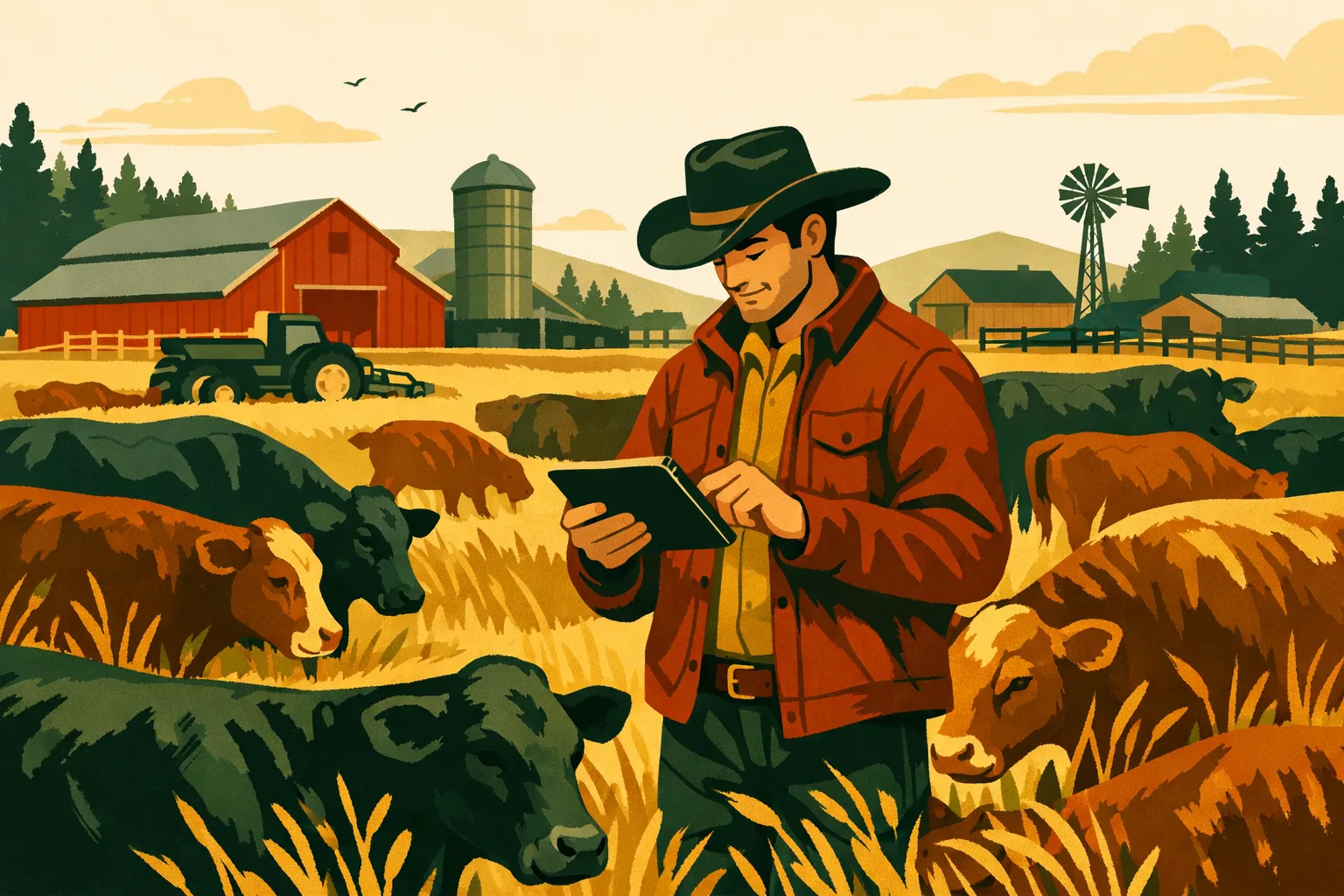
A cattle management app can tighten records, reduce missed tasks, simplify compliance, and give managers a clearer view of herd performance. But the software only pays off when it matches the way your operation actually runs. Many ranches buy an app, enter a few animals, and then slowly fall back to notebooks, spreadsheets, text messages, and memory because the system was never set up for day-to-day use at scale.
For commercial cow-calf, stocker, backgrounding, and diversified farm operations, the stakes are higher than “digital convenience.” A cattle management app should help you manage animal IDs, breeding records, health events, weights, pasture movements, treatments, inventory, labor tasks, and reporting without creating extra administrative drag.
Below are the three most common mistakes ranchers make when choosing and using cattle management software in 2026—and how to avoid them before they cost you time, data quality, and adoption.
Mistake 1: Choosing a Cattle Management App Based on Features Instead of Workflow
Most cattle management app comparisons start with feature lists. That makes sense at first glance. You want to know whether an app can track breeding, calving, weights, treatments, groups, pasture locations, and inventory.
The problem is that a long feature list does not guarantee a usable system. Commercial ranches do not fail with software because the app lacks a button. They fail because the app does not fit how records are captured, reviewed, and acted on across the operation.
A cattle app has to work when animals are in the chute, when a rider is moving pairs, when a manager is reviewing treatment history, and when the office needs a report. If the workflow breaks at any of those points, staff will create a workaround. Once workarounds start, the app becomes incomplete.
What “workflow fit” means on a commercial operation
Workflow fit means the app supports the real sequence of work on your ranch.
For example:
- A calf is tagged at birth.
- The calving event is recorded.
- The cow-calf pair is assigned to a pasture or group.
- Any assistance, abnormal presentation, or treatment is logged.
- The calf is connected to the dam and sire, if known.
- Later, the animal moves through branding, weaning, weighing, health treatments, sales, or replacement selection.
A cattle management app should make that sequence easy to record without duplicate entry. It should also allow staff to enter data in the field and give managers a simple way to review exceptions.
The same applies to health events. If a sick animal is pulled, treated, and returned to a pen or pasture, the record should capture:
- Animal ID or group ID
- Diagnosis or condition
- Product used
- Dosage
- Route of administration
- Treatment date
- Withdrawal period
- Person responsible
- Follow-up task
- Outcome
If your app can technically track treatments but requires too many clicks or too much office work later, records will be delayed or skipped.
Feature comparison vs. operational fit
Use this table when evaluating a cattle management app. It helps separate “nice feature” thinking from practical ranch execution.
| Evaluation Area | Common Mistake | Better Buying Question | Why It Matters |
|---|---|---|---|
| Animal records | Looking for the longest list of record fields | Can crews capture the right data quickly in the field or chute? | Accurate records depend on fast, practical entry points |
| Breeding and calving | Choosing based on screenshots of dashboards | Does the app support our breeding groups, calving workflow, and culling decisions? | Reproductive records need to connect to real management action |
| Health treatments | Checking whether “health tracking” exists | Can we record treatments, withdrawals, follow-ups, and outcomes consistently? | Treatment records affect compliance, sale readiness, and animal welfare |
| Pasture and group movement | Assuming all apps handle locations the same way | Can we track animal groups, pasture moves, and responsibilities across multiple sites? | Location accuracy matters for grazing, inventory, and labor coordination |
| Staff use | Buying for the manager only | Can employees with different tech comfort levels use it correctly? | Adoption depends on simple, repeatable workflows |
| Reporting | Focusing on attractive charts | Can we generate reports that help with sales, compliance, performance, and planning? | Reports should support decisions, not just display data |
| Scalability | Buying for today’s herd only | Will this still work if we add acres, leases, enterprises, users, or locations? | Switching platforms later is disruptive and time-consuming |
How to test workflow fit before buying
Before committing to a cattle management app, run a small but realistic test. Do not just click through a demo using sample animals. Use your own process.
Create a test scenario with actual ranch tasks:
- Add 25 to 50 animals or one representative group.
- Record a breeding or exposure event.
- Enter a calving record.
- Record a treatment with a withdrawal period.
- Move a group between pastures.
- Assign a task to an employee.
- Pull a report a manager would actually use.
- Export the data.
If the app slows down during this test, the problem will be larger once your whole herd, staff, and historical records are involved.
Questions to ask vendors before you sign
When comparing software, ask direct operational questions:
- Can the app handle both individual animal records and group-based management?
- How does it support EID, visual tags, and alternate IDs?
- What happens when staff are working with limited cell service?
- Can different employees have different permission levels?
- How are treatment records, withdrawals, and follow-up tasks handled?
- Can we export our data if we leave the platform?
- How long does onboarding usually take for an operation our size?
- Can we import historical animal records, or do we need to start fresh?
- Can the system support multiple ranches, farms, leases, or business units?
- What support is available during setup and rollout?
A cattle management app should reduce friction. If it adds steps, staff will avoid it.
For more on choosing software across a full farm operation—not just livestock—see the FarmsFlo guide to farm management software.
Mistake 2: Treating Setup as a One-Time Data Entry Project
The second major mistake is assuming implementation means “upload the herd list and start using it.”
That approach usually leads to messy records, inconsistent animal IDs, partial adoption, and confusion between the field and office. Setup is not just data entry. It is a short operational project that should define how the ranch will use the software every day.
A good cattle management app implementation includes:
- Data cleanup
- ID standardization
- Role assignments
- Staff training
- Field workflow testing
- Reporting setup
- Ongoing review
Skipping those steps creates a digital version of the same problems you already had on paper.
Start with clean animal and group data
Most ranches have some combination of notebooks, spreadsheets, sale barn records, vet invoices, EID files, brand records, preg-check sheets, and memory-based knowledge. Before importing anything, decide what data is worth carrying forward.
You do not need to import every historical note. You do need clean foundational records.
Start with:
- Current active cows
- Bulls
- Replacement heifers
- Calves
- Purchased animals
- Groups or lots
- Pastures and locations
- Treatments with active withdrawal concerns
- Breeding and calving records needed for current decisions
- Inventory that affects upcoming work
Then standardize the basics:
- Primary animal ID
- Secondary ID, if used
- EID number, if used
- Sex
- Birth date or approximate age
- Breed or type, if relevant
- Ownership status
- Current location or group
- Production status
- Disposition status
If your team uses visual tags in the field and EID at the chute, define which ID is the primary working ID and how the app should search both. Nothing slows adoption like staff being unable to find the animal they are standing next to.
Avoid duplicate animals and inconsistent IDs
Duplicate records are one of the fastest ways to lose trust in a cattle management app. If an animal appears twice, staff do not know which record to update. Over time, treatments, weights, breeding records, and movements split across multiple records.
Common causes include:
- Importing spreadsheets without unique IDs
- Reusing tag numbers without clear year or herd context
- Recording EIDs separately from visual tags
- Adding animals in the field before checking whether they already exist
- Combining cow-calf, stocker, and purchased cattle lists without cleanup
Before importing, create a simple ID rule. For example:
- Visual tag is the primary daily ID.
- EID is stored as a secondary permanent ID.
- Purchased cattle receive a source prefix or group identifier.
- Reused tags must include birth year, purchase lot, or another unique field.
- Dead, sold, or culled animals are archived—not deleted—unless your record policy says otherwise.
The exact structure depends on your operation. The point is to create a rule and train everyone to follow it.
Define who records what
A cattle management app fails when everyone assumes someone else is entering the data.
For every recurring event, assign responsibility:
- Who records calving events?
- Who enters treatments?
- Who updates pasture moves?
- Who logs deaths and culls?
- Who records breeding group assignments?
- Who enters weights?
- Who confirms sale information?
- Who reviews reports weekly?
This matters on larger operations where work is split between owners, managers, riders, herdsmen, office staff, veterinarians, and seasonal employees.
A simple responsibility matrix can prevent gaps:
- Field crew records same-day events.
- Manager reviews exceptions weekly.
- Office staff attaches invoices, sale documents, or compliance paperwork.
- Owner or general manager reviews performance and financial reports monthly.
If your app supports user permissions, set them intentionally. Not everyone needs full administrative control. Staff should be able to complete their work without risking accidental record changes across the herd.
Budget realistic time for implementation
Implementation time depends on herd size, data quality, staff count, and how many workflows you want live at launch. Avoid underestimating it.
A practical planning range:
- Small commercial herd or single-site ranch: a few focused setup sessions plus field testing
- Multi-site cow-calf or stocker operation: several weeks of setup, cleanup, training, and workflow rollout
- Diversified farm with cattle, crops, equipment, inventory, and multiple users: phased implementation over one or more operating cycles
The largest time cost is usually not typing data into the app. It is deciding what your standard process should be.
Plan for time in these areas:
- Cleaning animal lists
- Standardizing IDs
- Creating locations and groups
- Setting up products and treatment templates
- Training users
- Testing field use
- Building reports
- Reviewing errors after the first week of use
If your operation is already busy with calving, breeding, weaning, or shipping, do not launch every feature at once. Start with the workflows that are most urgent and easiest to enforce.
Roll out in phases instead of all at once
A phased rollout is usually more effective than trying to digitize everything immediately.
A practical sequence:
-
Phase 1: Core animal inventory
- Active animals
- Groups
- Locations
- Ownership status
- Basic animal details
-
Phase 2: High-risk records
- Health treatments
- Withdrawals
- Death loss
- Sale restrictions
- Follow-up tasks
-
Phase 3: Production workflows
- Breeding
- Preg-check
- Calving
- Weaning
- Weights
-
Phase 4: Management reporting
- Culling lists
- Replacement selection
- Pasture inventory
- Health history
- Sale preparation
-
Phase 5: Broader farm operations
- Tasks
- Equipment
- input inventory
- labor coordination
- documents and compliance
Phasing creates early wins and reduces staff frustration.
For related guidance on building reliable farm records, read the FarmsFlo guide to farm record keeping software.
Mistake 3: Capturing Data but Not Using It to Drive Decisions
Many ranches collect more data than they use. They record treatments, births, weights, pasture moves, breeding groups, and sale information, but they rarely turn that information into management decisions.
A cattle management app should not become a digital filing cabinet. The value comes from using records to improve decisions around labor, herd health, reproduction, grazing, inventory, marketing, and cash flow.
If the app only stores history, you are not getting the full return.
Decide which decisions the app should support
Before entering more data, define the management questions you want answered.
For cow-calf operations:
- Which cows are open, late, or poor performers?
- Which sires are producing calves that fit your market?
- Which calves had health problems before weaning?
- Which cows need to be culled before winter feed costs increase?
- Which groups are ready for processing, weaning, or sale?
For stocker and backgrounding operations:
- Which groups have the best gain history?
- Which animals have treatment repeats?
- Which lots are approaching sale readiness?
- Which pastures or pens are carrying which inventory?
- Which health issues are recurring by source or group?
For diversified farms with cattle and crops:
- Which enterprise is using labor and equipment at the same time?
- Which fields or pastures need attention?
- How do cattle movements align with forage availability?
- What tasks are competing during planting, harvest, calving, or shipping windows?
Software cannot make these decisions for you, but it can keep the right information visible.
Build reports around management meetings
A cattle management app becomes more useful when its reports are tied to routine meetings.
Commercial operations should consider reviewing:
- Herd inventory by class
- Pasture or pen inventory
- Upcoming treatments and follow-ups
- Withdrawal status
- Open or late cows
- Calving progress
- Death loss records
- Recent weight data
- Sale-ready animals
- Task completion
- Employee assignments
- Inventory levels for key animal health products
You do not need a long meeting. The key is consistency. If managers review the same core reports weekly, incomplete records become obvious and staff see that the data matters.
Use exception reports, not just full reports
Full reports are useful, but exception reports are often more actionable.
Examples:
- Animals missing EID or visual tag
- Treated animals with no follow-up outcome
- Animals under withdrawal
- Calves without a dam assigned
- Cows without breeding group assignment
- Animals with no current pasture or group
- Open cows after preg-check
- Replacement candidates missing weight records
- Tasks overdue
- Pastures with unknown animal counts
Exception reports help managers fix data quality problems before they affect decisions.
Connect cattle records with labor and task management
One overlooked mistake is treating livestock records separately from work planning. Animal data only helps if it leads to action.
For example:
- If a cow needs a follow-up treatment, the app should create a task.
- If a group is moving pastures, the crew should see where, when, and who is responsible.
- If withdrawal dates affect shipping, the manager should see the restriction before sale planning.
- If calves need processing, the task should connect to the group and location.
- If water, fence, or handling facilities need attention, those tasks should be visible alongside livestock plans.
This is where many single-purpose cattle apps become limiting. They may track the animal record but not the broader operational work required to manage the ranch.
If your business includes cattle plus crops, hay, custom work, equipment, or multiple properties, look for a system that supports the whole operation. You can also review FarmsFlo’s guide to farm task management software for more on coordinating crews and recurring work.
Review data quality as a management discipline
Bad data is not just a software problem. It is an operations problem.
Set a recurring data review rhythm:
- Weekly during calving, breeding, weaning, or shipping
- Monthly during slower periods
- Immediately after major processing days
- Before sale decisions
- Before vet visits or compliance reviews
Review:
- Missing IDs
- Duplicate animals
- Incomplete treatment records
- Animals without current location
- Unclosed tasks
- Pasture counts that do not match reality
- Sale or cull records not updated
- Staff records entered under the wrong date or group
The goal is not perfection. The goal is reliable enough data to make better decisions than you could with scattered notes and memory.
What a Cattle Management App Should Handle in 2026
Not every operation needs every feature. A 200-head cow-calf operation has different software needs than a 5,000-acre mixed farm with cattle, crops, hay, and employees across multiple locations.
Still, a commercial cattle management app should support several core functions.
Animal identification and inventory
At minimum, the app should track:
- Visual tags
- EID numbers
- Alternate IDs
- Sex
- Age or birth date
- Breed or type
- Ownership
- Status
- Group or lot
- Location
- Source or origin
- Sale, death, or cull status
Inventory should be easy to view by class, pasture, pen, owner, and status.
Breeding, calving, and reproduction records
Cow-calf operators need practical tools for:
- Breeding groups
- Bull exposure
- AI records, if used
- Preg-check results
- Calving dates
- Calf vigor or issues
- Calving assistance
- Dam and sire relationships
- Weaning data
- Replacement candidate notes
- Culling reasons
Reproductive data is only useful if it helps you make culling, grouping, and marketing decisions.
Health and treatment management
Health records should be easy to enter and review.
Look for:
- Treatment templates
- Product records
- Dosage fields
- Diagnosis or reason
- Treatment date
- Withdrawal period
- Follow-up tasks
- Outcome
- Vet documentation
- Group treatment support
- Individual treatment history
Commercial buyers should pay special attention to treatment reporting. If you cannot quickly identify animals under withdrawal or animals with repeated health issues, the system is not doing enough.
Weights, performance, and sale preparation
For stocker, backgrounding, replacement, and market-focused operations, weights matter.
Your app should help track:
- Birth weights, if used
- Weaning weights
- Processing weights
- Sale weights
- Group average weights
- Weight dates
- Performance notes
- Sale groups
- Shipping readiness
The level of detail depends on your marketing strategy and facilities. The system should support the records you actually use.
Pastures, pens, and locations
Location tracking is frequently overlooked until something goes wrong.
A cattle management app should show:
- Which animals or groups are in each pasture, pen, or lot
- Movement history
- Planned moves
- Pasture assignments
- Multi-property inventory
- Crew responsibilities by location
This is especially valuable for operations managing leased ground, remote pastures, or multiple ranch units.
Documents and compliance records
Commercial operations often need to store and retrieve:
- Vet records
- Treatment protocols
- Sale documents
- Purchase records
- Brand inspection documents
- Health certificates
- Lease documents
- Feed or supplement records
- Product labels
- Employee SOPs
Documents should be tied to animals, groups, tasks, or locations where possible. Otherwise, they become another disconnected file system.
Practical Checklist: How to Get Real Value From a Cattle Management App
Use this checklist before buying or during the first 30 to 60 days of implementation.
Selection checklist
- Define the top 3 workflows the app must improve.
- List current record sources: notebooks, spreadsheets, vet invoices, sale records, EID files.
- Confirm the app supports individual and group-based cattle management.
- Test field data entry using your actual workflows.
- Check whether the app works in poor connectivity conditions.
- Confirm user permissions for owners, managers, employees, and office staff.
- Ask about data import and export options.
- Confirm support for multiple locations, pastures, ranches, or enterprises.
- Review how treatments, withdrawals, and follow-ups are handled.
- Pull a sample report you would use in a real management meeting.
Setup checklist
- Clean current herd inventory before import.
- Standardize animal ID rules.
- Remove or merge duplicate records.
- Create locations, pastures, pens, and groups.
- Set up treatment products and templates.
- Assign responsibilities for data entry.
- Train each user on only the workflows they need first.
- Run a field test before full rollout.
- Review records after the first week.
- Fix process problems quickly before bad habits form.
Ongoing use checklist
- Review herd inventory weekly during active seasons.
- Run exception reports for missing IDs, locations, and incomplete treatments.
- Check withdrawal status before shipping or sale decisions.
- Review overdue tasks with crew leaders.
- Update sale, death, and cull statuses promptly.
- Audit pasture or pen counts regularly.
- Review reproductive and health records before culling.
- Export or back up data according to your record policy.
- Revisit workflows after each major season.
- Remove unused fields or reports that create clutter.
Cost and Time Considerations Before You Buy
The price of a cattle management app is only one part of the cost. The larger question is whether the software reduces wasted time, improves record reliability, and gives managers better control.
Direct software costs
Common pricing variables include:
- Number of users
- Number of animals
- Number of locations
- Feature level
- Support level
- Data import assistance
- Integrations
- Mobile access
- Reporting capabilities
Some apps are built narrowly for livestock records. Others are broader farm management platforms that include tasks, inventory, documents, equipment, and crop or field operations. The right choice depends on whether cattle is your only enterprise or one part of a larger business.
Internal setup costs
Plan for staff time. Even if the app is easy to use, someone has to:
- Clean records
- Set up locations
- Train employees
- Monitor adoption
- Review data quality
- Create reports
- Adjust workflows
For a commercial ranch, it is often better to assign one internal lead. That person does not need to be the most technical employee. They need to understand the operation, enforce standards, and follow through.
Switching costs
Switching apps later is disruptive. Before buying, consider whether the system can grow with you.
Ask:
- Can it handle more animals?
- Can it handle multiple ranch units?
- Can it handle additional users?
- Can it support crop, hay, equipment, or inventory workflows if needed?
- Can you export your data?
- Can reporting evolve as management priorities change?
A low-cost app that you outgrow quickly may be more expensive than a platform that supports your full operation.
Warning Signs You Picked the Wrong App
If you already have a cattle management app and it is not working, look for these warning signs.
Staff avoid using it
If the app is only updated by the office after the fact, it may not fit field workflows. Records entered days or weeks later are more likely to be incomplete or inaccurate.
Managers still rely on spreadsheets
A spreadsheet is not always bad. But if the spreadsheet remains the main decision tool, the app is not delivering usable reports or trusted data.
Animal records are incomplete
Missing IDs, locations, treatments, and status updates indicate the system is too hard to maintain or responsibilities are unclear.
Reports do not drive decisions
If nobody reviews the reports, either the reports are not useful or the operation has not built them into management routines.
The app only helps one person
A good cattle management app should support the business, not just the owner’s personal recordkeeping. If employees, managers, and office staff cannot use it appropriately, adoption will stay limited.
How to Choose the Right Cattle Management App for Your Operation
The best buying process starts with your operation, not the software market.
Step 1: Map your current process
Write down how records currently move from field to office to decision. Include who captures data, where it is stored, and when it is reviewed.
Look for bottlenecks:
- Data recorded twice
- Paper notes waiting to be entered
- Treatment records stored separately
- Pasture moves communicated by text only
- Sale decisions made without current inventory
- Staff unsure who owns the next task
These bottlenecks become your buying criteria.
Step 2: Rank your highest-value workflows
Do not try to solve everything at once. Rank the workflows that matter most.
Common priorities include:
- Health treatments and withdrawals
- Calving and reproductive records
- Pasture and group inventory
- Weights and sale preparation
- Task coordination
- Multi-location visibility
- Compliance documentation
- Labor accountability
Your top priorities should drive the demo and trial process.
Step 3: Test with real ranch data
Use your own animal IDs, groups, and locations. Ask staff to test the app, not just managers.
Have them record:
- A treatment
- A pasture move
- A calving event
- A task
- A note
- A group update
Then ask:
- Was it easy to find the right animal or group?
- Were there too many steps?
- Did the app work in the field?
- Could another employee understand the record later?
- Did the report help the manager act?
Step 4: Confirm reporting and export
Before committing, confirm that you can retrieve your information in usable formats. You should not be locked away from your own herd records.
At minimum, ask about export options for:
- Animal lists
- Treatment records
- Breeding records
- Calving records
- Weight records
- Movements
- Tasks
- Documents, if applicable
Step 5: Set an adoption plan before launch
Do not buy the app and hope people use it. Define launch rules.
Example:
- Starting Monday, all treatments go into the app the same day.
- Pasture moves are entered before the end of the workday.
- Calving records are reviewed every Friday.
- The manager checks missing data weekly.
- The office stops maintaining duplicate spreadsheets after the first review period.
If you keep every old system indefinitely, staff will naturally use whichever method is easiest in the moment.
The Bottom Line for 2026 Buyers
A cattle management app should make commercial ranch management more organized, visible, and repeatable. The biggest mistakes are not technical. They are operational:
- Buying based on features instead of workflow
- Treating setup as a one-time data upload
- Capturing data without using it to drive decisions
Avoid those mistakes and your software has a much better chance of becoming part of the way the ranch runs—not another app that gets opened only when records are overdue.
How FarmsFlo Helps
FarmsFlo is built for commercial farm and ranch teams that need more than scattered notes, spreadsheets, and disconnected apps. If your cattle operation also involves fields, equipment, inventory, labor, documents, or multiple locations, FarmsFlo gives you one place to coordinate the work.
With FarmsFlo, you can manage operational records, assign tasks, organize farm activity, improve visibility across teams, and keep the business moving without relying on memory or text-message chains. For cattle operations, that means better coordination around treatments, pasture moves, responsibilities, records, and management follow-up.
If you are evaluating a cattle management app for 2026, use your trial period to test real workflows: animal-related tasks, location updates, staff assignments, documents, recurring work, and management reporting.
Start your FarmsFlo trial at farmsflo.com and see how a practical farm operations platform can support your ranch team.