5 Tested Farm Data Systems to Avoid in 2026 for Better Results
Uncover which farm data systems to avoid in 2026 and how commercial farm managers centralize crop, livestock, and equipment records without data silos.
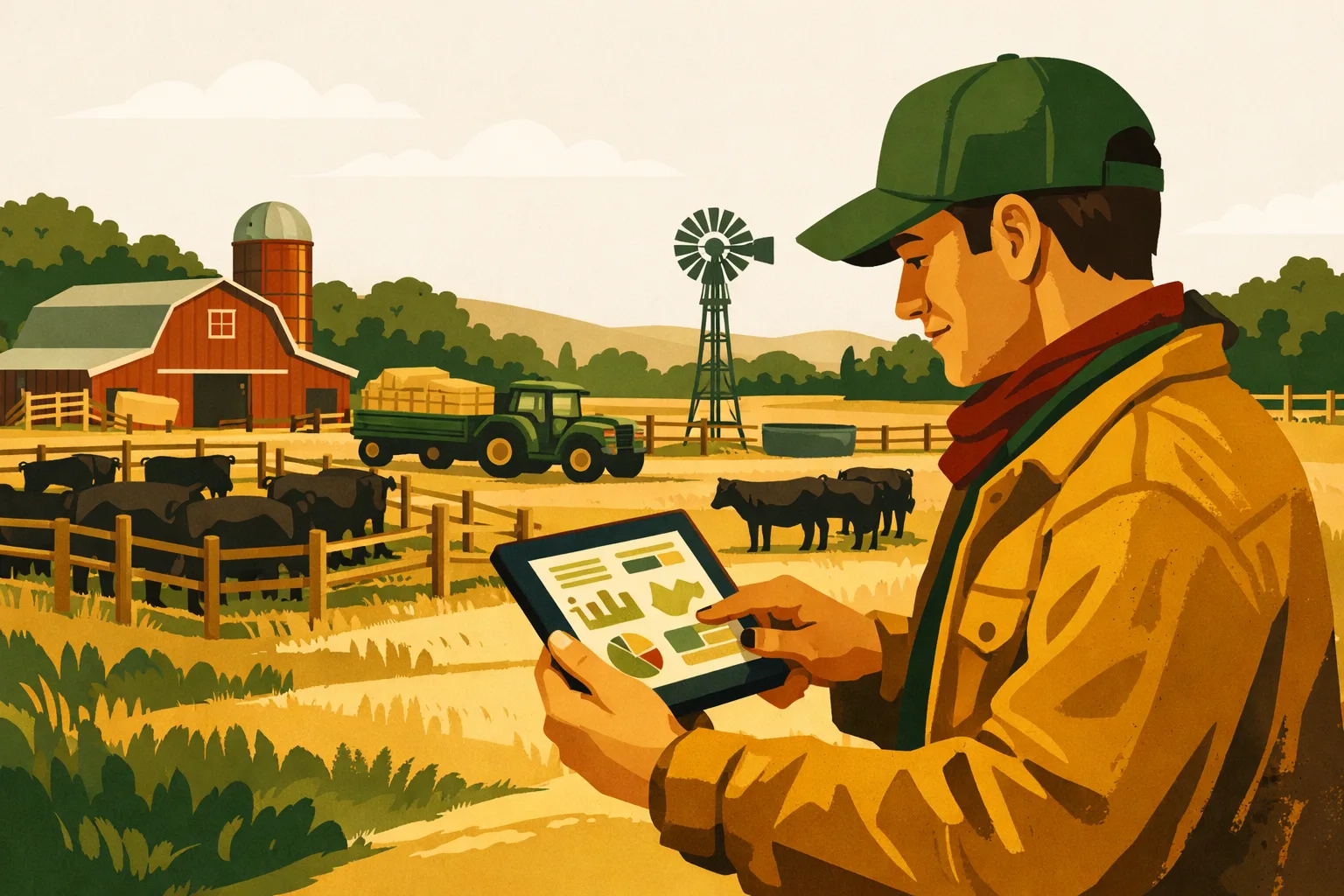
The fastest way to lose confidence in farm software is to buy a platform that looks strong in the demo but creates more work during planting, spraying, harvest, payroll, or inventory reconciliation. On a commercial farm, data only matters if it helps the right person make the next operational decision faster: what field is ready, what input was used, what job is complete, what equipment needs attention, and what needs to be billed, audited, or reported.
Farm data systems can help operators tighten field records, manage inputs, improve team communication, and reduce paperwork. But the wrong system can slow crews down, fragment records, and leave managers piecing together information from notebooks, spreadsheets, texts, and multiple apps.
This guide focuses on the farm data systems commercial operators should be cautious about in 2026, especially on 50-5000+ acre operations where the cost of bad information shows up quickly in labor, input waste, missed jobs, and management frustration.
What Makes a Farm Data System Risky?
A risky farm data system is not always “bad software.” In many cases, it is simply the wrong fit for the way a commercial farm actually runs.
For example, a system may be excellent for agronomic mapping but weak for crew tasking. Another may produce beautiful dashboards but require too much manual data entry. Another may work for a single manager but fall apart when multiple operators, applicators, and office staff need access.
For commercial farms, the system needs to support real workflows such as:
- Field activity records
- Crop plans and production tasks
- Input usage tracking
- Spray, fertilizer, irrigation, cultivation, and harvest logs
- Equipment and maintenance records
- Crew assignments
- Compliance documentation
- Inventory movement
- Cost tracking by crop, block, field, or job
- Mobile field access
- Manager review and approval
If a platform cannot support those workflows without creating duplicate data entry, it may become another administrative burden instead of a management tool.
For broader buying guidance, see FarmsFlo’s related guide on farm management software selection and the article on digital farm records.
1. Spreadsheet-Only Farm Data Systems
Spreadsheets remain common on commercial farms because they are flexible, cheap, and familiar. Many operations start with a spreadsheet for spray records, another for planting dates, another for labor, another for equipment maintenance, and another for crop plans.
That can work for a small team with a disciplined manager. But as acreage, staff, crops, or compliance requirements grow, spreadsheet-only systems become fragile.
Why They Cause Problems on Commercial Farms
The core issue is that spreadsheets are not operational systems. They are files. That means they depend on people remembering to update the right version, in the right format, at the right time.
Common problems include:
- Multiple versions of the same file
- Broken formulas
- Records overwritten by mistake
- Limited mobile usability in the field
- No real approval process
- Poor attachment handling for photos, labels, invoices, or work orders
- Weak user permissions
- No reliable audit trail
- Manual consolidation at the end of the week, month, or season
On a 200-acre specialty crop farm, one manager may still be able to keep up manually. On a 2,000-acre mixed operation with several equipment operators, spray applicators, irrigators, and office staff, spreadsheet records can become a bottleneck.
The practical risk is not just inconvenience. If spray records are late, input inventory is inaccurate, or completed jobs are not visible to managers, the operation may repeat work, miss restrictions, misallocate labor, or make decisions based on outdated information.
Real-World Failure Pattern
A common pattern looks like this:
- The farm creates a spreadsheet for crop plans.
- A separate spray record spreadsheet is added.
- A supervisor creates a labor tracking sheet.
- Equipment maintenance gets its own file.
- The office builds another sheet for purchase orders or input costs.
- At season-end, the owner asks for cost by field or crop.
- Nobody can reconcile all files cleanly.
The farm still has data, but it does not have a dependable farm data system.
Cost and Time Estimate
A spreadsheet-based system may look inexpensive, but the hidden cost is staff time.
Typical time requirements for a commercial operation can include:
- 15-45 minutes per day for manual updates during busy periods
- 1-3 hours per week reconciling crew notes, texts, and paper records
- Several days at season-end cleaning files for reporting, crop analysis, or audits
- Extra management time correcting duplicate or inconsistent records
Software subscription cost may be low, but management labor adds up quickly when records are fragmented.
When Spreadsheets Still Make Sense
Spreadsheets can still be useful for:
- One-time planning
- Scenario comparison
- Exporting data for advisors
- Temporary offline calculations
- Simple financial modeling
- Backup reports
The problem is relying on spreadsheets as the main operational database for the farm.
What to Use Instead
A stronger system should allow your team to enter field records once, from the field or office, and reuse that data across operations, reporting, and review.
Look for:
- Field-level activity logs
- User roles and permissions
- Mobile-friendly job entry
- Attachments and notes
- Searchable historical records
- Reporting by crop, field, block, job, or date
- Simple export options
- A clear workflow for assigning and completing work
If your team is still running the farm from spreadsheets, start by moving the highest-risk records first: spray applications, fertilizer applications, planting, harvest, and maintenance.
2. Mapping-First Systems That Ignore Daily Operations
Many farm data systems are built around maps. That can be valuable, especially for field boundaries, scouting, soil zones, yield layers, and variable-rate work. The risk comes when the software treats maps as the center of the farm while daily work management is an afterthought.
A commercial farm needs more than a map. It needs a working system for people, equipment, inputs, jobs, timing, and accountability.
Where Mapping-First Systems Fall Short
Mapping-first tools can become frustrating when they are excellent at displaying acres but weak at managing work.
Common gaps include:
- Limited task assignment
- Poor crew visibility
- Weak labor tracking
- No practical workflow for work orders
- Limited inventory connection
- Complicated data imports and exports
- Slow mobile performance
- Difficult setup for diversified farms
- Weak support for non-row-crop operations
For farms growing vegetables, fruit, nursery crops, forage, seed crops, or diversified rotations, a map alone rarely captures the full operational picture.
A manager may know where a field is, but still not know:
- Was the field cultivated?
- Which crew completed the work?
- What product and rate were applied?
- Was the job delayed by weather?
- Which tractor or implement was used?
- What needs to happen next?
- Has the office reviewed the record?
Real-World Failure Pattern
A farm buys a mapping-heavy platform because it looks polished in the sales demonstration. Boundaries are drawn. Fields are color-coded. Layers are imported.
Then busy season arrives.
Operators do not open the app because the task screens are hard to use. Supervisors keep texting instructions. Spray records are still written on paper. The office still asks for updates. At the end of the season, the farm has nice maps but incomplete operational records.
That is not a data system. It is a visualization tool.
Cost and Time Estimate
Mapping-heavy systems can require significant setup time, especially when fields, blocks, crops, varieties, and historical records need to be entered.
Typical implementation effort may include:
- 4-12 hours to clean field boundaries and naming conventions
- 4-20 hours to import historical records, depending on quality
- 2-6 hours of staff training for basic use
- Ongoing time to troubleshoot data layers, imports, and device compatibility
The subscription fee varies widely by platform and acreage. The larger concern is whether the farm will use the system daily after setup. A platform that is only used by one manager is unlikely to deliver full operational value.
When Mapping-First Systems Make Sense
Mapping-first platforms can be useful for:
- Precision agriculture workflows
- Variable-rate prescriptions
- Scouting and zone management
- Yield map review
- Field boundary management
- Soil sampling coordination
They become risky when the farm expects them to handle daily operations but the software is not built for crews, tasks, approvals, inventory, and management reporting.
What to Use Instead
If your farm needs mapping and operations, evaluate systems based on field execution first.
Ask vendors:
- Can an operator see today’s assigned work without searching through maps?
- Can a supervisor create a task in under two minutes?
- Can the system record product, rate, acreage, weather notes, and operator?
- Can office staff review completed work without calling the field?
- Can records be exported for compliance, billing, or advisors?
- Does the system work for your crop structure, not just broadacre row crops?
For more detail on moving from field data to usable decisions, see FarmsFlo’s guide on farm operations management.
3. ERP-Style Systems That Are Too Heavy for the Farm Team
Enterprise resource planning systems can be powerful. They are common in manufacturing, distribution, food processing, and large agribusinesses. Some commercial farms look at ERP-style platforms because they want tighter control over purchasing, inventory, labor, production, and accounting.
The challenge is that many ERP-style systems are not designed for the pace and messiness of farm field operations.
Why Heavy Systems Fail in the Field
A farm is not a factory. Jobs change because of weather, soil conditions, equipment breakdowns, labor availability, crop stage, pest pressure, irrigation timing, and market demand.
Heavy systems often require:
- Detailed setup before use
- Strict workflows
- Complex permissions
- Multi-step approvals
- Office-driven data entry
- Consultant-led configuration
- Long implementation timelines
- Extensive training
That can work for finance or inventory control, but field crews usually need speed. If recording a job takes too long, they will skip the system and send a text instead.
Real-World Failure Pattern
A farm chooses a robust ERP-style platform to “get everything in one system.” The implementation starts with chart of accounts, inventory locations, item masters, cost centers, user roles, approval flows, and reporting templates.
Months pass before the field team sees practical value.
By the time the system reaches operations, managers are tired, crews are skeptical, and the farm has spent money without solving the original problem: capturing reliable daily field data.
Cost and Time Estimate
ERP-style farm data systems may involve higher costs than lighter operational platforms.
Typical cost and time considerations can include:
- Several weeks to several months for implementation
- Internal management time for process mapping
- Vendor or consultant time for configuration
- Staff training sessions by role
- Ongoing administration to maintain items, users, workflows, and reports
- Higher switching cost once financial and operational data are embedded
The direct subscription or license cost is only one part of the decision. Farms should also estimate internal labor, consultant fees, downtime during rollout, and the risk of low adoption.
When ERP-Style Systems Make Sense
A heavier system may fit if the farm has:
- Dedicated administrative staff
- Complex inventory and purchasing workflows
- Multiple entities or locations
- Integrated packing, processing, or distribution
- Formal approval processes
- Strong accounting integration requirements
- A team prepared to maintain the system
For many 50-5000 acre operations, the better path is to start with a practical farm operations platform and integrate or export data where needed.
What to Use Instead
Choose a system that fits field execution first, then supports the office.
The right balance usually includes:
- Simple field records
- Fast mobile task completion
- Practical inventory tracking
- Equipment logs
- Cost visibility
- Exportable reports
- Clear manager dashboards
- Setup that can be completed without a long consulting project
If you are evaluating systems, ask vendors to demonstrate a real workflow from start to finish: create a spray job, assign it, complete it in the field, attach notes, update inventory, review it, and export the record.
If that workflow feels too complicated during the demo, it will not get easier during peak season.
4. Single-Purpose Apps That Create Data Silos
Single-purpose apps can solve one problem well. There are apps for scouting, irrigation, weather, equipment telematics, spray records, time tracking, accounting, inventory, and crop planning.
The risk is not the quality of the app. The risk is building your farm management system from too many disconnected tools.
How Data Silos Hurt Farm Management
When every department or manager chooses a separate app, the farm may end up with scattered information:
- Spray records in one system
- Crop plans in another
- Labor hours in payroll software
- Equipment data in a telematics portal
- Scouting notes in a mobile app
- Irrigation logs in spreadsheets
- Purchase records in accounting software
- Inventory counts on paper
Each tool may be useful on its own. But the farm manager still has to answer cross-functional questions:
- What did this crop cost to grow?
- Which fields received a specific product?
- Which jobs are late?
- How much inventory is committed to scheduled work?
- Which equipment caused the most downtime?
- Which crew completed the harvest block?
- What should be done tomorrow if rain is coming?
Disconnected apps make those answers slower and less reliable.
Real-World Failure Pattern
A farm adopts a spray record app because compliance is urgent. Then it adds a labor app because payroll is painful. Then irrigation uses a different tool. The agronomist recommends a scouting platform. Accounting stays separate.
By the end of the season, every team has data, but nobody has a full operational picture.
Managers become the integration layer. They spend time exporting CSV files, copying notes, reconciling field names, and asking staff to re-enter information.
Cost and Time Estimate
Single-purpose apps often look affordable individually. The cost appears when the farm runs several at once.
Typical hidden costs include:
- Duplicate entry across systems
- Manual reconciliation between tools
- Field name mismatches
- Separate user management
- Multiple subscriptions
- Additional training for each app
- Inconsistent reporting formats
- Delayed decision-making
A disconnected system may also create risk during staff turnover. If only one employee understands a specific app, records may become difficult to retrieve or interpret when that person leaves.
When Single-Purpose Apps Make Sense
Specialized apps can be valuable when they solve a technical problem that your core farm operations platform does not need to handle deeply.
Examples include:
- Advanced weather modeling
- Equipment manufacturer portals
- Accounting systems
- Payroll platforms
- Specialized agronomy analysis
- Regulatory reporting tools
- Irrigation automation hardware
The key is to define which system is the operational source of truth.
What to Use Instead
Commercial farms should identify a central system for daily farm operations. Other apps can support it, but they should not replace the main operational record.
A central farm data system should track:
- Fields, blocks, crops, and varieties
- Planned and completed work
- Input usage
- Crew and operator activity
- Equipment use
- Notes, photos, and attachments
- Inventory movements
- Reports for review and export
Before adding another app, ask:
- Does this solve a problem our core system cannot solve?
- Will it reduce work or create another login?
- Who owns the data?
- Can records be exported?
- Will field names and crop names stay consistent?
- What happens if the employee managing it leaves?
For farms trying to reduce app sprawl, see FarmsFlo’s article on farm task management software.
5. Proprietary Systems That Lock Up Your Farm Data
Farm data belongs to the farm. Any system that makes it difficult to export, review, transfer, or use your own records should be treated carefully.
Vendor lock-in can happen when a platform uses proprietary formats, limits exports, charges heavily for data access, or makes it difficult to leave. It can also happen when the system is bundled with equipment, inputs, consulting, or a service relationship that makes your data less portable.
Why Data Lock-In Is a Serious Risk
Commercial farms build years of operational history. That history includes:
- Field activities
- Product applications
- Planting records
- Harvest records
- Yield or production data
- Input rates and costs
- Labor records
- Equipment maintenance
- Crop notes
- Compliance documents
This data becomes more valuable over time. It helps with crop planning, budgeting, audits, lender conversations, landlord reporting, sustainability programs, food safety documentation, and management transitions.
If a system makes that information hard to access, the farm loses leverage.
Real-World Failure Pattern
A farm uses a proprietary platform for several seasons. Records are entered consistently. Managers become dependent on reports inside the system.
Then the farm wants to switch platforms, change advisors, restructure operations, or consolidate data.
The export options are limited. Attachments do not transfer cleanly. Field histories are difficult to download. Reports can be viewed but not extracted in a useful format. The farm either stays with a system it no longer likes or spends weeks rebuilding records manually.
Cost and Time Estimate
Data lock-in costs usually appear during transition.
Potential transition costs include:
- Staff time exporting and cleaning files
- Consultant or vendor migration fees
- Manual re-entry of historical records
- Lost attachments or incomplete histories
- Delayed implementation of a new system
- Reduced confidence in older records
A farm switching systems should budget time for data cleanup. Depending on record quality and years of history, migration can take several days to several weeks.
Warning Signs During the Buying Process
Be cautious if a vendor cannot clearly answer:
- Can we export all field records?
- Can we export attachments?
- What file formats are available?
- Can we export by field, crop, date, or activity type?
- What happens if we cancel?
- How long do we retain access after cancellation?
- Is there an added fee for full data export?
- Are APIs or integrations available?
- Are field names and records stored in a standard format?
If the answer is vague, push harder before signing.
What to Use Instead
Choose systems that respect farm ownership of records.
Look for:
- Simple export tools
- Clear cancellation terms
- Access to historical records
- Downloadable reports
- Standard file formats such as CSV or PDF where appropriate
- Ability to export activity history by field or crop
- Transparent data policy
- Practical support during migration
Your farm data system should make your operation stronger, not trap you.
Comparison Table: Farm Data Systems to Avoid and What to Choose Instead
| System Type to Avoid | Main Risk | Common Symptoms | Better Alternative | Best Fit Decision Rule |
|---|---|---|---|---|
| Spreadsheet-only systems | Fragile records and manual reconciliation | Multiple file versions, delayed updates, broken formulas | Central farm operations platform with mobile records | Use spreadsheets for analysis, not as the main operating system |
| Mapping-first systems with weak operations | Good visuals but poor execution tracking | Nice maps, incomplete task records, continued texting | System built around tasks, fields, inputs, and crews | Choose only if daily work can be assigned and completed easily |
| Heavy ERP-style systems | Too complex for field adoption | Long setup, consultant dependence, low crew use | Practical farm management system with export/integration options | Use ERP only if your team can maintain it |
| Single-purpose app stacks | Disconnected data and duplicate entry | Many logins, inconsistent field names, scattered reports | One operational source of truth plus selected specialist tools | Add apps only when they integrate or solve a defined gap |
| Proprietary locked systems | Loss of control over farm history | Limited exports, unclear data access, painful switching | Open, export-friendly platform | Do not buy unless you can retrieve your records cleanly |
How to Evaluate Farm Data Systems Before You Buy
The best evaluation process is not a feature checklist alone. It is a workflow test.
Ask the vendor to show the exact tasks your team performs during a normal week. If the system cannot handle those workflows in a live demonstration, it may not survive a busy season.
Start With Your Current Pain Points
Before speaking with vendors, list the operational problems you need to solve.
Examples:
- Spray records are late or incomplete
- Managers do not know which jobs are finished
- Inventory counts are unreliable
- Field notes are scattered across texts and notebooks
- Maintenance is reactive
- Labor and crop costs are hard to review
- Compliance reports take too long
- Seasonal employees need simpler instructions
- Office staff wait on field updates
- Crop plans are not connected to actual work
Rank these problems by cost, risk, and frequency. A good system should solve your most painful operational issues first.
Test the System With Real Farm Scenarios
Do not rely on a generic sales demo. Use your own fields, crops, equipment, and jobs.
Ask the vendor to demonstrate:
- Creating a field or block
- Adding a crop or variety
- Scheduling a field task
- Assigning work to an operator or crew
- Completing the task from a phone or tablet
- Recording inputs, rates, notes, and attachments
- Reviewing completed work as a manager
- Generating a report
- Exporting the data
- Finding the same record later
If the vendor needs workarounds for basic farm workflows, that is a red flag.
Include the People Who Will Actually Use It
Do not let the buying decision sit only with ownership, accounting, or agronomy. Include the people who will use the system daily.
That may include:
- Farm manager
- Field supervisor
- Spray applicator
- Irrigation lead
- Equipment operator
- Office administrator
- Inventory manager
- Crop advisor
- Compliance manager
Field adoption is usually where software succeeds or fails. If operators find the system slow or confusing, records will stay incomplete.
Review Mobile Usability
Farm data systems must work where the work happens.
Evaluate:
- Phone usability
- Tablet usability
- Offline or low-signal workflows
- Speed of task completion
- Photo attachment process
- Ease of selecting fields and products
- Visibility for assigned tasks
- Simplicity for seasonal workers
- Language needs if applicable
- Permission levels for different roles
A manager dashboard is useful, but if field entry is painful, the dashboard will be empty or inaccurate.
Check Reporting and Export Options
Reports are where farm data becomes useful.
Test whether the system can report by:
- Field
- Block
- Crop
- Variety
- Date range
- Activity type
- Product
- Operator
- Equipment
- Job status
- Input usage
- Harvest or production records
Also verify export formats and data ownership terms before signing.
Practical Checklist: What to Avoid Before Signing a Farm Data System Contract
Use this checklist before committing to a new platform.
Farm Data System Buying Checklist
- We tested the software with our real crops, fields, and workflows.
- Field staff reviewed the mobile experience.
- A manager can create and assign a job quickly.
- Operators can complete a job without calling the office.
- The system supports our crop structure, not just generic field names.
- Spray, fertilizer, irrigation, planting, harvest, and maintenance records are supported where needed.
- Input usage can be connected to field activities.
- Reports can be generated by field, crop, date, and activity.
- Data can be exported in usable formats.
- Attachments, notes, and photos can be retained.
- User permissions match our staff roles.
- Training requirements are realistic for our team.
- Setup can be completed before the season starts.
- The system reduces duplicate entry.
- We know what happens to our data if we cancel.
- Pricing is clear for users, acres, locations, and support.
- The vendor understands commercial farm operations.
- We have a rollout plan for the first 30, 60, and 90 days.
If you cannot check most of these boxes, keep evaluating.
Implementation Plan for a Better Farm Data System
Choosing software is only half the job. Implementation determines whether the system becomes part of daily operations.
Phase 1: Clean Up Core Farm Data
Start with the basics:
- Field names
- Block names
- Acreage
- Crops
- Varieties
- Equipment list
- Input list
- Employee and user roles
- Standard activities
- Inventory locations
Estimated time: 4-16 hours depending on farm complexity and record quality.
Do not import messy data just because it exists. Clean naming conventions first. For example, avoid having “North 40,” “N40,” and “North Field” refer to the same field across different files.
Phase 2: Start With High-Value Workflows
Do not roll out every feature at once.
Start with records that are high-value or high-risk:
- Spray applications
- Fertilizer applications
- Planting
- Harvest
- Irrigation
- Equipment maintenance
- Daily task assignments
Estimated time: 1-3 weeks for initial rollout, depending on staff size and training needs.
The goal is to build confidence. If the team sees that the system reduces calls, texts, and paperwork, adoption improves.
Phase 3: Train by Role
Different users need different training.
A spray applicator does not need the same training as the office manager. A seasonal harvest crew does not need full system permissions. A farm owner may only need dashboards and reports.
Role-based training should cover:
- What the user needs to enter
- When they need to enter it
- What they should not change
- Who reviews the record
- What to do if something is wrong
- How to work in low-signal areas
- How to attach photos or notes
Estimated time: 30-90 minutes per user group for initial training, with short refreshers during the season.
Phase 4: Review Records Weekly
During the first season, review records weekly.
Look for:
- Missing jobs
- Incomplete fields
- Incorrect products
- Duplicate activities
- Delayed entries
- Confusing task names
- Users who need more training
- Reports that need adjustment
This weekly review prevents small issues from becoming season-end cleanup projects.
Estimated time: 30-60 minutes per week during the first rollout season.
Phase 5: Expand After Adoption
Once the core workflows are running smoothly, expand into:
- Deeper cost tracking
- Inventory planning
- Equipment maintenance schedules
- Crop budget comparison
- Advisor reporting
- Multi-location dashboards
- Historical performance review
Expansion should follow operational value, not feature excitement.
Red Flags During a Farm Data System Demo
A polished demo can hide weak workflows. Watch for these red flags:
The Vendor Avoids Real Field Scenarios
If the demo stays at a high level and never shows job creation, field completion, reporting, and export, ask for a deeper walkthrough.
Every Answer Requires a Workaround
Some customization is normal. But if common farm tasks require awkward steps, users may avoid the system.
Mobile Entry Looks Slow
If it takes too many taps to complete a field job, crews will revert to paper or texts.
The System Is Built for a Different Farm Type
A row-crop-focused tool may not fit a vegetable operation. A vineyard tool may not fit a grain operation. A livestock-heavy system may not support field operations well.
Pricing Is Hard to Understand
Clarify whether pricing is based on:
- Acres
- Users
- Locations
- Modules
- Support level
- Data storage
- Integrations
- Implementation services
Do not proceed without knowing what the system will cost as your usage grows.
Export Terms Are Unclear
If you cannot easily retrieve your data, you are taking on unnecessary risk.
Budgeting for Farm Data Systems in 2026
Commercial farms should budget for more than the subscription.
A realistic software budget may include:
- Subscription or license cost
- Setup or onboarding fees
- Data cleanup time
- Staff training time
- Device upgrades if needed
- Internal project management
- Report customization
- Ongoing support
The right budget depends on farm size, complexity, and the number of users. A simple operation may implement a practical system quickly. A multi-location farm with many crops, products, and users should expect more setup time.
Practical Budget Questions
Ask these before buying:
- What is the total first-year cost?
- What is the renewal cost?
- Are all needed modules included?
- Is support included?
- Is onboarding included?
- What happens if we add users or acres?
- Are exports included?
- Is training live, recorded, or self-service?
- Can we start with core workflows and expand later?
A cheaper system that nobody uses is expensive. A more complete system that saves management time and improves records can be the better investment.
How to Choose the Right Farm Data System for Your Operation
Avoid choosing software based only on the longest feature list. Choose based on fit.
For 50-250 Acre Commercial Farms
Prioritize:
- Simple setup
- Mobile task records
- Spray and fertilizer logs
- Crop planning
- Basic inventory
- Easy reports
- Low administrative overhead
Avoid overly complex systems that require more management time than they save.
For 250-1000 Acre Farms
Prioritize:
- Task assignment
- Crew coordination
- Multi-user permissions
- Input usage tracking
- Equipment logs
- Field history
- Report exports
- Seasonal worker usability
This size range often outgrows spreadsheets and needs a central operating system.
For 1000-5000+ Acre Farms
Prioritize:
- Multi-location support
- Role-based permissions
- Standardized workflows
- Strong reporting
- Inventory visibility
- Equipment and maintenance tracking
- Data export and integration options
- Reliable onboarding and support
Larger farms should pay close attention to naming conventions, user training, and data governance from day one.
How FarmsFlo Helps
FarmsFlo is built for commercial farm operators who need practical farm data systems that support daily work, not just end-of-season reporting.
With FarmsFlo, farm teams can manage field operations, tasks, records, inputs, equipment, and reporting in one place. The goal is simple: help managers see what needs to happen, what is already done, who did it, and what records are available for review.
FarmsFlo is designed to help farms reduce scattered spreadsheets, disconnected notes, and manual follow-up across the operation.
Use FarmsFlo to:
- Assign and track farm tasks
- Keep field-level activity records
- Improve communication between managers and crews
- Maintain better visibility across crops, fields, and equipment
- Reduce duplicate data entry
- Organize operational records for review and reporting
- Build a more reliable source of truth for farm management
If you are evaluating farm data systems for 2026, start with the workflows your team handles every week. Then test whether your current tools make those workflows easier or harder.
Ready to see how FarmsFlo can fit your operation? Start a trial at farmsflo.com and evaluate it with your real farm workflows before the season gets busy.