5 Farm Record Keeping Programs Farmers Wish They Used in 2026
Compare five farm record keeping programs for commercial operations in 2026, covering field logs, livestock records, labor tracking, and audit readiness.
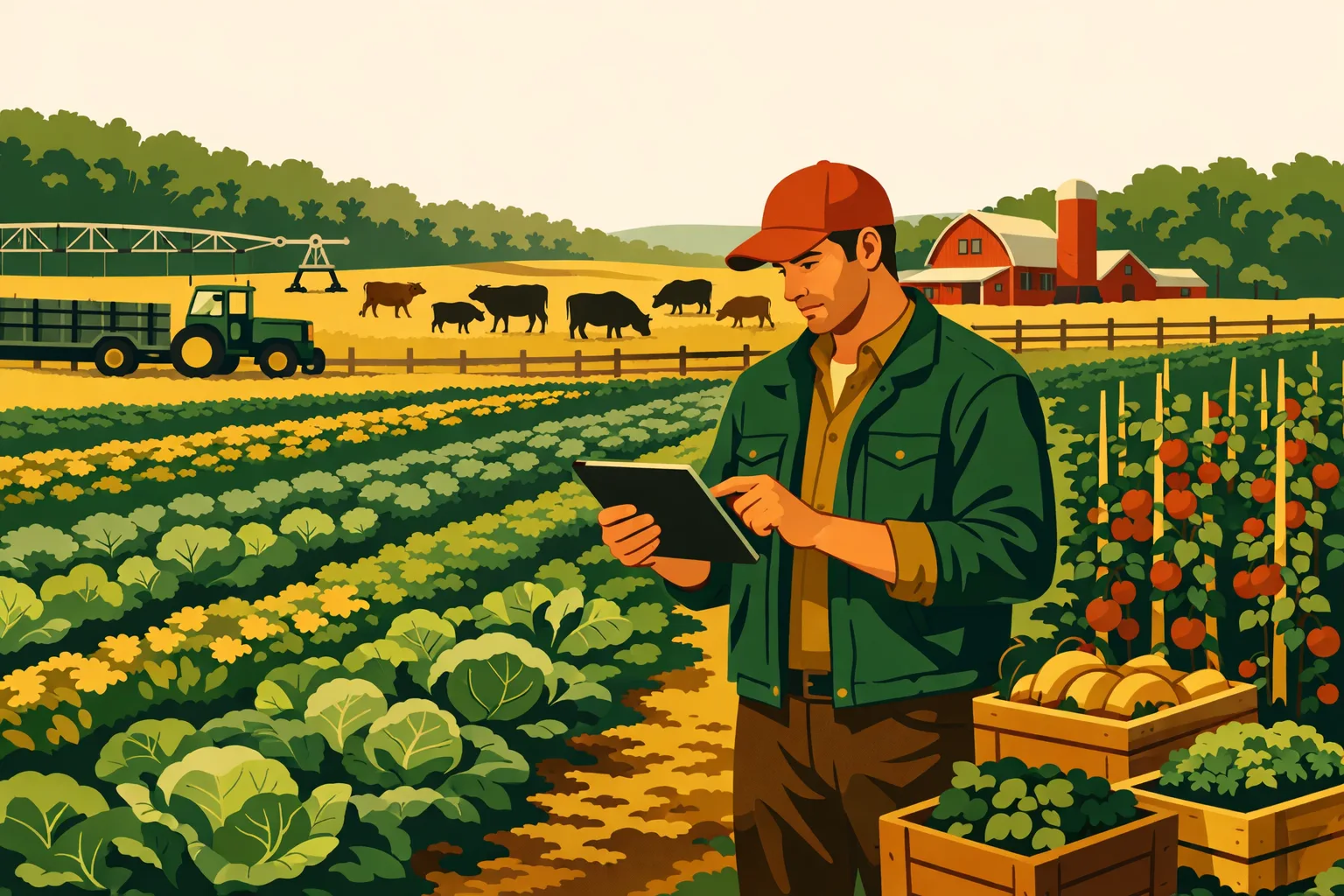
A missed application record rarely feels expensive on the day it happens. The real cost shows up later: during an audit, when reconciling chemical inventory, when a crop advisor asks what was sprayed on a field three months ago, or when ownership wants a clean cost-of-production report before next season’s input decisions. For commercial farms, record keeping is no longer just paperwork. It is operational control.
Farm record keeping programs are now central to how farms manage field activity, chemical and fertilizer use, labor, equipment, inventory, compliance, and financial decisions. The challenge is that most platforms claim to “simplify farm management,” but they do not all solve the same problem.
Some are built around agronomy. Some are accounting-first. Some are better for large, multi-entity operations. Others work best for teams that need fast field records without turning every employee into a software administrator.
This guide compares five farm record keeping programs commercial operators commonly evaluate in 2026, with practical use cases, trade-offs, setup expectations, and the outcomes farmers are usually trying to achieve.
What Commercial Farms Actually Need From Farm Record Keeping Programs
For a 50-acre operation, a spreadsheet may survive longer than it should. For a 500-, 1,500-, or 5,000-acre farm, manual records usually break down in predictable places.
The Pain Points That Push Farms to Switch
Most farms start looking for better record keeping software when one or more of these problems becomes too costly:
- Spray records are stored across notebooks, texts, and memory
- Field activity is not entered until days or weeks later
- Chemical inventory does not match what was actually applied
- Managers cannot see which fields are done without calling multiple people
- Compliance reports require hours of backtracking
- Labor and equipment time are not tied to specific jobs
- Cost-per-field reporting is too slow to influence decisions
- Crop plans are not connected to actual field execution
- Accounting and field operations are managed in separate systems
- Seasonal employees avoid complicated software
The right system depends on where the farm’s record keeping breaks first.
If your main issue is compliance, spray records, and operational execution, you need a different platform than a farm trying to rebuild enterprise accounting. If your biggest challenge is advisor collaboration, agronomy-centered software may matter more than inventory workflows.
For more detail on the foundations, see the FarmsFlo guide to farm record keeping for commercial operations.
Quick Comparison: 5 Farm Record Keeping Programs for 2026
| Program | Best Fit | Core Strength | Common Trade-Off | Typical Setup Effort |
|---|---|---|---|---|
| FarmsFlo | Commercial farms that need simple, field-ready operational records | Field records, spray logs, compliance, team workflows, inventory visibility | Not designed as a full accounting replacement | Low to moderate: days to a few weeks depending on field count |
| Agworld | Farms working closely with agronomists and crop advisors | Agronomy planning, recommendations, field scouting, advisor collaboration | May require strong advisor/team adoption to get full value | Moderate: field setup, user roles, agronomy workflows |
| Granular | Larger operations needing enterprise-level planning and analysis | Farm business management, crop plans, operational analytics | Can be heavier than smaller farms need | Moderate to high: data migration and process alignment |
| Conservis | Broadacre and specialty farms needing operational and financial control | Production records, inventory, contracts, cost tracking | More structured implementation than lightweight tools | Moderate to high: strong setup discipline required |
| Traction Ag | Farms that want accounting and operations closer together | Farm accounting, payroll, field operations, financial reporting | Field usability may depend on workflow fit and team habits | Moderate: chart of accounts, field structure, accounting setup |
No single system is the automatic winner for every farm. The practical question is: which program removes the most friction from the records your farm actually uses?
1. FarmsFlo: Best for Farms That Need Records Entered Correctly the First Time
FarmsFlo is built for commercial farm teams that need practical operational records without creating a software burden. It is a strong fit for farms where field activity, spray records, inventory, compliance, and team visibility are the priority.
Many farms do not need a massive enterprise system. They need their operators, managers, and office staff working from the same information without chasing notebooks, text messages, or half-filled spreadsheets.
Where FarmsFlo Fits Best
FarmsFlo is well suited for:
- Row crop farms managing multiple fields and operators
- Specialty crop operations with tighter compliance requirements
- Farms that need cleaner spray and application records
- Operations moving away from paper logs
- Managers who want daily visibility without constant phone calls
- Farms that need employee-friendly software during busy seasons
- Teams that want better inventory and field activity tracking
The practical advantage is usability. A farm record keeping program only works if records are entered at the time work is done or shortly after. If the software feels too complicated, field employees will avoid it, and the office will end up rebuilding records later.
Real-World Outcome Farmers Want
The outcome farms usually want from a system like FarmsFlo is not “more data.” It is fewer gaps.
That means:
- Spray records completed while the job is fresh
- Fieldwork tied to the right crop, field, product, rate, and date
- Managers seeing job progress without calling every operator
- Easier preparation for audits and buyer documentation
- Inventory usage matching application records more closely
- Less end-of-season cleanup before planning the next crop
For farms that are tired of reactive record keeping, FarmsFlo works well because it focuses on the workflows commercial farms repeat every day.
Cost and Time Expectations
Implementation time depends on farm complexity, but most commercial farms should expect to spend time on:
- Field and crop setup
- User permissions
- Product and input lists
- Basic workflow decisions
- Training managers and operators
- Reviewing record templates for compliance needs
For a straightforward farm, initial setup may take several focused sessions over a few days. More complex operations with multiple crops, locations, and compliance requirements should plan for a few weeks of rollout and refinement.
Budget-wise, farms should evaluate software cost against time currently spent reconstructing records, correcting inventory, preparing reports, and managing compliance risk. The biggest return usually comes from reducing manual cleanup and improving operational visibility during the season.
For a deeper look at application documentation, see spray record keeping software for commercial farms.
Where FarmsFlo May Not Be the Fit
FarmsFlo is not positioned as a full replacement for every accounting or enterprise resource planning system. If your primary need is advanced general ledger accounting, payroll, or complex multi-entity finance, you may pair FarmsFlo with accounting software or evaluate an accounting-led platform.
For operations where the main pain is field execution, compliance records, inventory usage, and team coordination, FarmsFlo should be on the shortlist.
2. Agworld: Best for Agronomy-Driven Farms and Advisor Collaboration
Agworld is widely known for connecting growers, agronomists, consultants, and service providers around field-level agronomic information. If your operation depends heavily on outside crop advisors or internal agronomy teams, Agworld can be a strong contender.
Its value is strongest when recommendations, scouting observations, crop plans, and field histories need to move clearly between farm staff and advisors.
Where Agworld Fits Best
Agworld is a strong match for farms that:
- Work closely with agronomists or crop consultants
- Need scouting notes tied to fields and zones
- Want recommendations connected to application records
- Manage detailed crop plans by field
- Need multiple stakeholders reviewing agronomic information
- Want historical field data available for planning discussions
For farms where the agronomist drives much of the record structure, Agworld can reduce confusion between what was recommended and what actually happened.
Real User Insight: Advisor Adoption Matters
The most common practical lesson with agronomy-centered platforms is that adoption cannot stop with the farm manager. If the crop advisor does not use the system consistently, recommendations may still arrive through texts, PDFs, calls, or handwritten notes.
When everyone uses the same system, the farm gains a clearer chain from recommendation to execution to record. When adoption is partial, the farm can end up with another place to check rather than a true single source of truth.
Cost and Time Expectations
Setup typically includes:
- Field boundaries and farm structure
- Crop plans and rotations
- Product lists
- Advisor and employee access
- Scouting templates
- Recommendation workflows
Expect setup to take longer if the farm is coordinating with outside advisors or retailers. The time is worthwhile when all parties commit to using the system.
Pricing may vary by region, acreage, users, and service provider relationships. Farms should ask whether access is grower-paid, advisor-supported, retailer-linked, or bundled with other services.
Where Agworld May Not Be the Fit
Agworld may feel less direct for farms primarily seeking simple daily operational records, equipment task tracking, or inventory workflows without a heavy agronomy collaboration component.
If your biggest issue is “we need operators to enter accurate fieldwork and spray records quickly,” compare the workflow carefully against simpler operational tools.
3. Granular: Best for Larger Farms That Want Business-Level Visibility
Granular is often considered by larger commercial farms that want broader farm management, planning, and business analytics. It is more than a basic field log. Its value is tied to connecting plans, activities, costs, and performance across the operation.
For farms with scale, multiple managers, and detailed reporting needs, this type of system can help create structure around crop plans and enterprise decisions.
Where Granular Fits Best
Granular is worth evaluating for farms that:
- Manage large acreage across many fields
- Need stronger crop planning and budget visibility
- Want field activities tied to business performance
- Have dedicated management or administrative staff
- Need reporting across farms, entities, or locations
- Want operational and financial data connected more closely
The larger and more complex the farm, the more valuable structured planning tools become. A farm with several managers, crews, and crop enterprises often needs more than a digital notebook.
Real User Insight: Data Discipline Determines Value
With more advanced platforms, the software is only as useful as the process behind it. Farms that get strong value usually assign clear ownership for data quality.
That means deciding:
- Who creates crop plans
- Who enters field activity
- Who approves or reviews records
- Who maintains input costs
- Who checks reports before management meetings
- How often data is reviewed during the season
If those responsibilities are unclear, advanced reporting becomes difficult to trust.
Cost and Time Expectations
A larger farm management system usually requires a more structured implementation. Farms should plan for:
- Field and boundary import
- Crop plan creation
- Historical data decisions
- Cost and budget setup
- User training by role
- Reporting structure
- Ongoing data review
Expect weeks rather than days for a serious rollout, especially if the farm wants useful cost and performance reporting from the start.
Pricing can depend on acreage, modules, support level, and organization complexity. Farms should request a detailed quote and ask what onboarding, support, and training are included.
Where Granular May Not Be the Fit
For smaller commercial farms or teams wanting straightforward field records, a more enterprise-style system may create more structure than needed. If employees already resist software, adding a heavier platform without strong internal accountability can slow adoption.
Before choosing a larger system, map the exact reports and decisions you expect it to support. Do not pay for complexity unless the farm will use it.
For related evaluation criteria, read how to choose farm management software.
4. Conservis: Best for Operations That Need Production, Inventory, and Financial Traceability
Conservis is commonly evaluated by farms looking for deeper operational traceability and stronger connection between production activities, inventory, contracts, and financial information. It tends to appeal to farms that want a more comprehensive management structure than basic record keeping.
This can be useful for farms with multiple crops, significant inventory movement, storage, production tracking, and ownership or lender reporting requirements.
Where Conservis Fits Best
Conservis may be a good fit for farms that:
- Need tighter traceability from field to storage or sale
- Track inventory across multiple locations
- Manage complex crop production cycles
- Need better cost tracking by field, crop, or enterprise
- Want structured workflows for production agriculture
- Have administrative capacity to maintain detailed records
The strength of this type of platform is connecting more parts of the farm business. Instead of field records living separately from inventory and contracts, more information can be tied together.
Real User Insight: Structure Helps, But It Requires Commitment
Comprehensive systems can create clarity, but they also require farms to standardize how work is recorded. That can be a cultural shift.
If each manager names fields differently, tracks inventory differently, or enters activities on a different timeline, the software cannot fix the underlying inconsistency. Farms that succeed usually clean up naming conventions, workflows, and responsibilities during implementation.
Cost and Time Expectations
Plan for a structured onboarding process. Areas to prepare include:
- Field and entity structure
- Crop and production stages
- Inventory locations
- Product lists and units of measure
- Storage and movement records
- Contract or sales data
- Cost tracking workflows
- User roles and approvals
The setup process can take several weeks or longer depending on complexity. Farms should assign an internal project lead and avoid launching during the most chaotic weeks of planting or harvest if possible.
Pricing is typically quote-based for platforms at this level. Ask about onboarding fees, support, integrations, user limits, and whether implementation assistance is included.
Where Conservis May Not Be the Fit
If your farm mainly needs faster day-to-day records and cleaner compliance documentation, a comprehensive system may feel heavier than necessary. The added structure is valuable only if the farm will maintain it.
For farms that are not ready to standardize processes, start with the highest-value record categories first: applications, inventory, field activity, and compliance.
For more on input tracking, see farm inventory management software for crop operations.
5. Traction Ag: Best for Farms That Want Accounting and Operations in One System
Traction Ag is often considered by farms that want cloud-based farm accounting with operational record keeping connected more closely than traditional accounting software allows. For farms frustrated by the gap between field activity and financial reporting, this can be attractive.
The key distinction is that Traction Ag is accounting-forward compared with many field-first platforms.
Where Traction Ag Fits Best
Traction Ag may be a strong fit for farms that:
- Want farm-specific accounting tools
- Need better crop enterprise financial reports
- Manage payroll, expenses, and field records
- Want to reduce duplicate entry between operations and accounting
- Prefer cloud-based access over desktop accounting systems
- Have office staff focused on financial management
For farms where financial reporting is the record keeping bottleneck, accounting-led software may solve problems that field-only systems do not.
Real User Insight: Office Adoption Is Just as Critical as Field Adoption
Field-first systems fail when operators do not enter records. Accounting-first systems fail when the office does not maintain accurate financial workflows.
To get value, the farm needs discipline around:
- Chart of accounts
- Crop enterprises
- Vendor and input coding
- Payroll categories
- Equipment and field cost allocation
- Timely transaction entry
- Reconciliation schedules
If those processes are already painful, implementation should include workflow cleanup, not just software setup.
Cost and Time Expectations
Setup commonly involves:
- Chart of accounts
- Bank connections or imports
- Vendor lists
- Employees and payroll setup
- Fields and crop enterprises
- Equipment records
- Beginning balances
- User permissions
- Training for office and management staff
Expect the accounting side to require careful setup before the system delivers clean reports. Depending on farm complexity, this may take several weeks, especially if migrating from desktop accounting or spreadsheets.
Pricing may vary by subscription tier, modules, users, payroll needs, and support. Farms should ask whether implementation help is included and how historical data migration is handled.
Where Traction Ag May Not Be the Fit
If your primary pain is field-level compliance, spray record speed, operator usability, or real-time job visibility, evaluate how well the field workflow performs for your team. Accounting depth is valuable, but only if it does not create friction for daily operational records.
How to Choose the Right Farm Record Keeping Program
The worst way to buy farm software is to start with feature lists. Most platforms have long lists. A better approach is to identify which records create the most risk, rework, or lost management value on your farm.
Step 1: Identify Your Highest-Value Records
Start with the records that matter most commercially:
- Chemical applications
- Fertilizer applications
- Planting records
- Harvest records
- Irrigation records
- Labor records
- Equipment activity
- Inventory usage
- Compliance documents
- Crop plans
- Cost records
- Storage and movement records
- Sales and contracts
Rank each category based on how often it is used, how hard it is to recreate, and what happens if it is wrong.
For many farms, spray records and inventory are the first areas to digitize because the payoff is immediate: cleaner compliance, faster reporting, and better control of product usage.
Step 2: Decide Who Will Enter the Data
A record keeping system should match the people using it.
Ask:
- Will operators enter records from the field?
- Will managers enter records at the end of the day?
- Will office staff enter records from work orders?
- Will agronomists create recommendations?
- Will custom applicators provide documentation?
- Will owners review reports monthly or seasonally?
If the system depends on field employees, prioritize mobile usability and simple workflows. If it depends on office staff, prioritize review tools, reporting, and integrations.
The mistake many farms make is buying software for the person reviewing the data, not the person entering it.
Step 3: Match the Program to Your Main Bottleneck
Use this practical filter:
- If your bottleneck is field execution and compliance, evaluate FarmsFlo first.
- If your bottleneck is agronomy collaboration, evaluate Agworld.
- If your bottleneck is large-farm planning and analytics, evaluate Granular.
- If your bottleneck is traceability across production, inventory, and financial workflows, evaluate Conservis.
- If your bottleneck is accounting and enterprise financial reporting, evaluate Traction Ag.
Some farms may need two systems that integrate or operate side by side. That is acceptable if responsibilities are clear. What you want to avoid is two systems capturing the same record in different ways.
Step 4: Test With Real Farm Workflows
Do not evaluate software using a clean demo farm. Test with your own messy reality.
Use examples like:
- A tank mix with multiple products
- A field split across crops or varieties
- A replant situation
- A partial application due to weather
- A product substitution
- A custom applicator job
- A chemical inventory correction
- A field activity entered by a seasonal employee
- A compliance report request from a buyer or auditor
A good farm record keeping program should handle common exceptions without creating confusion.
Practical Checklist for Evaluating Farm Record Keeping Programs
Use this checklist before signing a contract or starting implementation.
Software Fit Checklist
- The system supports your main crops and production workflows
- Field records can be entered quickly by the people doing the work
- Spray and fertilizer records include the details required for your operation
- Product rates, units, and field acres are easy to manage
- Inventory usage can be tied to actual applications
- Managers can review progress without calling every employee
- Reports can be exported in formats buyers, auditors, or owners need
- Mobile access works for field conditions on your farm
- User permissions match your team structure
- Setup does not require more administrative time than your farm can support
- Pricing is clear for acreage, users, modules, support, and onboarding
- The vendor can explain how farms like yours use the system
- Training is practical for seasonal and non-office employees
- You know who owns data quality internally
- You have a rollout plan before peak season
Demo Questions to Ask Vendors
Ask each vendor the same questions so you can compare fairly:
- How long does implementation usually take for a farm our size?
- Who on our team needs training?
- Can operators enter records from a phone or tablet?
- Can we create spray records that meet our compliance needs?
- How does inventory update after applications?
- Can we import existing field lists, boundaries, or product data?
- What reports do commercial farms use most often?
- How are user permissions handled?
- What support is included after launch?
- What happens if we need to export our data?
The answers will reveal whether the vendor understands commercial farm operations or is simply walking through a generic software demo.
Implementation Plan: A 30-Day Rollout That Works
Farm software fails when farms try to digitize everything at once during the busiest part of the year. A phased rollout is safer.
Week 1: Prepare the Farm Structure
Focus on clean setup:
- Confirm field names and acres
- Organize farms, blocks, or management zones
- Add crops and varieties where needed
- Add employees and user roles
- Build product lists for chemicals, fertilizer, seed, and other inputs
- Decide required fields for records
Time estimate: 4–12 hours for a smaller commercial farm; 15–40+ hours for larger or more complex operations.
Week 2: Build Core Workflows
Choose the first records to digitize. For most farms, start with:
- Spray applications
- Fertilizer applications
- Planting or fieldwork
- Inventory usage
- Job completion status
Create simple rules:
- Records must be entered same day when possible
- Each record needs field, date, product, rate, operator, and acres
- Managers review records daily or weekly during rollout
- Corrections are handled through one person or role
Time estimate: 3–8 hours for workflow design and testing.
Week 3: Train the Team
Training should be role-based.
Operators need to know:
- How to find assigned fields or jobs
- How to enter completed work
- How to record products and rates
- How to flag issues or incomplete work
Managers need to know:
- How to review records
- How to correct errors
- How to track job progress
- How to run reports
Office staff need to know:
- How to export records
- How to support compliance documentation
- How to reconcile inventory or costs if applicable
Time estimate: 30–60 minutes per field employee for basic workflows; 2–4 hours for managers and office staff.
Week 4: Review and Tighten
After the first few weeks, review:
- Which records were missed?
- Which fields or products caused confusion?
- Which employees need more training?
- Which reports are useful?
- Which workflows need simplification?
- Are managers reviewing data often enough?
This review is where the system starts becoming part of farm management rather than just another app.
Common Buying Mistakes to Avoid
Choosing the Most Complex Program by Default
Bigger software does not automatically mean better records. If your team will not use it consistently, complexity becomes a liability.
Buy the system that matches your current operational maturity, then build from there.
Ignoring the Person Entering the Record
Many purchase decisions are made by owners, managers, or office staff. But if operators are expected to enter records, their workflow matters most.
Field usability should be tested before the purchase.
Waiting Until Peak Season
Do not roll out new software for the first time when planters, sprayers, harvest crews, or packing lines are already under pressure.
Set up before the season, train on real examples, and start with the highest-value workflows.
Failing to Standardize Naming
Field names, product names, crop names, and units of measure must be consistent. Poor naming conventions create reporting problems no software can fully solve.
Buying Without a Reporting Goal
Before implementing, define the reports you actually want:
- Spray application report
- Field activity report
- Product usage report
- Inventory report
- Cost-by-field report
- Compliance report
- Crop plan vs. actual report
If the software cannot produce the reports you need, keep evaluating.
Which Farm Record Keeping Program Should You Choose?
Here is the practical short list:
Choose FarmsFlo if:
You want field-ready operational records, cleaner spray logs, better compliance documentation, inventory visibility, and a system your team can actually use during the season.
Choose Agworld if:
Your farm’s record keeping revolves around agronomist recommendations, scouting, crop planning, and advisor collaboration.
Choose Granular if:
You operate at larger scale and need structured planning, analytics, and business-level visibility across the farm.
Choose Conservis if:
You need deeper production traceability, inventory structure, cost tracking, and operational-financial connection.
Choose Traction Ag if:
Your biggest pain is farm accounting, payroll, crop enterprise financial reporting, and reducing the gap between operations and finance.
The right decision comes down to which records create the most value when they are accurate, current, and easy to access.
How FarmsFlo Helps
FarmsFlo helps commercial farms replace scattered notes, spreadsheets, and delayed paperwork with practical farm record keeping built for real operations.
With FarmsFlo, teams can manage field activity, spray records, input usage, compliance documentation, and operational visibility in one place. Managers get cleaner records without chasing every detail manually, and field teams get workflows designed to be used during the season, not after it.
FarmsFlo is a strong fit if your farm needs:
- Faster, cleaner field records
- Better spray and fertilizer documentation
- Easier compliance preparation
- Improved inventory visibility
- Simple workflows for employees
- Less end-of-season record cleanup
- Better day-to-day management visibility
If you are comparing farm record keeping programs for 2026, start with the workflows that cost your farm the most time today. Then test the system with your real fields, real products, and real employees.
Start a FarmsFlo trial at farmsflo.com and see how cleaner farm records can support better decisions across your operation.